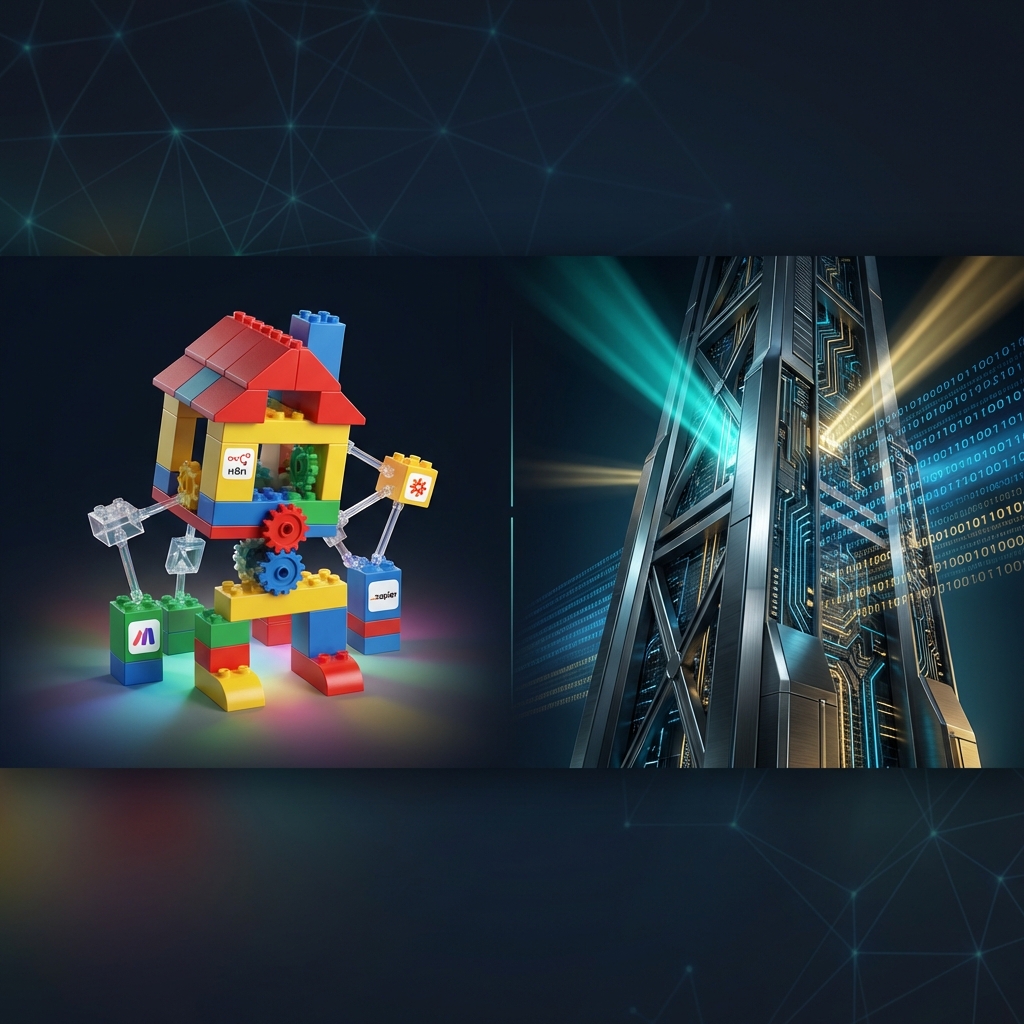
In the early stages of a startup or an internal pilot, no-code tools like n8n, Make.com, and Zapier feel like magic. They promise automation without developers, speed without overhead, and complex workflows with just a few clicks.
However, as any scaling enterprise eventually discovers, these tools are often "toys" in the landscape of real business operations. When your success depends on 99.9% uptime, complex data transformations, and deep security integrations, the "visual workflow" paradigm begins to crumble under its own weight.
At ValueStream AI, we aren't here to build "scammy workflows" or use marketing tactics to glue together brittle automations. We are an engineering-first studio dedicated to custom development and tailored AI solutions that actually scale.
Key Takeaways: No-Code vs. Custom Engineering
- Scalability: No-code tools struggle with high volumes and complex logic, leading to "spaghetti" workflows.
- Reliability: Lack of professional version control (Git) makes debugging and auditing nearly impossible.
- Cost: Per-task pricing models in Zapier and Make can become exponentially more expensive than cloud-native solutions.
- Security: Proprietary platforms often lack the fine-grained data governance required for enterprise compliance.
The Allure of No-Code: A Developer-Free Dream?
The marketing for no-code platforms is brilliant. "Anyone can be a developer!" they say. And for simple tasks, such as sending a Slack notification when a Typeform is submitted, they are right. These tools are excellent for rapid prototyping and validation.
The problem arises when companies try to run their core business logic on these platforms. What starts as a simple "Zap" quickly evolves into a 40-step "Make" scenario with dozens of filters, routers, and "if/then" branches. Suddenly, the "easy" tool has become a black box of technical debt that no one on your team truly understands or can audit effectively.
Why the "Visual Workflow" Paradigm Breaks at Scale
Visual builders look great on a landing page, but they are a nightmare for professional-grade software operations. Here is why they fail in the real world:
1. The Version Control Nightmare
Professional engineering relies on Git. We track every line of code, review every change, and can rollback to a known good state in seconds. In most no-code tools, "version control" is either non-existent or a proprietary, simplified version that doesn't allow for branching, merging, or proper code reviews. When a visual workflow breaks, finding what changed and who changed it is often impossible.
2. Brittle Error Handling and "Silent Failures"
Scaling a business means preparing for things to go wrong. APIs fail, data comes in malformed, and servers go down. Real engineering uses robust error handling patterns, such as circuit breakers, exponential backoff retries, and detailed logging.
No-code tools often handle errors in two ways: they either stop the entire workflow (breaking your process) or they "ignore" errors, leading to "silent failures" where data is lost without anyone noticing until it's too late.
3. The "Spaghetti" Logic Effect
Code handles complexity through abstraction, functions, and modules. Visual workflows handle complexity by adding more lines and boxes. A complex enterprise workflow on a visual canvas quickly resembles a plate of spaghetti. Auditing these workflows for security vulnerabilities or logic flaws is a Herculean task that most developers refuse to touch.
The Hidden Costs of No-Code Scaling
Beyond the technical limitations, the business model of no-code platforms is often at odds with enterprise scaling:
- Task-Based Pricing: Many platforms charge per operation. While this seems cheap initially, once you hit enterprise-level volumes (millions of events), your monthly bill can skyrocket into the thousands for logic that would cost $10/month on a raw cloud server.
- Vendor Lock-In: Your business logic is trapped in a proprietary format. You cannot simply "export" a Zapier workflow and run it on AWS. You are at the mercy of their pricing hikes and downtime.
- Performance Latency: Every step in a no-code workflow involves a round-trip to the platform's servers. This adds significant latency, making them unsuitable for any application requiring real-time response.
Platform-by-Platform Breakdown: Where Each Tool Specifically Fails
Not all no-code tools fail the same way. Understanding where each one cracks is critical before you pour more engineering time into patching them.
Zapier: The Pioneer That Priced Itself Out
Zapier was the original automation darling, and for a narrow use case, trigger A fires action B, it still works fine. The moment you need anything beyond that, the cracks show immediately.
Where Zapier specifically fails:
- Multi-step logic at volume. Zapier's pricing is ruthlessly task-based. Each action in a Zap counts as one task. A five-step Zap processing 100,000 records per month consumes 500,000 tasks. At their Professional plan, that puts you well over $500/month, for workflow logic that could run on a $15/month VPS.
- No conditional branching without Paths (paid add-on). Basic if/else logic requires upgrading to a higher tier. Complex routing logic requires chaining multiple Zaps together, which turns into a maintenance nightmare with no visibility across the chain.
- Execution timeouts on long-running tasks. Zapier enforces a strict 30-second execution limit per step. Any process that requires polling, waiting on an external API, or processing large data chunks simply cannot be built reliably inside Zapier's model.
- Real-world failure scenario: A logistics company routes 80,000 shipment status updates per month through Zapier, feeding data from a carrier API into their CRM and a Slack operations channel. A carrier API change adds a new field type Zapier's mapper doesn't handle. The entire workflow silently errors. The ops team notices 48 hours later when customer complaints spike. No alerting, no fallback, just a gap in the data and a scramble to reconcile which records were dropped.
Make.com: More Power, Same Fundamental Problems
Make (formerly Integromat) is legitimately more powerful than Zapier. It supports more complex routing, array aggregation, and data stores. Agencies love it because it looks impressive on a demo call. But power within a closed system is still a ceiling.
Where Make specifically fails:
- The "operations" gotcha at volume. Make counts every module execution as an operation. A scenario with a filter, a router, three branches, and two transformations can burn 8+ operations per record. At 500,000 records/month, you are looking at 4 million operations, pushing you into their Business plan at $329/month minimum, often more with add-ons.
- Data store limitations. Make's built-in data store is capped at 1 million records on most plans. If you use it as a lightweight database (which is tempting because it's easy), you will hit the limit and scramble for a migration with zero warning time.
- No true parallel execution. Make processes scenarios sequentially by default. High-throughput use cases requiring concurrent execution simply cannot be built inside Make without architectural workarounds that make the visual canvas completely unreadable.
- Real-world failure scenario: A SaaS company builds their entire lead enrichment pipeline in Make, pulling from Apollo, running classification logic, writing to HubSpot, triggering sales sequences. The pipeline works at 2,000 leads/month. At 15,000 leads/month after a successful campaign, Make's sequential execution creates a 6-hour processing backlog. Leads are contacted days late. Conversion drops. The CTO rebuilds in Python with Celery, which handles 50,000 leads without breaking a sweat, at a fraction of the ongoing cost.
n8n: The Developer-Friendly Trap
n8n markets itself as the open-source, self-hostable alternative, and it genuinely is better for technical teams. You can run it on your own infrastructure, write custom JavaScript nodes, and access raw HTTP. But "better than Zapier" is not the same as "production-grade."
Where n8n specifically fails:
- Self-hosting operational burden. n8n's self-hosted option sounds ideal until you are the one responsible for uptime, updates, database migrations, and security patches. Most teams underestimate this. The n8n process crashes under memory pressure; recovering workflows requires manual intervention and often data loss.
- No native horizontal scaling. n8n's worker mode exists, but scaling n8n horizontally requires significant DevOps investment, at which point you are essentially maintaining a platform to run your automations, not the automations themselves. You have traded a SaaS bill for a DevOps burden.
- Workflow sprawl with no governance. Unlike code in a Git repository, n8n workflows spread across a database with limited export/import tooling. Teams end up with dozens of overlapping workflows, no documentation, no ownership, and no deprecation process. When the person who built them leaves, the workflows are functionally unmaintainable.
- Real-world failure scenario: A fintech startup self-hosts n8n on a single EC2 t3.medium to handle transaction reconciliation workflows. Peak month-end processing pushes 300,000 records through overnight. The n8n process exhausts available memory and crashes at 2 AM. The on-call engineer spends four hours manually re-triggering workflows and reconciling which records were processed. A proper task queue with Celery and Redis would have handled this automatically with built-in retry logic and zero manual intervention.
The Tipping Point: 7 Signs Your Business Has Outgrown No-Code
Most engineering leaders know something is wrong before they can articulate it. Here are the concrete symptoms that tell you it is time to migrate.
1. Your task/operations bill exceeds $500/month and is growing linearly with the business. This is the clearest financial signal. If your automation cost scales proportionally with revenue, you are paying a tax on your own growth. Compute-based pricing does not work this way, costs flatten as volumes increase because you are paying for infrastructure, not per operation.
2. You have had a "silent failure" that cost you real money or customers. If you have ever discovered a workflow was failing for hours or days without anyone knowing, you do not have a production system. You have a prototype masquerading as infrastructure. This is not a platform maturity problem, it is a structural reliability problem that no-code tools are incapable of solving.
3. Engineers refuse to touch the workflows. Senior engineers and experienced hires treat no-code workflow maintenance as career-damaging work. When your automation logic cannot be reviewed in a pull request, tested with a unit test, or debugged with a real stack trace, no competent engineer will take ownership of it. This is a strong signal your automation has no future on the current platform.
4. Your security or compliance audit flagged the platform. SOC 2, ISO 27001, HIPAA, and GDPR audits ask pointed questions: where does this data flow? Who has access? What is the data retention policy? "It goes through Zapier's servers and I am not sure" is not an acceptable answer. Proprietary SaaS platforms routinely fail enterprise security reviews because you cannot control where your data is processed or stored.
5. You need a feature the platform does not support. The moment you hit a wall, a custom OAuth flow, a binary file transformation, a proprietary protocol, you start duct-taping workarounds. Each workaround adds fragility. You are spending engineering time fighting the platform rather than building the feature. This cost is invisible on a spreadsheet but devastating to your team's velocity.
6. Workflow execution time makes the automation nearly useless. A no-code workflow that takes 90 seconds to process a record that a customer is waiting on is not an automation, it is a delay. Sequential, server-round-trip-heavy execution makes real-time or near-real-time requirements impossible. If latency matters to your users, no-code is structurally the wrong choice.
7. You cannot answer "what does this workflow do?" without opening the canvas. Code can be documented, tested, and reviewed. A workflow canvas with 60 nodes and 120 connector lines is effectively undocumented. When the person who built it leaves, institutional knowledge walks out the door with them. If you cannot explain your automation logic in a pull request description, you cannot maintain it either.
8. Your workflows are connecting to systems you don't fully understand. This one surfaces later than the others but causes some of the worst incidents. No-code tools make connecting to external systems frictionless, drag in a CRM module, authenticate with OAuth, and you're "integrated." What they don't surface is whether that integration is reading from the right data layer, writing to the right records, or handling the system's edge cases correctly.
When automation breaks and the fix requires understanding the underlying system, its data model, its API rate limits, its error codes, the team that built it in Make often doesn't have that knowledge. The visual abstraction hid it. In a code-based integration, that understanding is explicit in the implementation. In no-code, it is assumed and eventually revealed as absent at the worst possible moment.
9. Real users break things your team's QA doesn't catch. Internal testing of no-code workflows is almost always done by the people who built them. They test what they know the workflow is supposed to handle. Real users, customers, external systems, webhook payloads from APIs you don't control, interact with the automation in ways nobody anticipated. They send malformed data, trigger edge cases that weren't in the requirements, and expose assumptions baked into the visual logic that nobody thought to validate.
The gap between internal QA coverage and real-world usage is consistently where silent failures originate in no-code systems. The difference from a code-based system: when a no-code workflow fails on an unexpected input, the failure is often silent, the workflow stops, logs nothing useful, and the business discovers the problem hours or days later through downstream data gaps rather than an error alert.
When a no-code workflow meets input nobody anticipated, it often stops silently, logs nothing useful, and the business finds out hours or days later through downstream data gaps. In a code-based pipeline the same input fails validation at the API layer, the task retries with exponential backoff on a queue, and an alert fires with a real stack trace.
The Custom Engineering Stack: What Replaces No-Code
When you migrate off no-code, you are not just replacing a tool, you are adopting an architecture. Here is what a production-grade automation stack looks like.
API Layer: FastAPI + Python
FastAPI gives you a typed, async HTTP API layer that handles webhooks, triggers, and orchestration endpoints. It is testable, documentable via OpenAPI, and deployable anywhere. Where Zapier has a "webhook trigger," you have a proper API endpoint with authentication middleware, request validation, and structured error responses, all reviewable in a Git diff.
Task Queues: Celery + Redis
Celery with Redis as a broker replaces the sequential execution model of no-code platforms. Tasks run concurrently across multiple workers, failed tasks are retried with configurable exponential backoff, and you have full visibility into queue depth, worker health, and task history. A Celery worker pool on a $50/month EC2 instance handles millions of tasks per month reliably, with no per-task pricing.
AI Orchestration: LangGraph
For Agentic AI solutions that require multi-step reasoning, tool use, and decision branching, LangGraph provides a proper graph-based execution model. Unlike stitching AI steps together in a Make scenario, LangGraph gives you stateful agents with proper cycle detection, interruption handling, and streaming, built on top of LangChain's ecosystem with a genuine software engineering paradigm underneath.
Observability: OpenTelemetry + Grafana
You cannot fix what you cannot see. OpenTelemetry instruments your custom code with distributed traces, metrics, and logs. Route that telemetry to Grafana Cloud or your own Prometheus/Loki stack and you have real-time dashboards, alerting, and the ability to trace a single request across every service it touched. No-code platforms offer none of this at the infrastructure level, their "execution history" UI is not a substitute for real observability.
Deployment: Docker + AWS ECS or Lambda
Container-based deployments mean your automation logic is portable, reproducible, and environment-consistent. AWS Lambda handles bursty, event-driven workloads with sub-second startup and true pay-per-invocation pricing. ECS handles long-running workers. Both give you VPC-level network isolation that no SaaS automation platform can match. Your data never leaves your cloud account.
Cost Comparison: No-Code vs. Custom at Scale
Numbers settle the argument faster than architecture diagrams. Here is the honest cost comparison across four volume tiers.
| Operations/Month | Zapier (Professional) | Make.com (Business) | n8n Cloud (Pro) | Custom (AWS Lambda + Redis) |
|---|---|---|---|---|
| 100,000 | ~$149/mo | ~$99/mo | ~$50/mo | ~$12/mo |
| 500,000 | ~$599/mo | ~$329/mo | ~$130/mo | ~$28/mo |
| 1,000,000 | ~$1,199/mo | ~$658/mo | ~$249/mo | ~$55/mo |
| 5,000,000 | Enterprise pricing | Enterprise pricing | Enterprise pricing | ~$220/mo |
Notes on methodology: Zapier and Make costs assume multi-step workflows averaging 5–8 operations per record, which is typical for any non-trivial automation. AWS Lambda pricing is calculated at $0.20/million invocations with 512MB memory allocation, plus approximately $20/month for a Redis ElastiCache instance to serve as the task broker. Custom stack costs do not include engineering time to build, that is a one-time investment, not a recurring tax on every record you process.
The crossover point is typically around 50,000–100,000 operations per month. Below that threshold, no-code is cheaper when you factor in engineering time. Above it, every order-of-magnitude increase in volume makes custom code drastically more economical. At 1 million operations per month, you are paying 20x more on Zapier than you would on AWS Lambda for equivalent processing power.
The Migration Path: How to Escape No-Code Without Breaking Everything
Migrating from no-code to custom is not a big-bang rewrite. That approach breaks things and kills morale. The right approach is incremental and surgical.
Step 1: Audit and Categorise All Existing Workflows
Inventory every workflow across every platform. Tag each one by monthly volume, business criticality, and logic complexity. Most organisations discover that 20% of their workflows handle 80% of their volume. Those high-volume, high-criticality workflows are your migration targets. The remaining 80%, low-volume internal notifications, simple Slack alerts, one-off data syncs, can stay on no-code indefinitely. There is no virtue in migrating automations that are working fine and never will justify the engineering cost.
Step 2: Rebuild the Critical Path First, in Parallel
Do not decommission the no-code workflow until the custom replacement is live and validated. Build the custom version alongside the existing workflow. Run both in parallel for one to two weeks, comparing outputs record by record. This is not redundancy, it is your safety net. When the outputs match, you cut over. If they diverge, you debug the custom version without impacting production.
Step 3: Instrument Before You Switch
Before you route production traffic to the custom system, instrument it fully. OpenTelemetry traces, error alerting with PagerDuty or OpsGenie integration, queue depth monitoring in Grafana. You should have a dashboard showing the health of your new system before the first real record passes through it. This is the operational discipline that no-code platforms made easy to skip. Do not skip it in your custom stack, it is the entire point.
Step 4: Deprecate Incrementally, Not All at Once
Cut over one workflow at a time. Validate for a week. Cut over the next. Keep a rollback plan for each, meaning the no-code version stays running but paused, ready to re-enable within minutes if something unexpected surfaces. This approach means any problem affects one workflow, not your entire automation infrastructure. It also gives your team time to build confidence in the new stack before they are fully dependent on it.
When No-Code IS the Right Answer
We would be doing you a disservice if we pretended no-code tools are universally bad. They are not. They are wrong for the wrong use case, and being honest about that is part of giving you a real recommendation rather than a sales pitch.
No-code is genuinely the right choice when:
- You are validating a workflow concept before investing in engineering. If you do not know whether a process needs to be automated at all, build a Make scenario to prove it first. Kill the ones that do not deliver value before writing a line of Python. Spend engineering time on things that have been proven to matter.
- The team running the automation is non-technical and the volume is permanently low. A marketing team managing a 500-record/month lead enrichment flow in Zapier is perfectly reasonable. The automation is simple, the stakes are low, and non-technical ownership is a genuine advantage. Bring in engineering when they hit a wall or when volume demands it.
- Internal tooling with less than 10,000 operations per month. Below this threshold, the engineering cost to build and maintain a custom solution rarely justifies itself. Simple internal notifications, one-off data syncs, and lightweight integrations belong in no-code. The overhead of a proper deployment pipeline for something running 300 times a day is not worth it.
- Speed of iteration matters more than anything else right now. In a two-week hackathon or a rapid pilot, building in Make is the correct decision. You are optimising for learning speed, not production resilience. The mistake is not using no-code tools for this. The mistake is letting the prototype survive into production once you have validated the concept.
The mistake is not using no-code tools. The mistake is not recognising when you have crossed the line where they become a liability rather than an asset.
Why Engineering Wins: The ValueStream AI Philosophy
We believe in building Agentic AI solutions that are part of your core infrastructure, not a third-party plugin. When we build custom solutions, we provide:
- Data Privacy and Governance: Custom code means your sensitive business data stays within your controlled environment (VPC), not passing through third-party servers you do not own. This matters for GDPR, SOC 2, and any enterprise client who asks where their data goes.
- Tailored Logic: We do not build within the constraints of what a "module" allows. If your business needs a specific custom integration, our custom AI development services ensure you are not limited by a pre-built connector that was designed for the median use case, not yours.
- Scalability and Performance: We build on robust frameworks and cloud-native architectures that can handle massive scale with minimal latency and predictable costs. No per-task pricing, no sequential execution bottlenecks, no silent failures.
The Third Option That Changed During 2026
This post argues that no-code platforms hit a ceiling and that engineering is what carries you past it. That argument still holds. What has changed is the cost of the alternative, and it is worth updating the picture rather than leaving the choice looking binary.
Running your own model used to be the expensive end of the spectrum. Measured against the 24 openly licensed models we now track, with VRAM recorded at 4-bit and 8-bit quantisation rather than taken from vendor claims, the floor is much lower than the reputation suggests: 0.5 GB for the retrieval layer of a document system, 1 GB for transcription, 2 GB for a guardrail model sitting around a live agent.
That reframes the no-code ceiling problem usefully. The reason to leave a no-code platform was never only expressiveness, it was ownership of the failure modes: debugging depth, error handling, and version control, all covered above. Self-hosted open models extend that ownership to the model layer too, which matters most when the workflow touches regulated data or when per-seat pricing scales badly against your volume.
The caution is the same one we give on every build: check the licence before the architecture. Of the 24 models tracked, 19 are MIT or Apache-2.0 and genuinely permissive; the remaining 5 carry conditions, including one that restricts commercial use of the output rather than just the weights.
If the honest answer for your workflow is still a template, our free automation template library covers five platforms and states each template's limitations plainly.
Frequently Asked Questions
Can I migrate from Zapier to n8n to save money without rebuilding everything in code?
In the short term, yes, and it is often a reasonable intermediate step. n8n's self-hosted option is dramatically cheaper than Zapier at scale. However, you are trading a pricing problem for an operational burden problem. You will still hit the scaling, governance, and maintainability ceilings described above. Treat n8n as a waystation, not a destination, if your volumes are growing and your workflows are becoming core to business operations.
How much does it cost to have custom automation built?
A custom automation system replacing a mid-complexity no-code setup typically requires four to eight weeks of engineering time. That is a fixed investment you make once. Compare that against paying $600–$1,200 per month indefinitely to Zapier or Make. Most clients see full ROI within six to twelve months purely on platform cost savings, before accounting for the reliability improvements, the security posture gains, or the engineering velocity unlocked by owning your own stack.
Will my non-technical operations team be able to use a custom-built system?
Yes, if it is built correctly. Custom systems should expose operator-facing interfaces: configuration UIs, monitoring dashboards, manual trigger controls. The automation logic lives in code that engineers own; the controls your ops team needs are surfaced through purpose-built interfaces. This is actually better than a no-code canvas, which requires ops staff to understand workflow logic to make even small changes safely. With a custom system, your ops team interacts with a UI designed for their needs, not a general-purpose workflow editor.
What happens when the custom system breaks? Who fixes it?
With proper observability, OpenTelemetry, Grafana alerting, structured logging, you know something is wrong within minutes, not days. You have stack traces, not a visual canvas to click through. Any competent Python engineer can diagnose and fix the issue; you are not dependent on a single person who knows the platform quirks or on the vendor's support queue. This is categorically better than the silent failure model that no-code tools default to.
Is this overkill for a company doing £2–5M revenue?
Not if automation is core to how your business operates. The question is not company size, it is whether a workflow failure costs you money or customers. If the answer is yes, the reliability and governance arguments for custom engineering apply regardless of your revenue tier. We have built production-grade automation systems for businesses at £1M ARR that had outgrown their Make setup within six months of growth. Revenue is a proxy metric. Operational risk and volume are the real criteria.
Conclusion: Stop Tinkering, Start Engineering
Many agencies sell "automation" as a series of quick wins on Make.com. We see that as a short-term marketing tactic that leaves businesses with a fragile foundation.
If you are tired of seeing "Workflow Failed" notifications and want to build a resilient, scalable AI ecosystem that actually drives your business forward, it's time to move beyond the toys.
Is your business ready for real engineering? Contact ValueStream AI today to discuss how we can build custom, scalable solutions tailored to your unique needs.
For where no-code genuinely fits inside a wider automation strategy, and what the alternatives cost, see our complete guide to business automation.
Muhammad Kashif is co-founder of ValueStreamAI, leading technical delivery and AI strategy. He designs and ships custom agentic AI and healthcare automation systems for clients across the US and UK. More about Muhammad Kashif →