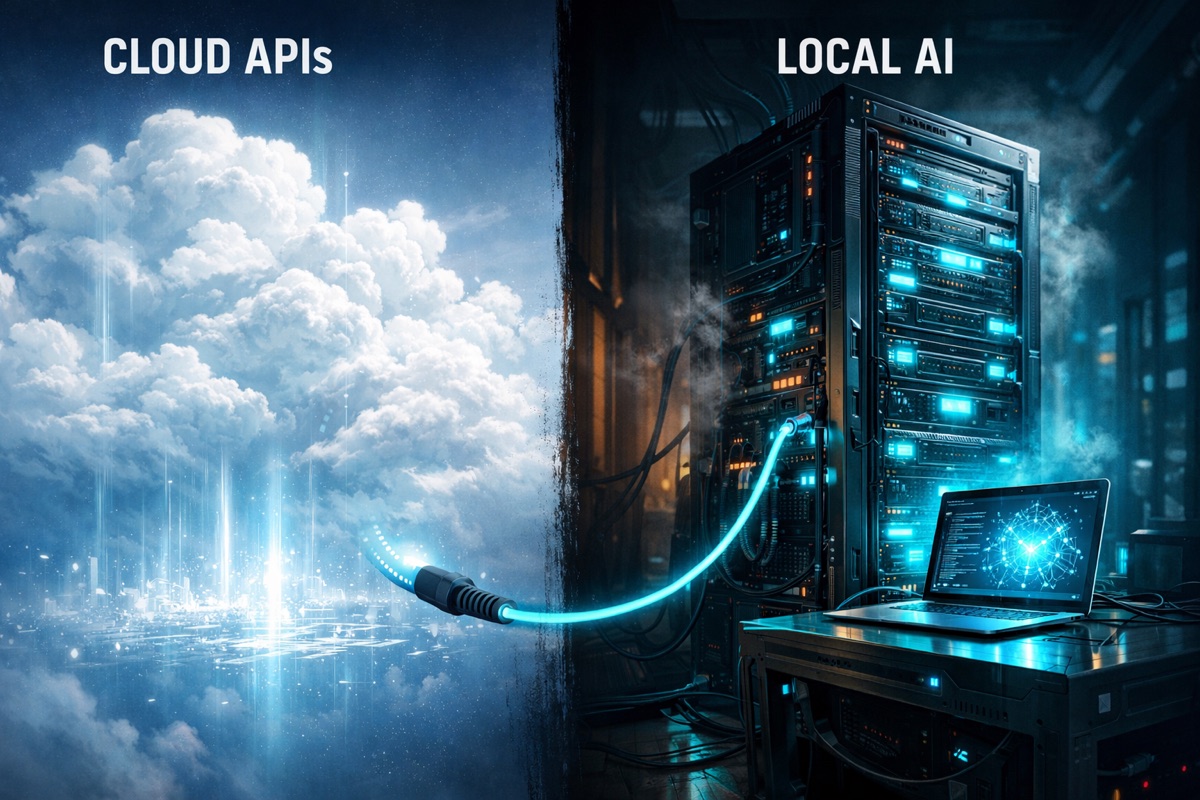
Self-Hosting AI: Local LLMs vs. Cloud APIs (2026 Technical Guide)
| Metric | Result |
|---|---|
| Cost Savings (3-Year) | 70-80% vs Cloud APIs |
| Data Privacy | 100% Air-Gapped / Zero-Retention |
| Inference Latency | < 20ms (Local BUS) |
| Model Capability | Close to Frontier APIs on Many Tasks |
The landscape of Artificial Intelligence has bifurcated into two distinct paths: the ultra-powerful, proprietary models hosted in the cloud, and the increasingly capable, private models running on local hardware. For enterprise CTOs and AI engineers, the choice is no longer simple. IDC forecasts worldwide AI infrastructure spending will surpass $200 billion over the next five years, with a growing proportion shifting toward private and on-premises deployments as data sovereignty requirements tighten.
Through 2026 we have seen a steady shift back to "on-premise," but for inference. The frontier APIs, Claude Fable 5.1 and Claude Opus 5.5 from Anthropic and GPT-6 Astra from OpenAI, still lead on the hardest reasoning. But open-weight models such as DeepSeek V4 Pro, Qwen3.6, GLM-5.3 and OpenAI's own gpt-oss-120b are challenging the notion that you need a proprietary API to get near state-of-the-art results. This guide compares them head-to-head, with prices, so you can make the call on numbers rather than instinct. (Updated October 2026: model lineups and API prices refreshed.)
This guide provides a rigorous technical comparison to help you decide between renting intelligence or building your own.
The Contenders: A 2026 Snapshot
The Cloud Giants (Proprietary API)
These models are accessed via API. You pay per token, and your data leaves your premise.
| Model | Provider | Positioned for | Price per 1M tokens (input / output) |
|---|---|---|---|
| Claude Fable 5.1 | Anthropic | Demanding reasoning and long-horizon agentic work | $10 / $50 |
| Claude Opus 5.5 | Anthropic | Anthropic's default recommendation for most workloads | $4 / $20 |
| Claude Sonnet 5.5 | Anthropic | Best balance of speed and intelligence | $2 / $10 |
| GPT-6 Astra | OpenAI | OpenAI's most capable model | $10 / $50 |
| GPT-6.1 Sol | OpenAI | Near-Astra performance at lower cost | $2 / $10 |
| GPT-6 Luna | OpenAI | Efficient, high-volume tasks | $0.10 / $0.50 |
| Gemini 3.8 Flash | Fast, low-cost agentic work | $0.75 / $3.75 | |
| Gemini 3.1 Pro (preview) | Long-context reasoning and coding | $2 / $12 |
List prices from each vendor's own pricing page, October 2026, standard tier, prompts under 200k tokens. Claude Opus 5.5, Sonnet 5.5 and Fable 5.1 all carry a 1M-token context window. Batch processing halves the price on Anthropic, OpenAI and Google.
Gemini pricing context: Gemini 3.8 Flash is priced at $0.75 input / $3.75 output per 1M tokens through 31 December 2026, rising to $1.50 / $7.50 from 1 January 2027 on Google's published schedule. Even at the higher rate it sits well below the frontier models above, which makes it the obvious cloud baseline to beat when you run the self-hosting numbers for a high-volume agent.
The Open Weights Challengers (Self-Hosted)
These models can be downloaded and run offline. You control the hardware, the data, and the weights. For a practical guide to model discovery platforms and how to evaluate community models for business use, see our overview of Hugging Face, CivitAI, and AI model repositories.
| Model | Developer | Parameters (total / active) | Licence | Self-hosting reality |
|---|---|---|---|---|
| DeepSeek V4 Pro | DeepSeek | 1.6T / 49B (MoE) | MIT | Multi-GPU server territory |
| DeepSeek V4 Flash | DeepSeek | 284B / 13B (MoE) | MIT | A single large node at 4-bit |
| Qwen3.6 family | Alibaba | 0.8B to 397B / 17B (MoE at the top) | Apache 2.0 | Sizes for everything from a laptop to a cluster |
| GLM-5.3 | Z.ai | 753B / 40B (MoE) | Custom | Strongest open model most teams can actually run |
| gpt-oss-120b | OpenAI | 117B / 5.1B (MoE) | Apache 2.0 | Fits on a single 80 GB GPU |
| Kimi K3 | Moonshot AI | 2.8T / 104B (MoE) | Custom | Out of reach for nearly all self-hosting budgets |
Parameter counts and licences as listed in GeoToolbox's open-weight rankings (updated September 2026). Check each model card before sizing hardware; this table changes month to month.
Not every self-hosted model needs a GPU at all. At the opposite end of this table sits Needle 3 from Cactus Compute, released in September 2026 under Apache 2.0: a tool-calling model that ships as a single 8 to 29 MB file and runs offline on a phone, a Raspberry Pi or a microcontroller-class board. It cannot chat or reason, and it is weak at extraction, but for turning a spoken or typed command into the right function call it came within 2.4 points of DeepSeek V4 Flash on Cactus's own phone-command benchmark. One privacy detail: the shipped binary sends anonymous telemetry by default, so set NEEDLE_TELEMETRY=0 and DO_NOT_TRACK=1. It is in our free AI models directory, and our Jev and Needle 3 guide covers where it fits.
Technical Deep Dive: Making Local Work
Running a 70B+ parameter model locally is not as simple as downloading an .exe file. It requires understanding the entire inference stack.
1. VRAM Requirements: The "Golden Ratio"
The bottleneck for LLM inference is almost always Memory Bandwidth and VRAM Capacity, not Compute. Use this table to size your hardware:
VRAM Requirements for Different Quantizations (Approximate):
| Model Size | FP16/BF16 (Full) | 8-bit (Int8) | 4-bit (Q4_K_M) | Recommended GPU Setup |
|---|---|---|---|---|
| 7B | 16 GB | 8 GB | 6 GB | 1x RTX 4060 Ti (16GB) |
| 13B / 14B | 28 GB | 16 GB | 10 GB | 1x RTX 4070 Ti Super (16GB) |
| 34B | 70 GB | 38 GB | 22 GB | 1x RTX 4090 (24GB) |
| 70B / 80B | 145 GB | 78 GB | 44 GB | 2x RTX 4090 (48GB Total) |
| 110B (Qwen) | 230 GB | 120 GB | 70 GB | 3x RTX 4090 or 1x A100 (80GB) |
| 400B (DeepSeek V4) | 820 GB | 410 GB | 230 GB | 4x A100 (80GB) or 8x RTX 4090 |
Pro Tip: Always leave ~2-4GB of VRAM overhead for the context window (KV cache). A 24GB card can realistically host a 20-21GB model comfortably.
2. Formats: The Rise of GGUF
The community has settled on GGUF (GPT-Generated Unified Format) as the standard for CP/GPU inference.
- Why GGUF? It allows models to be mapped into memory (mmap), meaning you can load a model larger than your RAM if you have slow swap (not recommended) or split it across CPU and GPU storage seamlessly.
- Safetensors: The gold standard for security. Unlike the older Python
picklearchives (.binor.pth), safetensors cannot execute arbitrary code. Always prioritize these formats for safety.
GGUF is no longer the only format you will meet on a model page. Unsloth now publishes NVFP4 builds for NVIDIA Blackwell GPUs and MTP builds that generate faster in llama.cpp, often several files for the same model. Our guide to the most downloaded Unsloth models explains which file to download for which hardware, with real file sizes and cloud costs for each model.
3. Quantization: The Art of Compression
Quantization is the process of reducing the precision of the model's weights to fit into memory.
- FP16 / BF16 (16-bit Floating Point): The native training precision. Requires massive VRAM. A 70B model needs ~140GB of VRAM.
- 8-bit (Int8): Halves the size with virtually zero loss in reasoning capability.
- 4-bit (Q4_K_M or Q4_0): The sweet spot for local deployment. A 70B model shrinks to ~40GB.
- The Specifics:
- Perplexity (PPL): This measures how "surprised" a model is by new text. Lower is better.
- The Trade-off: Going from FP16 to 4-bit usually increases perplexity by less than 1-2%, which is imperceptible for most tasks. However, going below 3-bit (e.g., Q2_K) results in "brain damage" where the model becomes incoherent.
4. Precision: FP16 vs FP32 vs BF16
Most modern training (H100/B100 clusters) happens in BF16 (BFloat16). This format keeps the dynamic range of 32-bit floats but with lower precision.
- For Inference: You rarely need FP32. Even FP16 is often overkill compared to optimized 4-bit or 6-bit quantization (EXL2 or GGUF formats).
5. The Serving Stack: What Actually Runs the Model
Downloading a GGUF file and picking a quantization level gets you a model on disk. Something still has to load it into memory, expose it as an endpoint your applications can call, and give a human something to type into. Four tools cover almost every real deployment:
- llama.cpp, the inference engine most of this ecosystem is built on top of. Written in C++, runs on CPU or GPU, and is the reason GGUF exists in the first place.
- Ollama, the fastest path from zero to a running model.
ollama pull qwen3:32band you have a local API endpoint in minutes. Best for prototyping, single-user workstations, and teams without a dedicated MLOps function, but it degrades past roughly 3–4 simultaneous connections. - vLLM, the production option once more than a handful of people or agents query the model at once. Continuous batching means it doesn't hit the concurrency wall Ollama does, which is why our Enterprise Inference tier below is built on it.
- Open WebUI, the interface layer. Points at an Ollama or vLLM endpoint and gives a team a ChatGPT-style screen, chat history, multi-user accounts, document upload for RAG, so "self-hosted AI" doesn't mean everyone SSHing into a terminal to use it.
For teams building autonomous agents on top of any of these, not just a chat window, Pi is worth knowing: a model-agnostic, open-source coding-agent CLI, MIT-licensed, no SaaS backend, that talks to a self-hosted endpoint the same way it talks to a cloud API. Choosing and configuring that layer is its own discipline, covered in our guide to harness engineering for private AI agents.
The Hardware Reality: What Do You Need?
The bottleneck for LLM inference is almost always Memory Bandwidth, not Compute. Our free AI models directory carries the sizing tables that follow from this, including published memory bandwidth for every Apple Silicon chip from M1 to M6 and the VRAM each model needs at 4-bit, 6-bit and 8-bit.
Tier 1: The Enthusiast / Dev Workstation (Local Testing)
- GPU: Dual NVIDIA RTX 4090 (24GB x 2 = 48GB VRAM) or RTX 5090 (32GB x 2 = 64GB VRAM).
- Capability: Can run Qwen 72B or DeepSeek V4 comfortably at 4-bit quantization with 8k+ context.
- Token Speed: Fast (30-50 tokens/sec).
Tier 2: The Small Office Server (Privacy Focused)
- GPU: 4x RTX 6000 Ada Generation (48GB each) or Mac Studio M3 Ultra (192GB Unified Memory).
- Capability: Can run unquantized FP16 70B models or quantized 400B+ MoE (Mixture of Experts) models like Grok-1 or large Qwen variants.
- Mac Note: Apple Silicon is great for memory capacity but slower on bandwidth (token generation) compared to NVIDIA CUDA cores.
Tier 3: Enterprise Inference (Production)
- GPU: NVIDIA H100 / H200 or B200 HGX clusters.
- Capability: Full FP16 precision, massive concurrent user batches, and extremely high throughput.
- Cost: $30,000+ per card. This is usually where "Cloud" becomes cheaper unless you have 24/7 distinct usage.
Cost Analysis: Rent vs. Buy (3-Year TCO)
Is self-hosting actually cheaper? It depends on your scale.
| Cost Factor | Cloud API (Claude Opus 5.5 / GPT-6 Astra) | Self-Hosted (Qwen3.6 / DeepSeek V4 Flash) |
|---|---|---|
| Upfront Hardware | $0 | ~$6,500 (2x 4090) - $50k (A100/H100) |
| Ongoing OpEx | $4-$10 / 1M input tokens$20-$50 / 1M output tokens | Electricity (~$50-200/mo)Engineering Ops |
| Data Privacy | "Z-R-A" Compliance (Trust-based) | Physical Air-Gap Capable (Guaranteed) |
| Latency | 200ms - 800ms Network Roundtrip | <10ms Local BUS Speed (Zero Hop) |
| Breakeven Point | N/A | ~3-5 Months at high volume |
The Verdict on Cost
- For Spiky Traffic: Cloud wins. Don't buy hardware that sits idle 90% of the time.
- For Sustained "Always-On" Agents: Local wins. If your AI agents are running background tasks 24/7, the API costs will bleed you dry (thousands per month). A $6,500 server pays for itself quickly.
Cloud API: $0.
Cloud API: $4-$10 per 1M input tokens, $20-$50 per 1M output (Claude Opus 5.5 to GPT-6 Astra, October 2026).
Cloud API: 200ms-800ms network roundtrip.
Cloud API: not applicable.
If the data must be physically air-gapped, self-hosting is the only option. Otherwise spiky traffic favours the cloud, because hardware that sits idle most of the time is wasted, while always-on agents running 24/7 favour local hardware, which pays for itself in roughly three to five months at high volume.
ValueStreamAI's 5-Pillar Agentic Architecture (On-Prem Edition)
We don't just "install LLMs." We build resilient agentic systems that run entirely on your infrastructure.
- Autonomy: Agents running on local Cron jobs, triggering automatically based on database events, the same category of self-hosted autonomous agent that open-source projects like Hermes Agent (Nous Research) have popularised in 2026.
- Tool Use: Secure connections to internal SQL/ERP systems without API gateways.
- Planning: Local reasoning chains using DeepSeek V4 Pro for task decomposition.
- Memory: Private Pinecone or local ChromaDB instances for document RAG, paired with Mem0 (open-source, self-hostable) when the agent itself needs to remember facts and preferences across sessions, not just retrieve documents.
- Multi-step Reasoning: Logic-driven workflows that never leave your VPC.
Project Scope & Pricing Tiers
Transparency is a core value. Here is how we price our On-Premise AI deployments:
| Service Level | Cost Range | Best For |
|---|---|---|
| Local LLM Prototype | $15,000 - $30,000 | Open-weight model setup (Qwen3.6, gpt-oss-120b), RAG integration, pilot MVP. |
| Custom Fine-Tuned Model | $45,000 - $80,000 | Fine-tuning a mid-size open-weight model (Qwen3.6, DeepSeek V4 Flash) on proprietary logic. |
| Enterprise AI Cluster | $120,000+ | Multi-node H100 / B200 / Blackwell-200 architecture. |
Fine-Tuning: The Secret Weapon
Self-hosting allows for Fine-Tuning. Instead of paying per token for a massive generalist model like GPT-6 Astra, you can take a smaller, efficient open-weight model (a mid-size Qwen3.6 or Gemma 4) and train it specifically on your company's documents.
- LoRA / QLoRA: Low-Rank Adaptation allows you to fine-tune a model on a single consumer GPU by only updating a small fraction of the weights.
- Result: A well fine-tuned small model can match or beat a far larger general model on the specific task it was trained for, while running fast and cheap on local hardware. Test that claim on your own data before you budget around it.
Privacy & Data Sovereignty
For industries like Finance (FCA), Healthcare (NHS/HIPAA), and Legal, sending data to OpenAI is a non-starter.
- Self-Hosted: You can air-gap the machine. The ethernet cable can be unplugged. The model still works.
- Cloud: You rely on "Zero Retention" agreements, which are legal contracts, not physical guarantees.
The Systems Access Problem: Sovereignty Starts Before the Model
Data sovereignty is often discussed as a model-level decision, which API does the data go through. But for organisations operating on legacy infrastructure, the harder sovereignty problem is internal: can you actually get your data to the model at all, regardless of whether it's self-hosted or cloud?
Many regulated organisations we work with, fintech firms, healthcare providers, legal practices, have compliance-relevant data distributed across systems with inconsistent access. The core banking database doesn't have an API. The document management system was built by a contractor who has since departed and left no documentation. The client records platform has an API but it's locked behind a support tier the firm isn't on.
When evaluating self-hosted AI, this matters because the business case often assumes the model will process data from these internal systems. If the systems aren't accessible programmatically, self-hosting the model doesn't solve the problem, it just moves the bottleneck from the API to the internal data pipe. A thorough self-hosting assessment must include a data access audit across all source systems the AI needs to reach, before hardware decisions are made.
For organisations where self-hosting is the right architectural choice, typically those with high sustained inference volume, air-gap requirements, or data that genuinely cannot leave the building, this audit is part of the initial engagement. We map every data source the AI needs to interact with, confirm access availability, identify integration gaps, and factor the remediation cost into the total self-hosting investment. That number is consistently larger than the hardware cost alone.
What Self-Hosting Actually Costs on Rented GPUs, September 2026
This guide compares self-hosting against cloud APIs, and until now it made that comparison without the number that decides it: what an hour of GPU actually costs. Most teams weighing this will not buy hardware, they will rent it, so that is the figure the decision turns on.
| Tier | What fits at Q4 | Indicative on-demand, September 2026 |
|---|---|---|
| 24 GB | up to ~27B, or 13B at Q8 | AWS g6.xlarge (L4) ~$0.805/hr; g5.xlarge (A10G) ~$1.006/hr; Hetzner GEX45 ~EUR 214/mo; Lambda A10 from ~$1.29/hr |
| 48 GB | ~70B at Q4, 32B at Q8 | RunPod L40S ~$0.79/hr |
| 80 GB (A100) | ~70B at Q8, 120B+ MoE at Q4 | RunPod ~$1.19-1.39/hr; Lambda ~$1.99/hr; AWS ~$3.43; Azure ~$3.67; Google Cloud ~$5.03 |
| H100 class | frontier serving and training | RunPod ~$1.99/hr community; Lambda ~$3.29/hr; Google Cloud ~$10.98; AWS ~$12.29; Azure ~$11-13 |
Rates are indicative snapshots read in September 2026 and move monthly. Our free AI models directory keeps the current version alongside a live pricing link for every provider.
The finding that reframes the whole comparison: for identical silicon, the hyperscalers charge roughly 2 to 5 times what the specialist GPU clouds charge. An A100 80GB is about $3.43 per GPU-hour on AWS and about $5.03 on Google Cloud, against about $1.19 to $1.39 on RunPod. That spread is larger than any saving available from picking a smaller model, which makes provider choice the highest-leverage decision in a self-hosting budget, ahead of model choice.
The break-even, stated plainly rather than as a winner. Hourly rental is cheaper below roughly 30% GPU utilisation; a dedicated monthly box is cheaper above it. Hetzner's GEX45 at about EUR 214 a month works out near EUR 0.29 an hour if you run it continuously, against about $0.805 an hour for a comparable AWS g6.xlarge. An endpoint serving business-hours traffic five days a week sits near 24% utilisation, close enough to the line that the arithmetic is worth doing rather than assuming.
Three costs absent from every headline rate, and they are the ones that make real bills exceed forecasts: egress, storage for the weights (a 70B at Q4 is tens of gigabytes pulled to the instance on every cold start), and idle time (an hourly instance bills while waiting for a request). Spot and preemptible capacity cuts rates roughly 3x, an A100 40GB falling to about $1.10/hr on Google Cloud Spot, in exchange for interruption at the provider's discretion. That is viable for batch and evaluation work, not for a user-facing endpoint without a warm fallback.
Conclusion
If you need the absolute pinnacle of reasoning for a complex, one-off problem, use a frontier API: Claude Fable 5.1 or GPT-6 Astra. However, if you are building a production system processing millions of tokens daily, or if your data is sensitive, Self-Hosting is often the answer.
By leveraging GGUF quantization, 4-bit precision, and modern open-weight models like Qwen3.6, gpt-oss-120b or DeepSeek V4 Flash, you can build a private intelligence engine that comes close to the giants at a fraction of the long-term cost.
What It Costs to Have Us Build It
If the numbers above point toward self-hosting, the expensive mistakes happen in the first month: buying hardware before the data access audit, sizing for the wrong model, or renting from a hyperscaler at two to five times the specialist rate.
- Assessment first. Every self-hosting engagement starts with the data access audit and a utilisation estimate, which is where our AI consulting service comes in. It tells you whether to self-host at all before you spend on hardware.
- Build bands. A local LLM prototype runs $15,000 to $30,000, a custom fine-tuned model $45,000 to $80,000, and an enterprise cluster $120,000+, as set out in the pricing tiers above. A single-workflow pilot on cloud APIs starts at $5,000 to $15,000 on our pricing page.
- A number for your case. The automation quote tool gives a scoped estimate in a few minutes, and the ROI calculator puts the cloud bill you would be replacing next to it.
Book a self-hosting assessment →
Related reading from our team:
- Before launch, our guide to load testing AI applications shows how to test LLM performance under realistic traffic, so the first busy Monday is not the test.
- Once a system is live, our AI cost optimization guide walks through the engineering levers that bring model and infrastructure spend down.
- For a finance example, see the custom desktop AI assistant we built for a wealth management firm.
For a non-technical owner's version of the data question, see how to protect your business data when using AI, and set staff rules with our AI policy template for small businesses.
Frequently Asked Questions
What hardware do I need to run frontier-class models locally?
For the largest open-weight models, such as DeepSeek V4 Pro (1.6T total parameters) or GLM-5.3 (753B), you need a multi-GPU server with H100, H200 or B200 cards. Smaller options go much further than most teams expect: gpt-oss-120b fits on a single 80 GB GPU, and the mid-size Qwen3.6 models run on dual RTX 4090s at 4-bit quantization.
Is self-hosting AI more secure than using a cloud API like Claude Opus 5.5?
It removes a whole category of risk. Cloud providers like Anthropic offer strong compliance terms, but self-hosting lets you physically air-gap the machine, so PII, HIPAA-protected data or trade secrets never traverse the open internet or a third-party server.
Muhammad Kashif is co-founder of ValueStreamAI, leading technical delivery and AI strategy. He designs and ships custom agentic AI and healthcare automation systems for clients across the US and UK. More about Muhammad Kashif →