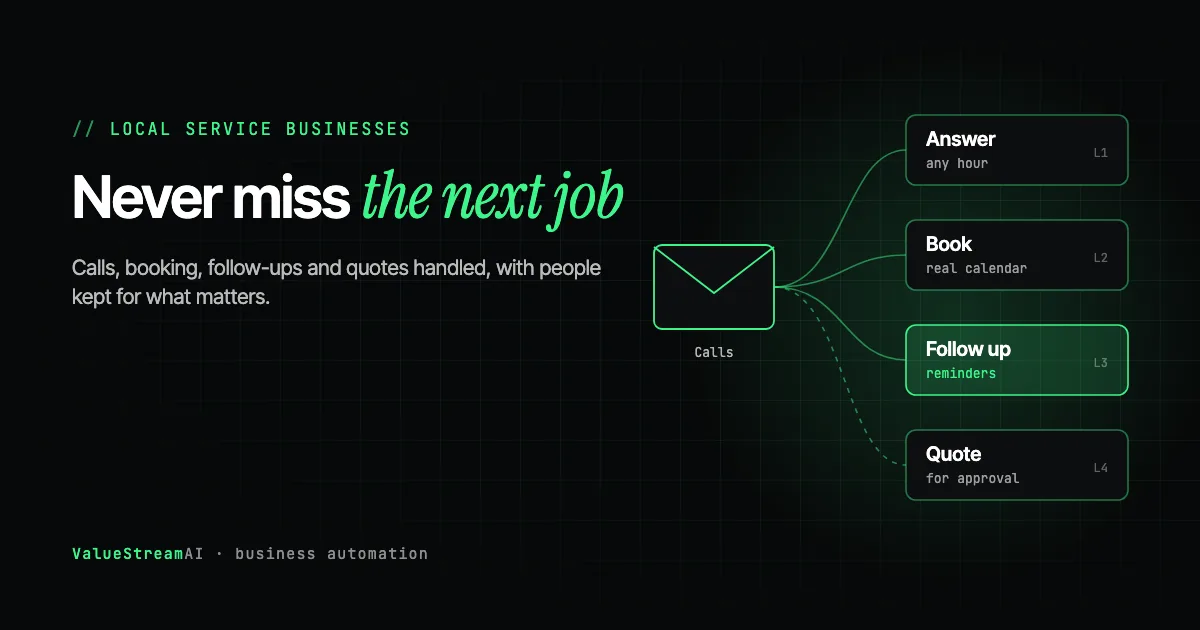
A plumber under a sink cannot answer the phone. A dentist with a patient cannot reply to a booking request. A salon owner mid-appointment misses the message asking for Saturday. Local service businesses lose work for a simple reason: the people who do the work are also the people who would answer. That makes AI for local service businesses one of the clearest cases for automation there is. This guide covers where it pays off fastest, what to automate first, what to keep personal, and what it costs.
| Metric | 2026 Benchmark |
|---|---|
| US median wage, receptionists (BLS, 2024) | $17.90 an hour |
| US firms with 4 or fewer staff using AI (Census, Dec 2025 to May 2026) | Less than 20% |
| UK firms with 0 to 9 staff using AI (ONS, June 2026) | 28% |
| Typical time to a working pilot (ValueStreamAI) | About 14 days |
Sources: the Bureau of Labor Statistics, the US Census Bureau and the Office for National Statistics.
Why AI for Local Service Businesses Pays Off Faster
The short answer: the work that is easiest to automate, answering and booking, is also the work that most directly brings in revenue.
In many industries, automation saves admin hours. In a local service business, it also catches jobs that would otherwise go to whoever answered first. A missed call at 7pm is not an admin problem. It is a lost customer.
Local service businesses also tend to share a shape that suits automation well:
- A high share of repeat questions. Prices, availability, opening hours, what is included.
- A calendar as the centre of the business. Most tasks start or end with a booking.
- Few systems. Usually a phone, a calendar or booking tool, a way of invoicing, and perhaps a CRM. Fewer systems means simpler, cheaper automation.
That last point matters. The cost of an automation project depends more on how many tools are involved, and whether they connect, than on the AI. A typical local business has a short, predictable list.
Where AI Pays Off Fastest
1. Answering calls and enquiries
The highest-value first step for most local businesses. An AI receptionist or chat assistant answers every call, web chat and message, at any hour, collects the details and either books the job or passes it on. Our guide to AI receptionists that answer business phone calls covers costs and limits in detail.
2. Booking and rescheduling
Once an enquiry is captured, booking it into the real calendar removes back-and-forth. Rescheduling and cancellations are handled the same way. See the AI scheduling agents guide.
3. Reminders and follow-ups
Appointment reminders, "we are on our way" messages, review requests after the job, and follow-ups on quotes that were never accepted. These are simple, repetitive and easy to forget by hand. For the sales side, see AI lead follow-up and CRM automation.
4. Quoting
For standard jobs, AI can gather the details, apply your price list and draft a quote for you to approve. Unusual jobs still need someone who knows the work.
5. Invoicing and payment chasing
Creating the invoice when a job is marked complete, sending it, and chasing politely if it is late.
From Enquiry to Booked Job
- 01Answer
Call, web chat or message answered straight away.
- 02Qualify
Job type, location, urgency and contact details.
- 03Book
Slot offered from the real calendar and confirmed.
- 04Follow up
Reminder before, review request after.
A call, chat or message is answered at any hour. The assistant asks for the job type, location, urgency and contact details. If the job is urgent, it goes straight to a person with the details captured. If not, a slot is offered from the real calendar and confirmed. A reminder goes out before the job and a review request after it.
Two details make the difference between an assistant customers like and one they hang up on.
It must book from the real calendar. An assistant that says "I've booked you in" has to have actually done it. On our own voice lines, about 1 in 21 message-taking calls confirmed something to the caller without the underlying tool ever running, and the platform still reported those calls as successful. Always check bookings against the actual calendar, not against what the assistant said.
Faster is not always better. When asked to make a voice assistant quicker, the instinct is to have it reply the instant a caller pauses. On one deployment, doing that made the assistant talk over people mid-sentence, and completion rates dropped. Customers describing a leaking boiler or reading out a postcode pause a lot. A beat too long beats an interruption.
What to Keep Personal
Automation can flag it instantly. The apology and the fix should come from someone at the business.
AI can gather the details and draft. Unusual jobs need someone who knows the work.
Urgent calls should reach a human fast, with the details already captured.
Local businesses live on reputation, so the rule is simple: automate the routine, keep the relationship. Complaints, complex quotes, emergencies and anything sensitive should reach a person quickly, with the details already captured so nobody has to ask twice.
For clinics and practices, there is an extra rule: an assistant should never give clinical advice. Our guide to an AI chatbot for clinics explains where that line sits.
Human Hours vs Automation: The Front Desk of a Local Service Business
Assumptions: a busy local service business. Calls and booking: about 150 calls a week at 5 minutes each, around 12.5 hours a week. Reminders and follow-ups: about 80 a week at 2.5 minutes, around 3.3 hours. Quotes and invoices: about 5 hours a week. After automation, 20% of call time remains for a person to handle urgent, complex or unhappy callers, 10% of reminder time remains for review, and 20% of quoting and invoicing time remains for approval. Hourly rate: US median for receptionists, $17.90 an hour (BLS, 2024), base salary only. Where the owner or a technician answers instead, the true cost per hour is much higher.
| Task | Hours by hand a year | Cost by hand | Human time automated | Cost automated |
|---|---|---|---|---|
| Calls and booking | 650 | ~$11,640 | ~130 hours | ~$2,330 |
| Reminders and follow-ups | 173 | ~$3,100 | ~17 hours | ~$300 |
| Quotes and invoices | 260 | ~$4,650 | ~52 hours | ~$930 |
| All front-desk work | 1,083 | ~$19,390 | ~199 hours | ~$3,560 |
The other side of the ledger: a pilot from $5,000 covers one workflow, most often calls and booking, with most pilots between $5,000 and $15,000. Voice assistants also carry running costs per minute of call time. A retainer from $1,500 a month suits a business automating all three areas. Our pricing page sets out what each option includes, and the free automation quote tool gives you a ballpark price for your own workflow in five questions, with no email required.
What the numbers leave out: the biggest number of all, which is the jobs you no longer miss. An answered evening call that becomes a booked job is revenue, not saved time. The table above counts only the hours, so it understates the case for most busy local businesses.
Run your own figures in the hire vs automate calculator.
What AI for Local Service Businesses Costs
| Option | Typical cost | Best for |
|---|---|---|
| Off-the-shelf booking tool with AI features | Monthly subscription | One location, simple booking |
| Off-the-shelf AI phone answering | Monthly fee plus usage | Businesses missing calls |
| Custom pilot connecting your tools | From $5,000, most $5,000 to $15,000 | Several tools, your own rules |
| Retainer | From $1,500 a month | Automating several areas over time |
The best starting point is usually the cheapest option that solves your biggest leak. If your only problem is missed calls and you use a popular booking tool, an off-the-shelf product may be enough. If your calendar, CRM, quoting and invoicing all need to work together, a custom pilot pays off faster.
Before choosing, do one check: for each tool you use, does it offer an API (a documented way for other software to connect to it) or a documented integration? If your booking system cannot connect to anything, every automation around it becomes harder. Our guide to AI automation with your existing software explains how to check.
Getting Found Is Part of the Same Problem
Automating your front desk only helps if enquiries arrive. If your website is not bringing in calls, start there: see why your website is not generating leads, and for businesses with several sites, local SEO schema for multi-location businesses.
By Business Type: Where to Start
Trades and home services
Plumbers, electricians, builders, HVAC and similar trades lose the most to missed calls, because the person who would answer is usually on a job. Start with call answering and booking, then add quote follow-ups. Many trade jobs need a site visit before a firm price, so automation should gather the details and book the visit rather than promise a figure.
Clinics and practices
Dental, physiotherapy, veterinary and medical practices have high booking volumes and many repeat questions. Start with booking, rescheduling and reminders. Keep anything clinical with staff, and check how patient data is handled before connecting anything. Our AI for medical practices hub covers this in depth.
Salons and studios
Hair, beauty, fitness and wellness businesses run on the calendar. Booking, reminders and rebooking prompts after an appointment usually pay off first. Many salon booking tools include some of this, so check what yours already does before paying for anything custom.
Cleaning and maintenance
Recurring jobs, rotas and customer updates suit automation well. Start with scheduling and "on our way" messages, then invoicing on completion.
Professional services
Accountants, solicitors, estate agents and consultants receive enquiries that need qualifying before a meeting. Start with enquiry handling and booking the first consultation, then document collection.
Whatever the type, the order is the same: fix the biggest leak first, measure it, then move to the next one.
Common Mistakes Local Businesses Make With AI
Buying the bot before fixing the calendar. If your availability lives in one person's head or a paper diary, no assistant can book reliably. Move the calendar into a booking tool first.
Letting the assistant promise what it cannot do. An assistant that quotes prices for jobs that need a site visit, or confirms appointments it has not actually booked, creates angry customers. Limit it to what it can do correctly every time.
No route to a person. Every automated channel needs a fast way to reach someone at the business, especially for emergencies and complaints. Customers forgive an assistant that hands over quickly. They do not forgive one that traps them.
Changing settings and not listening back. Voice platforms have many settings that interact: speech recognition, voice, timing and turn-taking. On one of our deployments, switching to a newer speech recognition model improved transcription but noticeably changed how the voice sounded to callers. Change one setting at a time and listen to real calls after each change.
Never measuring. Count answered calls, bookings made and jobs won before and after. Without a baseline you cannot tell whether the assistant is earning its cost.
What to Measure in the First Month
Before switching anything on, write down four numbers for a normal week: calls received, calls answered, bookings made and jobs won. After the first month, compare them. Add the hours your team spent on the phone and on admin. Those figures tell you whether the automation is paying for itself, and which task to automate next. If answered calls rise but bookings do not, look at what the assistant says and when it hands over. If bookings rise but jobs do not, the problem is further down the line, usually quoting or follow-up. Repeat the comparison every month for the first quarter, because seasonal demand can hide or exaggerate the effect.
The Competitor Pulse Check
| Factor | ValueStreamAI Approach | Typical local-business AI product |
|---|---|---|
| Booking | Checked against the real calendar | Trusts what the assistant said |
| Urgent calls | Routed straight to a person with details captured | Handled by the bot |
| Your tools | Connects your existing calendar, CRM and invoicing | Replaces them with its own |
| Tuning | Calibrated so it does not talk over callers | Default settings |
| Price | Pilot from $5,000, or off-the-shelf when that is enough | Subscription regardless of fit |
Frequently Asked Questions
How can AI help a local service business?
AI helps local service businesses most by answering calls and messages at any hour, booking jobs into the real calendar, sending reminders and follow-ups, drafting quotes for standard jobs and handling invoices. The biggest gain is catching enquiries that would otherwise be missed.
What should a local business automate first?
Usually calls and enquiries, because they bring in revenue directly. If missed calls are not a problem, start with booking and reminders. Choose the task that takes the most hours or loses the most work.
How much does AI cost for a small local business?
Off-the-shelf booking and answering tools cost a monthly subscription. A custom pilot that connects your own tools starts at $5,000, with most between $5,000 and $15,000, and retainers start at $1,500 a month. Voice assistants also have usage costs per minute.
Will an AI receptionist upset my customers?
It can if it is badly set up: for example, if it talks over callers or claims to book appointments it has not. Set up properly, with urgent and unhappy callers routed to a person, most customers simply get a faster answer.
Do I need an AI implementation consultant for a small local business?
Not always. If you use one popular booking tool and only need it to answer and book, an off-the-shelf product may be enough. If several tools need to work together, or you have your own rules for quoting and urgent jobs, an AI implementation consultant will usually get it working faster and more reliably.
Can AI give quotes for my trade business?
For standard jobs with a clear price list, AI can gather the details and draft a quote for you to approve. For unusual or complex work, it should collect the information and pass it to someone who knows the job.
What's Next
If you are losing calls or spending evenings on admin, book a free call through our AI consulting for small business page. We will tell you whether an off-the-shelf tool will do, or whether a pilot connecting your own tools would pay off faster.
For more, read is an AI consultant worth it or the full AI for small business guide.
Prefer to talk it through? Contact us with a short description of the task, or check our pricing first.
Syed Rayyan is co-founder of ValueStreamAI, leading research and marketing. He runs the firm's evaluation of emerging AI and healthcare tooling and translates technical capability into clear guidance for non-technical decision-makers. Connect on LinkedIn →