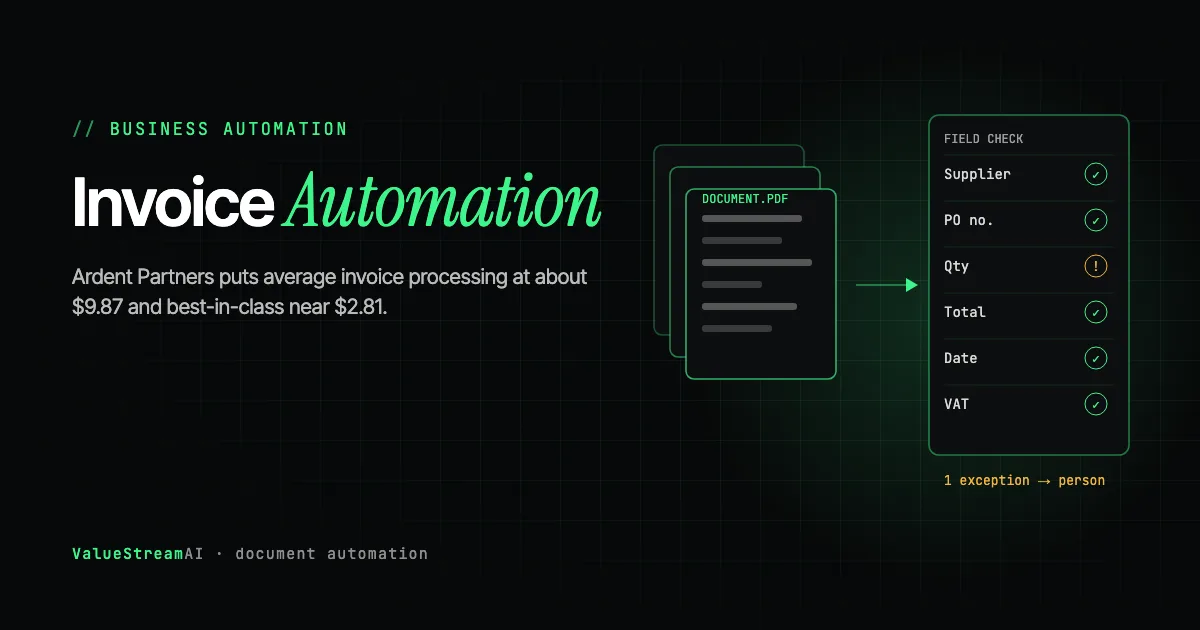
Invoice automation has the cleanest business case anywhere in the back office, and the widest gap between what vendors promise and what teams achieve. Ardent Partners' benchmark data puts the cross-industry average cost to process a single invoice at roughly $9.87, with best-in-class organisations at about $2.81. Manual processes in complex or low-volume operations run considerably higher, commonly estimated between $12.88 and $19.83.
That is a 3.5x gap between average and best-in-class, and almost nobody closes it by buying software. They close it by getting good at the invoices that do not match, which is the part of accounts payable automation that vendor demos skip entirely.
This guide covers the real benchmarks, what a touchless rate actually measures, the exception categories that determine your ceiling, and how to scope a build that pays back.
| Metric | 2026 Benchmark |
|---|---|
| Cross-industry average cost per invoice | $9.87 (Ardent Partners) |
| Best-in-class cost per invoice | $2.81 (Ardent Partners) |
| Manual processing, complex or low volume | Commonly $12.88 to $19.83 |
| Where MIT found the highest AI returns | Back office, including document automation and procurement |
Why Accounts Payable Is the Right First Automation
MIT's Project NANDA study reported that 95% of GenAI pilots delivered no measurable P&L impact, and in the same analysis found that AI budgets favoured sales and marketing while back-office functions produced the highest measured returns.
Accounts payable is close to an ideal candidate, for reasons worth being specific about:
- The baseline already exists. You know how many invoices you processed last quarter and roughly what it cost. Most functions cannot say that, and without a baseline you cannot prove a return, as we cover in automation ROI.
- The volume is high and repetitive, so a small per-unit improvement compounds into a real number.
- Attribution is clean. Cost per invoice went from X to Y. Nobody has to argue about which of six simultaneous initiatives caused it.
- There is a hard cost attached to being slow: late-payment penalties, missed early-payment discounts, and supplier relationships that quietly degrade.
What a Touchless Rate Actually Means
Vendors quote touchless rates, sometimes very high ones. The number is meaningless without knowing what is in the denominator.
Touchless means an invoice arrives, is captured, matched, approved, and posted with no human intervention at all. The trap is that a system can report an excellent touchless rate by only counting the invoices it was designed to handle. Clean EDI invoices from your top ten suppliers, on a purchase order, in one currency, will be touchless almost regardless of vendor. The invoices that consume your team's actual time are the ones the demo did not include.
The question to ask any vendor, in these words: what is the touchless rate across every invoice we receive, including services invoices with no PO, and how is it calculated? A specific answer with a stated denominator is a good sign. A percentage with no denominator is a marketing number.
This is the same pattern we describe in our guide to vetting an AI agency: the demo covers the happy path, and the happy path was never the expensive part.
The Exceptions That Set Your Ceiling
The gap between an average AP operation and a best-in-class one is almost entirely exception handling. Six categories account for most of it, and they are worth auditing against your own last hundred invoices before you talk to any vendor.
No matching purchase order. Services invoices frequently have no PO. Legal fees, consulting, maintenance contracts, utilities. A two-way or three-way match has nothing to match against, so these route to a human by design unless somebody builds approval logic for them specifically.
Vendor identity. The same supplier appears as "Acme Ltd", "ACME Limited", "Acme Ltd." and a trading name, across three entity records created by different people in different years. This is not an OCR problem, it is an identity resolution problem in your master data, and no extraction accuracy fixes it. It is the single most underestimated item in AP automation scoping.
Partial delivery and quantity variance. Ten ordered, seven delivered, ten billed. Both the goods receipt and the invoice may be correct at the moment they were created. Tolerance rules handle some of this; the rest is judgment.
Tax, currency, and rounding. Multi-jurisdiction VAT, withholding tax, and FX rounding that produces a two-cent variance and fails a strict match. Tolerance bands are easy to set badly in both directions.
Line-item splits across cost centres. One invoice covering three departments that nobody coded consistently the last four times.
Legitimate repeat billing that looks like a duplicate. Monthly retainers of identical value from the same vendor are exactly what a duplicate-detection rule is designed to catch. Suppressing false positives without suppressing genuine duplicates requires more context than a rule.
Every one of these is a matching problem rather than a capture problem, and it is where AP platforms genuinely differ. Our guide to purchase order and invoice matching works through line-level matching, partial receipts and exception routing in detail, including why UK e-invoicing from 2029 makes matching more valuable rather than less.
Where AI Genuinely Changes the Economics
Traditional AP automation was template-based OCR plus rules. It worked well on documents matching a configured layout and broke when a vendor redesigned an invoice, which is why the maintenance burden was high and the coverage plateaued.
What is genuinely different now is that extraction no longer depends on a per-vendor template. A model reads an invoice it has never seen in a layout nobody configured and returns structured fields with a confidence score. That removes the template-maintenance cost that capped older systems, and it is a real change rather than a repackaging.
What has not changed is everything downstream. Matching logic, tolerance rules, approval routing, and your chart of accounts still need to be right, and the model does not fix master data. Extraction accuracy was rarely the binding constraint. Reconciliation was.
There is one property worth designing around explicitly. Language models are non-deterministic: the same invoice can produce slightly different output across model versions, and a well-formed extraction can still be wrong. In a workflow that moves money, that is not a bug to patch later, it is a constraint to architect around. Every consequential action needs validation before it fires, a confidence threshold below which a human sees it, and structured logging of every decision so an error is traceable rather than mysterious.
One tempting shortcut is worth ruling out. The new, much cheaper decision models released in September 2026 do not solve invoice extraction. On TypeSafe's own evaluation, its Jev model trailed the strongest frontier models by 17.3 points on invoice processing, and Cactus's on-device Needle 3 scores roughly half a cloud model on field extraction. Where they can help is downstream: routing an extracted invoice to the right approver, or scoring whether an exception needs a human, both bounded decisions with known answers. Our guide to Jev and Needle 3 sets out which AP steps each one suits.
The Reference Architecture
Five layers, and the interesting design decisions are in the last two.
- Capture. Email, PDF, scan, supplier portal, EDI. The realistic estimate is that most organisations receive invoices through more channels than they think.
- Extraction. Fields plus a confidence score per field. The score is what makes the rest of the system possible.
- Matching. Two-way or three-way against PO and goods receipt, with explicit tolerance bands, plus a defined path for the no-PO case.
- Exception routing. The part that determines your real touchless rate. Exceptions route to a human with the reason attached, not into an undifferentiated queue. "Vendor not found in master data" and "quantity variance 3%" are different problems for different people.
- Posting. Into the ERP or ledger, with a complete audit trail. If your ERP is SAP, the constraints there deserve their own treatment, which we cover in SAP automation.
The confidence threshold is the most important number you will set, and it is a business decision rather than a technical one. Set it high and more invoices route to humans, which is safe and slow. Set it low and more post automatically, which is fast until something posts wrong. Start conservative, measure the error rate on auto-posted invoices for a month, then move it deliberately.
Extracted fields arrive with a confidence score, and anything below the threshold goes to a person. An invoice with no purchase order needs its own approval logic. One that matches within tolerance posts automatically. Everything else routes to a human with the reason attached, because an unknown vendor, a quantity variance and a possible duplicate are different problems for different people.
The Data Problem Underneath
Most AP automation projects that stall do not stall on extraction. They stall on master data.
If your vendor master has duplicates, inconsistent naming, and no reliable join key, then a perfectly accurate extraction still cannot be matched automatically, because the system cannot tell which "Acme" this is. That reconciliation work is part of the project, not a prerequisite somebody else absorbs, and pretending otherwise is how a twelve-week project becomes a twenty-week one.
This is the same structural issue we cover in our guide to AI agents for business automation: a business buys a capable AI subscription, then discovers the AI cannot answer questions about its own operations because the underlying data was never extracted, reconciled, or loaded anywhere the system can query. Extract, reconcile identities, load into something governed, then automate. The hardest version of that problem we have solved is documented in our legacy data extraction case study, where the source system had no export function at all.
Human Hours vs Automation: Keying Invoices by Hand
The per-invoice benchmarks above include overheads. This table isolates the labour, so you can see the hours themselves.
The assumptions. Keying, coding and matching one invoice by hand takes about 10 minutes. After automation, about 20% of invoices still need a person as exceptions, at the same 10 minutes each. The rate is the US median for bookkeeping, accounting and auditing clerks, $49,210 a year (Bureau of Labor Statistics, May 2024), about $23.66 an hour.
| Volume | By hand, hours a year | Labour cost by hand | Exceptions only, hours a year | Labour cost after automation |
|---|---|---|---|---|
| 500 invoices a month | 1,000 hours | $23,700 | ~200 hours | $4,730 |
| 2,000 invoices a month | 4,000 hours | $94,600 | ~800 hours | $18,900 |
| 5,000 invoices a month | 10,000 hours | $236,600 | ~2,000 hours | $47,300 |
At 2,000 invoices a month, that is about 3,200 hours a year handed back, about one and a half full-time clerks, before counting late-payment penalties or missed early-payment discounts. The exception rate is the number that decides everything, which is why the section above warns against modelling to a best-in-class figure. Run your own figures through our hire versus automate calculator.
What It Costs, and What It Returns
A scoped AP automation build covering capture, extraction, matching, and exception routing into an ERP with a documented API runs $5,000 to $15,000. Where the vendor master needs reconciliation first, or the ERP has no clean integration path, it moves into the $15,000 to $50,000 range. Integration count and data quality drive the number, not company size, as broken down in our AI automation cost guide. The build itself sits under our AI automation development service, and full tiers are on the pricing page.
The payback arithmetic is unusually clean here, which is the main reason we recommend AP as a first project. Take your current cost per invoice, take your monthly volume, and model a move toward the benchmark rather than to the benchmark. An operation at $10 per invoice processing 2,000 invoices a month that reaches $5 has recovered $10,000 a month against a build in the low five figures. Use the ROI calculator with your real numbers, and the savings calculator to see what the manual process is costing annually.
Do not model to $2.81. Best-in-class organisations reached that with mature master data, disciplined PO compliance, and years of process work. Model the first step.
Invoices are usually the first of several back-office workflows. See back-office AI automation for 20 to 100 person businesses and how to automate data entry and copy-paste work.
Frequently Asked Questions
What does invoice processing actually cost per invoice in 2026?
Ardent Partners' benchmarks put the cross-industry average around $9.87, with best-in-class near $2.81. Manual processing in complex or lower-volume operations is commonly estimated between $12.88 and $19.83. The spread is wide because it depends heavily on PO compliance and exception rate, so measure your own before accepting any benchmark.
What is a realistic touchless rate for invoice automation?
It depends almost entirely on what share of your invoices have a purchase order and how clean your vendor master is. A high published rate usually reflects a narrow denominator. Ask for the rate across all invoices received, including services invoices with no PO, and treat a number without a stated denominator as marketing.
Will AI invoice automation work if our vendor master data is messy?
Extraction will work. Matching will not, because the system cannot reliably tell which vendor record an invoice belongs to. Master data reconciliation is part of the project and should be scoped and priced explicitly rather than discovered in week seven.
Is AI invoice extraction better than traditional OCR?
For extraction specifically, yes, and the difference is structural: it does not require a configured template per vendor layout, which removes the maintenance burden that capped older systems. It does not improve matching, approval routing, or master data, which is where most of the remaining cost sits.
How long does an invoice automation project take?
A scoped build against an ERP with a documented API is typically four to eight weeks including a parallel-run period. Add meaningfully to that if vendor master reconciliation is needed or the ERP requires an indirect integration path. Run it in parallel with the existing process before cutting over.
Should we buy an AP automation product or build a custom integration?
If you run a mainstream ERP, have reasonable PO compliance, and your exceptions are standard, buy the product. Build when your exception logic is genuinely specific to your business, your ERP integration is non-standard, or you need the invoice workflow to connect to systems no product supports. We will say which applies on the first call.
What's Next
This post is part of our business automation cluster. For exception-heavy AP, see PO and invoice matching automation. For the broader document problem beyond invoices, see AI document processing, and for the finance and logistics view specifically, intelligent document processing. To measure the result properly, measuring the return covers the methodology. If the invoices land in SAP, the SAP-specific constraints are worth reading first, and RPA vs AI agents covers which tool fits which part of the pipeline.
Want to know what your invoices actually cost you today? Book a strategy session, or work out what the manual process costs before the conversation, then price the fix with the automation quote generator.
Syed Rayyan is co-founder of ValueStreamAI, leading research and marketing. He has run SEO for client websites since 2020, across technical audits, on-page work and link building, and leads the marketing side of every build. He also runs the firm's evaluation of emerging AI tooling and translates technical capability into clear guidance for non-technical decision-makers. Connect on LinkedIn →