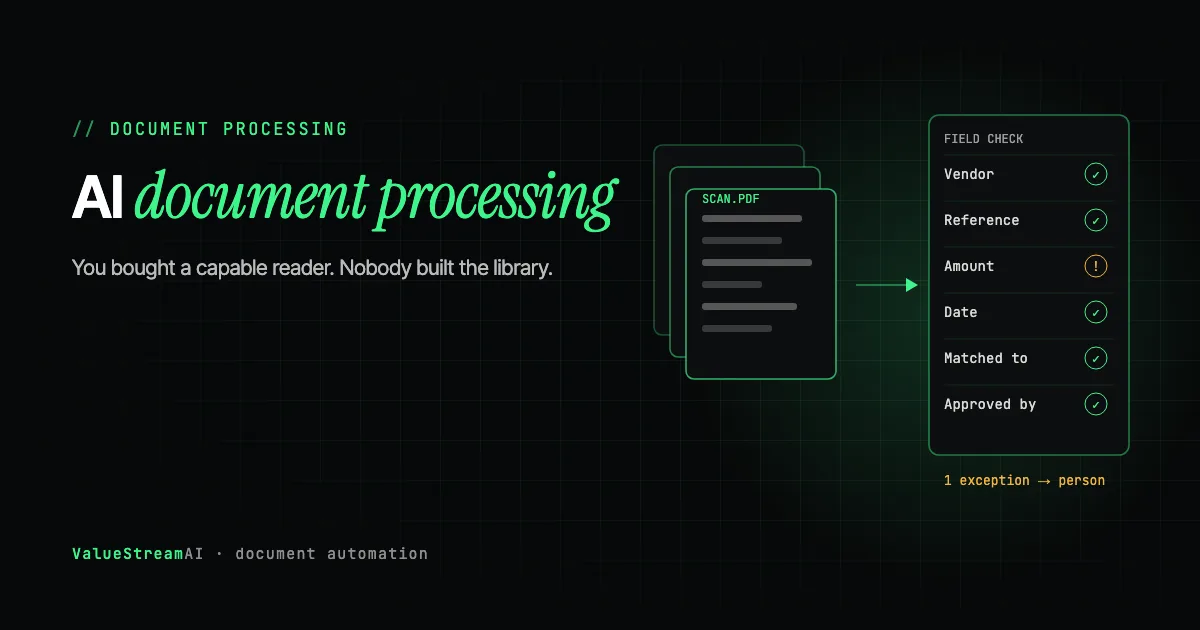
Here is the conversation we have most often. A business already pays for ChatGPT Enterprise or Claude for Work. A few people use it well for drafting. The conclusion is drawn that the company now has AI. Then somebody asks a real operational question, one that requires knowing what is actually in the company's own documents, and it cannot answer.
The subscription bought a very capable reader. Nobody built the library.
That gap is what AI document processing actually is, and the work is almost entirely in the part that does not demo well. This guide covers what has to exist between your files and a useful answer, where the accuracy limits genuinely are, and how to scope it without discovering the hard part in week seven.
| Metric | 2026 Reality |
|---|---|
| Share of new enterprise data that is unstructured | Commonly estimated at 80-90% |
| Typical NLP accuracy for classifying unstructured content | 85-90% |
| Handwriting recognition accuracy, deep learning methods | 80%+ |
| Where MIT found the highest AI returns | Back office, with document automation named specifically |
Why the Subscription Cannot Answer
A language model answers from two things: what it learned in training, and what you put in front of it in the moment. Your contracts, your project history, your supplier correspondence, and your internal decisions are in neither.
Uploading a file to a chat window solves this for one file, once, for one person. It does not solve it for four hundred thousand files across six systems, for everybody, repeatedly, with access control. That requires ingestion, and ingestion is a pipeline rather than a feature.
The unglamorous name for the missing layer is ETL or ELT: extract the data from wherever it lives, transform it into something consistent, load it somewhere the AI layer can query. Nobody sells it because it does not demo. Everybody needs it before any of the demos become real.
What "scattered" actually looks like, in the shapes businesses recognise: a shared drive of proposals and contracts in inconsistent formats, a decade of email nobody has indexed, a CRM holding customer history in its own schema, an accounting system nobody has API access to, a legacy line-of-business application with no export function at all, and three departments each keeping a spreadsheet of the same entities under different names.
Read the Market Research Sceptically
A quick aside that says something useful about this category. Published market-size estimates for intelligent document processing in 2026 range from roughly $3.17 billion to $14.16 billion depending on which research house you read. Same year, same named market, a 4x disagreement.
One research house, projecting to $91B by 2034 at 26% CAGR.
A different house, same year, projecting $7.18B by 2031. A 4x disagreement on today.
The category has no agreed definition. Treat any single IDP market figure as a marketing input, not a fact.
That gap is not a rounding difference, it reflects that "IDP" has no agreed boundary: some counts include commodity OCR, some include the services around it, some include general document AI inside broader platforms. The practical lesson is to treat any single market figure in a vendor deck as a marketing input, and to be equally sceptical of accuracy percentages quoted without a stated document set.
What Ingestion Actually Involves
- 01Locate and access
Find every source: file shares, email, the CRM, the system with no export button.
- 02Extract and normalise
Convert scans, split multi-document PDFs, strip boilerplate, preserve structure that carries meaning.
- 03Resolve identity
One customer, four spellings, three IDs. Without a join key, retrieval returns confident nonsense.
- 04Chunk and index
How documents are split determines what can ever be found. Table-heavy content breaks naive chunking.
- 05Govern
Access control per document, freshness, and an audit trail of what the system was allowed to see.
Five stages, and the difficulty is concentrated in the middle three.
Locate and access. Finding every source is genuinely harder than it sounds, and the last 10% of sources are usually the ones with no documented API. Run the systems access check before scoping: list every system holding documents you need and confirm whether each publishes a way to get data out. Where the answer is no, expect extraction work, and expect the timeline to change. The hardest version we have solved is documented in our legacy data extraction case study, where the source had no export function, no API, and no data portability menu at all.
Extract and normalise. Converting scans, splitting multi-document PDFs where one file contains six unrelated documents, stripping repeated boilerplate, and preserving the structure that carries meaning. A table's layout is information; flattening it to text loses the relationship between a figure and its column header.
Resolve identity. The stage that stalls projects. Hiring data shows it clearly: matching an applicant list against a separate screening survey, as we did in our HR applicant pipeline case study, is identity resolution under another name. The same customer, vendor, or project appears differently across systems with no join key. Without resolution, retrieval returns documents about a different entity with complete confidence, which is worse than returning nothing.
Chunk and index. How documents are split determines what can ever be retrieved. Naive fixed-size chunking cuts tables in half and separates a clause from the definition it depends on. Table-heavy and long-form legal content both break default approaches, and finding this out after indexing four hundred thousand documents is expensive.
Govern. Access control per document, so the system cannot surface a salary review to somebody who should not see it. Freshness, so superseded versions do not outrank current ones. An audit trail of what the system was permitted to read.
Where the Accuracy Actually Breaks
Extraction has genuinely improved, and the improvement is structural rather than incremental. A model can read an invoice in a layout nobody configured and return structured fields, which removes the per-vendor template maintenance that capped older systems. That is real.
What has not been solved is worth naming precisely, because vendor accuracy claims rarely distinguish these.
Complex nested tables, particularly multi-page tables with merged cells and continuation rows, remain unreliable and often need review. Poor scans and handwriting sit around the 80% mark at best, which sounds acceptable until you consider what a 20% error rate means on a field that triggers a payment. Contradictory versions are the failure nobody plans for: the system retrieves three documents that disagree, and deciding which is authoritative is a governance question, not a model capability.
There is also a property that shapes the whole architecture: language models are non-deterministic. The same document can produce slightly different output across model versions, and a well-formed extraction can still be wrong. In any workflow with consequences, that means validation before action, a confidence threshold below which a human reviews, and structured logging of every decision so an error is traceable. That is architecture decided at the start, not a patch applied after an incident.
The Test That Separates Real Systems From Demos
Ask what the system does when it cannot find a relevant answer.
A well-built system says it does not know, and ideally names what it searched. A weak one produces a fluent, confident, plausible answer assembled from whatever was nearest in the index. In document work this failure is particularly dangerous because the output looks exactly like a correct answer, and the person reading it has no way to tell.
Ask to see that specific behaviour demonstrated, on a question the system genuinely cannot answer. Any demo can show a good answer to a good question. Our guide to vetting an AI agency covers the wider version of this diagnostic.
Retrieval Is Not an Agent
Worth being precise, because the labels are used interchangeably and the price difference is substantial.
A system that searches your documents and answers questions about them is retrieval. It is genuinely useful and it is the right answer for a large share of what businesses actually need. It holds no state, takes no action, and has no fallback beyond a better prompt.
An agent does something afterwards: files the document, updates a record, routes an approval, triggers a payment. If a proposal describes what a system knows rather than what it does, it is retrieval with a chat interface, and it should be priced as such. We cover the distinction and how to test for it in AI agents for business automation.
Both sit on the same ingestion layer, which is the argument for building that layer properly once. Get it right and retrieval, agents, workflow automation, and reporting all reuse it, so the third use case costs a fraction of the first. Get it wrong and each new project re-solves the data problem badly.
Retrieval and agents sit on the same ingestion layer. Retrieval answers questions and, when built well, says it does not know rather than assembling a confident guess. An agent acts afterwards, filing, updating, routing or paying, so every consequential action passes validation and a confidence threshold, with a human below it and every decision logged.
Human Hours vs Automation: Keying Documents by Hand
The assumptions. Reading a document and keying its fields into a system by hand takes about 6 minutes. After automation, a person spends about 30 seconds per document on average, checking the fields the system flags. The rate is the US median for secretaries and administrative assistants, $47,460 a year (Bureau of Labor Statistics, May 2024), about $22.82 an hour.
| Volume | By hand, hours a year | Cost by hand | Review after automation, hours a year | Cost after automation |
|---|---|---|---|---|
| 500 documents a month | 600 hours | $13,700 | ~50 hours | $1,140 |
| 2,000 documents a month | 2,400 hours | $54,800 | ~200 hours | $4,560 |
| 10,000 documents a month | 12,000 hours | $273,800 | ~1,000 hours | $22,800 |
The other side of the ledger is the build in the next section, $5,000 to $15,000 for one document type, and the accuracy work this guide describes: the review time only stays this low if extraction is measured against real documents, not a demo set. Run your own figures through our hire versus automate calculator.
Industry Workflows Where Matching Matters More Than Reading
The pattern in this guide shows up most sharply in four industries, where the costly errors are disagreements between documents rather than misread fields. Each has its own guide:
- Behavioral health billing: intake forms, authorization letters and session notes checked against each other before a claim goes out, in behavioral health billing automation.
- Freight and logistics: rate cons, bills of lading, PODs and carrier invoices matched per shipment, in freight document extraction.
- Insurance claims: claim packets checked for completeness and consistency, including reused photos, in insurance claims document intelligence.
- Accounts payable: purchase orders, goods receipts and invoices matched line by line, in purchase order and invoice matching.
In every one, the matched records become the foundation for further agents, which is how a single document workflow grows into a company-wide system. Our AI agent ecosystem case study shows that shape built end to end for a 40-doctor network.
What It Costs
Commodity fields from standard document types.
- Fast to trial
- Breaks outside supported types
One document type, end to end, into your systems.
- Exception routing included
- Needs a documented API
Ingestion across multiple sources, governed and reusable.
- Identity resolution
- Foundation for later agents
Three genuinely different products go by the same name, and matching the tier to the problem is most of the value in the decision.
Off-the-shelf extraction priced per page suits commodity document types where you need standard fields and your volumes are predictable. Fast to trial and the right answer more often than agencies admit. It breaks outside its supported document types.
A scoped document workflow at $5,000 to $15,000 covers one document type end to end into your systems, including exception routing, assuming the target system has a documented API. Invoice automation is the most common instance of this.
A knowledge layer build at $15,000 to $50,000 covers ingestion across multiple sources with identity resolution and governance, and is the foundation later agents sit on. Integration count and data quality drive the number, not company size, as broken down in our AI automation cost guide. Both tiers are delivered through our AI automation solutions service.
Before any of it, the AI readiness score asks ten questions and tells you honestly whether your documents and systems are ready, which for this topic is the most relevant of our tools. The automation quote generator gives an instant ballpark, and the free template library is the honest starting point if your need turns out to be simpler than a custom build.
Related reading from our team:
- How StartupPal uses RAG to build investor pitch decks shows the same retrieval pattern applied to fundraising.
For a plain-English, owner-level version of this topic, see AI data entry automation and back-office AI automation.
Frequently Asked Questions
Why can't ChatGPT or Claude just read our company documents?
Because they only see what is put in front of them in the moment. Uploading a file solves it for one file, once, for one person. Making four hundred thousand files across six systems continuously available with access control requires an ingestion pipeline, which is a build rather than a subscription setting.
How accurate is AI document processing in 2026?
On clean digital documents with consistent structure, high enough that extraction is rarely the constraint. Classification of unstructured content typically runs 85-90%, and handwriting around 80% at best. Complex multi-page tables and poor scans still need human review. Treat any vendor accuracy claim without a stated document set as unverifiable.
What is the difference between OCR and intelligent document processing?
OCR converts an image to text. IDP adds understanding: which text is the invoice number, what type of document this is, whether the values are internally consistent. The practical difference in 2026 is that modern systems do not need a configured template per layout, which removes the maintenance burden that capped template-based OCR.
Do we need to organise our documents before automating them?
You need to reconcile identity, not tidy the folders. The system can handle inconsistent structure far better than it can handle not knowing that four differently spelled names refer to one customer. That reconciliation is part of the project and should be scoped explicitly.
Is document AI worth it if we only process a few hundred documents a month?
Often the honest answer is an off-the-shelf per-page tool rather than a build, and we will say so. Custom work earns its cost when the document types are specific to your business, the destination systems are non-standard, or the documents feed decisions where errors are expensive.
How long does a document processing project take?
A single document type into a system with a documented API is typically four to eight weeks including a parallel run. A multi-source knowledge layer with identity resolution is a two-to-three-month project, and the access and reconciliation work at the front is the part most estimates leave out.
What's Next
This post is part of our business automation cluster. For the highest-volume specific application, see invoice automation and its harder sibling, three-way PO and invoice matching, and for the finance and logistics view, intelligent document processing. For what sits on top of the ingestion layer once it exists, see our guide to AI agents. To prove the value, automation ROI, and to choose tooling, business automation tools.
Want to know whether your documents are actually ready? Book a strategy session, or run the ten-question readiness check first for an honest answer in ten questions.
Muhammad Kashif is co-founder of ValueStreamAI, leading technical delivery and AI strategy. He designs and ships custom agentic AI and healthcare automation systems for clients across the US and UK. More about Muhammad Kashif →