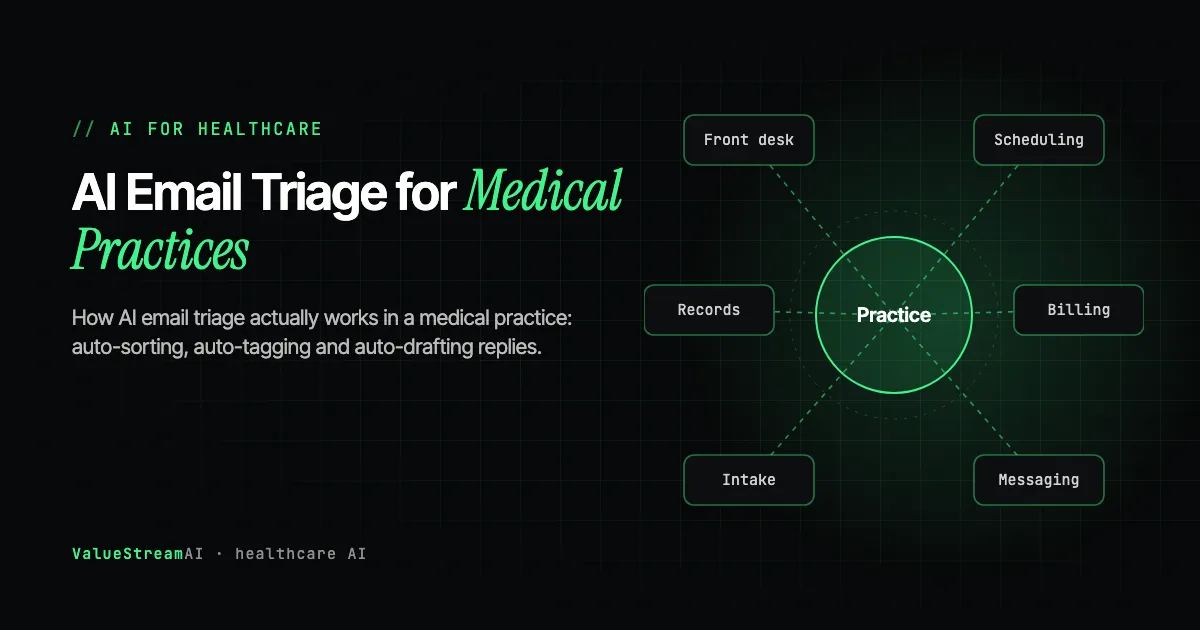
AI email triage for medical practices solves one specific problem: working out what an incoming message is, how urgent it is, and who should see it, without a human spending an hour a day deciding.
A practice manager at a six-doctor clinic described her morning to us like this. She opens the shared inbox, and before she has read a single message, she already knows roughly what is in there. Two prescription requests. Something from an insurer. A patient who is worried about a symptom and used the words "chest" and "tight." Four appointment reschedules. A newsletter nobody signed up for. A phishing attempt pretending to be the CQC. Her job for the next forty minutes is not to answer any of it. It is to work out which of those things is which.
That sorting task, repeated every morning in every practice in the country, is what AI email triage actually targets. Not writing the clinical reply. Not replacing the doctor. Just answering the question "what is this, how urgent is it, and who should see it" fast enough that a human never has to spend forty minutes deciding. This guide covers how that works in practice, what the research genuinely shows about the payoff (which is not what most vendors claim), and the architecture required to do it without putting patient data or clinical safety at risk.
| Metric | 2026 Benchmark |
|---|---|
| EHR inbox messages per physician, per day | 33 to 49 |
| Daily uncompensated after-hours "pajama time" for primary care physicians | 2.7 hours |
| Inbox volume reduction achieved through message routing alone | 25% |
| Reduction in median read time for flagged high-acuity messages (out of hours) | 21 minutes |
| AI-drafted patient reply volume in Epic MyChart, per month | Over 1 million |
| Clinicians using generative AI draft replies across US health systems | ~15,000 across 150+ systems |
Why Inbox Work Became the Practice's Biggest Hidden Cost
The inbox did not used to be a job. It became one gradually, and then all at once, when patient-initiated messaging moved from phone calls into portals and email during and after the pandemic.
The numbers are unforgiving. Physicians report spending two to three hours on paperwork for every hour of direct patient care. For a thirty-minute primary care visit, the physician spends thirty-six minutes in the EHR, which means more time documenting the encounter than conducting it. Primary care physicians average 2.7 hours of "pajama time" daily, uncompensated after-hours EHR work that correlates directly with burnout risk.
Inbox load sits underneath a lot of that. EHR inbox message volume alone runs 33 to 49 messages per physician per day, and that figure excludes everything arriving through direct practice email, WhatsApp, SMS and the phone. A multi-doctor practice is not dealing with one queue. It is dealing with several overlapping queues, most of which have no routing logic beyond "whoever opens it first," a problem that gets substantially more complex once coverage schedules and cross-provider escalation enter the picture, covered in full in our guide to the seven admin workflows that change shape in a multi-doctor practice.
What makes this specifically an automation problem rather than a staffing problem is the shape of the work. The overwhelming majority of inbox items are not clinically complex. They are classification decisions. Is this a prescription request, an appointment change, a billing query, an insurer document, a referral, a results question, or something genuinely urgent? A human is extremely good at that judgement and extremely expensive to use for it at volume.
What Copilot and Gemini Already Do in a Practice Inbox, and Where They Stop
Before buying anything, be clear about what the assistants already built into your email do. Copilot in Outlook drafts replies and summarises threads and attachments; Gemini in Gmail drafts from a one-line instruction, suggests replies and surfaces important messages. For an individual clinician or manager writing their own email, that is often enough, provided the plan and its agreements allow patient data at all.
They stop short of a practice inbox in three specific ways. Copilot in Outlook is reported to run only on a user's primary mailbox, not on the shared mailboxes most practices use for reception, referrals and billing. It cannot read S/MIME or Double Key Encryption messages, which is how a lot of clinical correspondence arrives. And neither assistant looks up the appointment, the referral or the balance in your practice management system before it writes. Those gaps, the shared mailbox, the encrypted message and the lookup into clinical systems, are where a built workflow earns its cost, and they are the focus of this guide.
What AI Email Triage Actually Does (The Three Layers)
"AI email triage" gets used loosely. In a production practice deployment it means three distinct capabilities, and they carry very different risk profiles. Conflating them is the single most common reason practices either over-trust or under-use the technology.
Layer 1: Auto-Sort (Routing)
The system reads an incoming message and decides where it goes. Prescription requests to the prescribing queue. Insurer correspondence to billing. Results questions to the relevant clinician's list. Appointment changes to reception.
This is the lowest-risk, highest-return layer, and the evidence supports leading with it. One physician group cut inbox volume by 25% through message routing alone, before any drafting or summarisation was involved. The messages did not disappear. They stopped landing in front of people who could not action them.
Layer 2: Auto-Tag (Classification and Prioritisation)
The system applies structured labels: urgency, category, whether the message contains clinical content, whether it references a specific medication or appointment, whether it appears to be a security threat rather than a genuine patient message.
Prioritisation is where the clinical safety value concentrates. In deployments where messages were flagged by acuity, the median read time for high-acuity messages fell by 9 minutes during business hours and 21 minutes outside them. The out-of-hours figure matters most, because that is precisely when a concerning message is most likely to sit unread in a general queue.
Layer 3: Auto-Draft (Reply Generation)
The system composes a proposed reply for a human to review, edit and send. This is the layer that gets the marketing attention, and it is also the layer where the honest research finding diverges sharply from the sales pitch.
The Finding Most Vendors Do Not Quote
Epic's In Basket Art (Augmented Response Technology) is the largest real-world deployment of AI-drafted patient replies in existence. Roughly 15,000 clinicians across more than 150 US health systems now use it, generating over a million draft replies per month, built on a privacy-compliant version of GPT-4 that pulls context from the patient's record including current prescriptions and recent results.
Stanford Medicine studied it and published in JAMA Network Open. The headline result was not what the category expected:
Clinicians spent nearly as much time working on AI-generated replies as they did drafting responses from scratch. The drafts did not measurably save time. What they did do was significantly reduce cognitive load and feelings of work exhaustion.
Read that carefully, because it reframes the entire business case. The time did not go away, largely because clinicians must verify that an AI-drafted clinical message is correct, and verification of a plausible-sounding draft is not free. What changed was the mental cost of facing a blank reply box forty times in a row. UC San Diego Health adopted the technology for routine use on that basis, and clinicians reported reduced clerical burden and fewer burnout symptoms.
The practical conclusion for a practice evaluating this: buy auto-draft for retention and clinician wellbeing, not for throughput. Buy auto-sort and auto-tag for throughput. A vendor promising hours saved per clinician per day from drafting alone is selling against the best available evidence.
This is also why we generally sequence deployments sort first, tag second, draft last. The first two layers produce measurable operational returns quickly. The third produces a real but different kind of return, and it carries the most clinical risk, so it should go live once the practice already trusts the system's classification behaviour.
Where the Tooling Landscape Actually Sits
Practices evaluating this typically encounter four separate product categories that all sound like they overlap, and mostly do not. Understanding the boundaries prevents buying the same capability twice or assuming coverage that is not there. We cover the shared inbox category in depth in our guide to shared inbox software for multi-doctor practices, but here is how the layers relate.
| Category | Representative platforms | What it does for triage | What it does not do |
|---|---|---|---|
| EHR / practice management | Epic, Tebra (formerly Kareo + PatientPop), Semble (formerly Heydoc), Cliniko, WriteUpp | Owns the clinical record; may include native AI drafting in the clinical inbox | Rarely governs general practice email, insurer correspondence or non-portal channels |
| Shared inbox platforms | Missive, Front, Help Scout, Emitrr | Collaboration, assignment, collision detection, tagging across a team | Classification logic is rule-based, not clinical; AI features are generic, not practice-trained |
| Email security and encryption | Egress Protect with NHSmail, secure gateways | Threat filtering, encryption to unsecured domains, inbound auto-decryption | Does not triage legitimate mail by clinical urgency or route it operationally |
| Billing and insurer clearing | Healthcode (ePractice, Clearing Service, Private Practice Register) | Structured insurer invoicing and membership lookup for UK private practice | Handles the billing pipeline, not general inbox classification |
A few specifics worth knowing if you operate in the UK. NHSmail is used by over 80% of the UK healthcare industry and 1.5 million staff daily, making it the largest closed secure email network in the country, and NHS Digital partnered with Egress to provide its encryption layer, which allows encrypted sending to unsecured domains including patients, plus automatic inbound decryption. For private practice, Healthcode's Clearing Service is the de facto standard for electronic insurer billing, with its Private Practice Register handling recognition applications for Aviva, AXA Health, Healix and VitalityHealth, and an insurer membership lookup that removes a genuinely tedious phone-call loop.
None of these categories, on their own, gives a multi-doctor practice a triaged inbox. That is the gap a custom automation layer fills, and it is worth being precise about why: the security gateway does not know that a message mentioning a new medication side effect should jump the queue, and the EHR does not see the email that arrived at the practice's general address rather than through the portal.
The Architecture That Makes Triage Safe
Triage automation touches patient data and influences clinical prioritisation. That places it firmly in the category of software that needs engineering discipline, not a weekend of connecting boxes together.
Guardrails and validation, because the model is not deterministic
Large language models are non-deterministic. Even with temperature at zero, structured outputs enabled and JSON mode enforced, the same input can produce different outputs across model versions, prompt changes or context window variations. An agent can return perfectly valid JSON containing logically wrong content. It can select the right category and populate it with a technically valid but contextually incorrect parameter.
For a triage system, that means the classification output must be validated before it is acted on, not after. In our builds that looks like: schema validation on every classification, confidence thresholds below which a message routes to human review rather than to an automated destination, business-rule checks (a message classified as routine that contains red-flag clinical vocabulary gets escalated regardless of the model's confidence), and defined fallback paths for each failure mode rather than a generic exception handler.
The asymmetry matters here. A routine message misrouted as urgent costs someone thirty seconds. An urgent message misrouted as routine is a clinical incident. Triage systems should be deliberately biased toward over-escalation, and that bias belongs in the business rules, not in the prompt.
Every incoming message is classified for routing, urgency and clinical content, then checked. A schema failure or low confidence sends it to human review. Red-flag clinical vocabulary escalates it regardless of the model's confidence, because the system is deliberately biased toward over-escalation. Only then is it routed to a queue, and any drafted reply goes to a person to edit and send.
Observability, because you cannot govern what you cannot see
Every classification decision, every tool call, every routing action needs to be logged with full context, not just a success or failure status. Practices are regulated environments, and "the AI decided" is not an acceptable answer to a complaint or an audit question. You need to be able to reconstruct why a specific message was categorised the way it was, on a specific date, under a specific model version.
This also protects the system over time. Model drift, prompt sensitivity and shifting real-world input distributions will degrade classification performance, and without monitoring nobody notices until a pattern of misroutes has already accumulated. Our approach to production monitoring is covered in more depth in our AI monitoring in production guide.
A sandbox, before anything touches a live inbox
Agents behave unexpectedly in edge cases, and the tool calls are where real consequences occur: emails sent, records updated, patients notified. Before a triage agent touches a live practice inbox, it should run against a mirrored environment with test data and mocked send actions.
We have been called in to recover clients from production incidents that a sandbox phase would have caught, including an agent that began writing bad data to a live CRM. In a practice context the equivalent failure sends a templated reply to a patient who asked something clinically serious. That is not a bug to iterate on in production.
Real-user validation before removing the human gate
Internal testing has a systematic blind spot: the testers know what the system is supposed to do, so they test the expected flows. Real inbound practice email does not resemble expected flows. Patients write in their own vocabulary, bury the important sentence in paragraph four, attach photos with no context, and reply to old threads with new problems.
The first hundred real messages through a triage system almost always surface three to five failure modes that survived weeks of internal testing. Which is why the human approval gate comes off gradually and per-category, never all at once. Auto-routing an insurer document is a different risk decision from auto-drafting a reply about a symptom, and they should not be governed by the same switch.
Integration Reality: The Blocker That Derails Timelines
The most overlooked pre-build blocker in practice automation is not the AI. It is system access.
Most practices know they "use Epic" or "have a practice management system." What is far less clear is what those systems actually expose. Whether a documented API exists. Whether the practice owns the credentials or a vendor controls them. Whether the integration is supported on the practice's licence tier. Whether an internal tool built by a contractor three years ago has any documentation, and whether that contractor is still reachable.
These questions are cheap to answer in week one and extremely expensive to discover in week seven. Before scoping any triage build, we push practices through four questions:
- Does each target system (EHR, inbox, billing platform) have a documented, accessible API?
- Do you own the API credentials, or does a vendor control access on your behalf?
- Is source code and documentation accessible for any custom-built internal tooling?
- Can you still reach the original developers if questions arise?
If the answer to the first question is no for the EHR, the project is not a three-week integration. It is a prerequisite conversation with a vendor, and the timeline should reflect that honestly from the start.
Where APIs are absent or restricted, open standards do a lot of work. HL7 and FHIR are the interoperability backbone, and the open-source ecosystem around them is genuinely strong: Mirth Connect (now NextGen Connect) remains the workhorse interface engine for bidirectional HL7 messaging, HAPI FHIR is the comprehensive Java library for FHIR clients and servers, Medplum offers a FHIR-native EHR with authentication, access policies and workflow automation, Microsoft's fhir-server provides an open implementation for Azure, and Metriport offers a universal open-source healthcare data API. We have written separately about HAPI FHIR for healthcare interoperability and Medplum as an open-source healthcare platform.
Human Hours vs Automation: Sorting the Inbox by Hand
The assumptions. Reading, tagging and routing one email by hand takes about 3 minutes. With triage, a person spends about 30 seconds checking the tag and the route. The rate is the US median for medical records specialists, $50,250 a year (Bureau of Labor Statistics, May 2024), about $24.16 an hour; UK practices can substitute their own rate, the hours do not change.
| Volume | By hand, hours a year | Cost by hand | With triage, hours a year | Cost with triage |
|---|---|---|---|---|
| 50 emails a day | 625 hours | $15,100 | ~104 hours | $2,520 |
| 150 emails a day | 1,875 hours | $45,300 | ~312 hours | $7,550 |
| 400 emails a day | 5,000 hours | $120,800 | ~833 hours | $20,100 |
This is where the measurable time saving in inbox work sits, as the research above shows: in sorting and routing, more than in drafting. What the numbers leave out is acuity. Flagging urgent messages cut median read time for high-acuity messages by 9 minutes in business hours and 21 minutes outside them, which is a patient-safety gain, not a cost one. The other side of the ledger is the build, from £4,000 / $5,000 for a pilot. Run your own figures through our hire versus automate calculator.
The Competitor Pulse Check
| Factor | ValueStreamAI Approach | Generic AI Integrations |
|---|---|---|
| What gets automated first | Sort and tag, because the evidence shows that is where throughput gains are | Draft replies, because they demo well |
| Claimed benefit | Cognitive load reduction from drafting; measurable routing gains from classification | "Hours saved per clinician per day," unsupported by the Stanford data |
| Misclassification handling | Business-rule escalation independent of model confidence; deliberate over-escalation bias | Model confidence score only |
| Auditability | Full decision logging with model version, reconstructable for a complaint or audit | Success/failure status logs |
| Rollout of autonomy | Per-category human gate removal after real-user validation | Single on/off switch |
| Integration scoping | API access audit before build begins | Discovered mid-build |
| Regulatory posture | Built around NHSmail, GDPR and HIPAA constraints from day one | Generic SaaS assumptions |
Generic integrations: draft replies, because they demo well.
Generic integrations: "hours saved per clinician per day," unsupported by the Stanford data.
Generic integrations: model confidence score only.
Generic integrations: single on/off switch.
Why No-Code Stacks Hit a Ceiling Here
Practices frequently try this first with Make.com or Zapier, and for good reason: the demos are everywhere and they look production-ready. For proof-of-concept validation, low-volume internal tooling, and simple linear workflows, that is a legitimate starting point, and we say so.
The ceiling shows up in specific, predictable ways once real practice volume arrives: sequential execution bottlenecks, silent failures with no meaningful error handling, task-based pricing that scales against you exactly as the automation succeeds, no version control or audit trail (a real problem in a regulated setting), and an inability to express genuine conditional clinical logic. The practices that struggle most are the ones that committed months of internal effort to a no-code stack and then rebuilt in code once the ceiling became visible. Our full argument on this is in why no-code fails at enterprise scaling.
For a single-doctor practice sorting twenty messages a day, no-code may genuinely be enough. For a multi-doctor practice with clinical prioritisation requirements and an audit obligation, it is the wrong foundation.
A 90-Second Feasibility Test Any Practice Manager Can Run
Before booking a single vendor call, this tells you most of what you need to know about whether inbox automation is tractable at your practice:
- Open your practice management system and look for a "Developer," "API," or "Integrations" section. If it exists and is documented, integration is likely straightforward. If you cannot find one, that is your first vendor question, not your last.
- Ask who holds the admin credentials. If the answer is a former IT contractor or an unreachable vendor rep, resolve that before anything else.
- Export one week of your shared inbox and count the categories. If more than 70% of messages fall into five or fewer categories, classification will work well. Practices are almost always surprised by how concentrated the distribution is.
- Count how many of those messages required clinical judgement to answer. That percentage is your realistic ceiling for full automation, and everything below it is triage territory.
That fourth number is usually between 10% and 25%, which is the actual answer to "how much of this can AI handle." Most of the inbox is not clinical. It only feels clinical because it arrives in the same queue as the clinical work.
If it exists and is documented, integration is likely straightforward.
If it's a former contractor or unreachable vendor rep, resolve that first.
If 70%+ of messages fall into five or fewer categories, classification will work well.
Usually 10-25%. That is your realistic ceiling for full automation.
What a Production Triage Build Involves
For practices weighing build versus buy, the honest scope: a production triage layer for a multi-doctor practice is a two-to-three month engagement, not a two-week one. The build itself is not the long part. The cycle is build, test internally against real historical messages, deploy to a controlled group with full human review, discover the failure modes that internal testing missed, tighten the rules, then progressively remove approval gates by category.
Typical engagement shapes:
- Pilot / MVP (4 to 6 weeks): £4,000 to £12,000 / $5,000 to $15,000. One inbox, sort and tag only, human review on everything.
- Custom agent ecosystem (8 to 12 weeks): £12,000 to £32,000 / $15,000 to $40,000. Multi-channel, EHR integration, drafting with approval workflow.
- Enterprise infrastructure (12+ weeks): £32,000+ / $40,000+. Multi-site, full audit tooling, bespoke compliance requirements.
The stack we typically build on for this class of system: FastAPI for the service layer, LangGraph for agent orchestration and conditional routing, Redis for queue state, Temporal for durable multi-step workflows that must survive restarts, a vector store for retrieval against practice-specific context, and Datadog plus PostHog for the observability pairing that most teams skip until they need it.
The same approach works outside healthcare. See AI email automation for small business for the general version, including the security risk of hidden instructions in emails.
Frequently Asked Questions
Is AI email triage for medical practices HIPAA and GDPR compliant?
It can be, but compliance is a property of the architecture, not the model. You need a signed BAA with any US vendor processing PHI, appropriate data residency for UK and EU practices, encryption in transit and at rest, and full audit logging of automated decisions. Using a consumer AI tool without those controls is not compliant regardless of what the tool does well. We cover this specifically in our guide to ChatGPT and HIPAA compliance for medical practices.
Does AI email triage actually save clinicians time?
Auto-sorting and auto-tagging demonstrably do: one group cut inbox volume 25% through routing alone. Auto-drafting is different. The Stanford Medicine study in JAMA Network Open found clinicians spent nearly as long on AI-drafted replies as on replies written from scratch, because verifying a draft takes real effort. The measured benefit of drafting was reduced cognitive load and lower burnout, not time savings. Both are worth having, but they are different business cases.
Can AI reply to patients automatically without a human reviewing it?
For clinical content, no, and we would not build it that way. The defensible pattern is human-in-the-loop: the agent drafts, a clinician reviews and sends. Fully automated replies are appropriate only for narrow non-clinical categories such as appointment confirmations or opening-hours queries, and only after real-world validation has shown the classifier reliably separates those from everything else.
What happens if the AI misclassifies an urgent message as routine?
This is the failure mode that matters, and it should be engineered against rather than hoped away. The mitigation is layered: business rules that escalate on red-flag clinical vocabulary regardless of model confidence, confidence thresholds that push uncertain messages to human review, deliberate over-escalation bias, and monitoring that surfaces misclassification patterns before they compound. No system eliminates the risk; a well-built one makes it rare, visible and auditable.
Do we need to replace our EHR to add AI email triage?
Almost never. Triage typically sits alongside the EHR rather than inside it, reading from and writing to it through APIs or FHIR interfaces. The bigger question is whether your EHR exposes a documented API on your licence tier. That is worth confirming before any other planning, because the answer shapes the entire integration approach.
How is this different from the AI features already in Epic or Tebra?
Native EHR features are genuinely useful and generally cover the clinical inbox well. What they usually do not cover is everything arriving outside the portal: the practice's general email address, insurer correspondence, referral documents, WhatsApp and SMS. A custom layer handles cross-channel triage and routes into the EHR, rather than duplicating what the EHR already does inside its own walls.
What is the realistic percentage of practice email that can be automated?
Run the feasibility test above. In most practices, 75% to 90% of inbox items require no clinical judgement, which makes them candidates for automated classification and routing. The share that can be answered with no human involvement at all is much smaller, typically well under a quarter, and concentrated in administrative categories.
What to Do Next
If your practice is drowning in inbox work, the sequence that produces results fastest is not the one most vendors lead with. Start with classification and routing, because the operational gains are measurable and the clinical risk is low. Add prioritisation next, because that is where the out-of-hours safety benefit lives. Add drafting last, with a human gate, and judge it on clinician wellbeing rather than on a stopwatch.
Before any of that, run the API access audit. More practice automation projects stall on credential ownership and undocumented legacy systems than on anything to do with AI.
This post is part of our cluster on agentic AI for medical practice admin, which covers the full stack from inbox triage through email security to encrypted patient communication. If you want to see where automation would actually pay off in your specific setup, our AI for medical practices guide walks through the assessment, and our agentic AI development services page explains how we scope and build these systems.
Sources and further reading: Stanford Medicine / JAMA Network Open on AI-generated draft replies; EpicShare on In Basket Art deployment scale; NHS England Digital guidance on NHSmail secure email; Egress on NHSmail encryption; Healthcode on the Clearing Service and Private Practice Register.
Our healthcare AI development service builds this triage layer into the inbox you already run, including Missive, Front, and Help Scout, with clinical and administrative routing kept separate.
Muhammad Kashif is co-founder of ValueStreamAI, leading technical delivery and AI strategy. He designs and ships custom agentic AI and healthcare automation systems for clients across the US and UK. More about Muhammad Kashif →