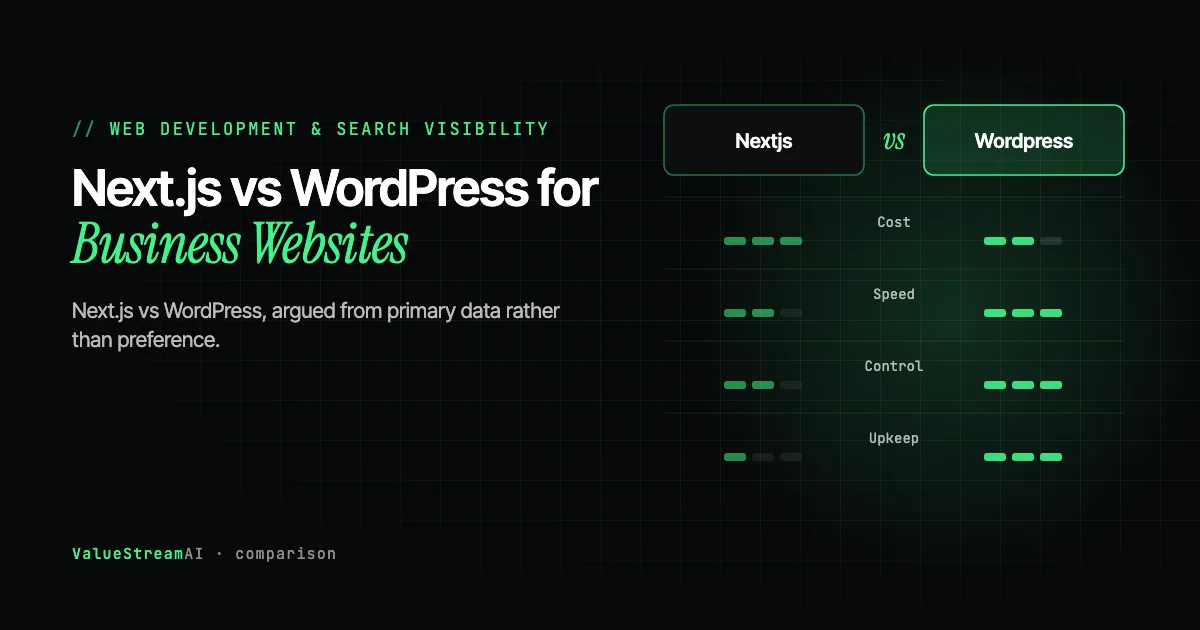
Most Next.js vs WordPress comparisons are written by agencies that sell one of them. This one is written by an agency that sells one of them too, so let us start with the concession: for a large number of businesses, WordPress remains the correct choice, and we have told prospective clients so and lost the work.
What follows is the comparison argued from primary sources rather than preference, including the security data that almost every article in this category gets wrong in the same direction.
| Metric | 2026 Data |
|---|---|
| New WordPress ecosystem vulnerabilities in 2025 | 11,334, a 42% increase on 2024 |
| Share found in plugins | 91% (9% themes) |
| Vulnerabilities found in WordPress core | 6, all classed low risk |
| Disclosed without a developer fix in time | 46% |
Source: Patchstack, State of WordPress Security in 2026.
The Security Argument Everyone Gets Backwards
The standard agency pitch is "WordPress is insecure, so build custom." That claim is lazy, and the primary data does not support it.
Patchstack's 2026 report, covering 2025 data, found 6 vulnerabilities in WordPress core, all of them low risk. For a platform running a very large share of the web, that is an excellent security record. WordPress core is not the problem, and anyone telling you it is has not read the numbers.
The honest version of the argument is more specific and more useful: the risk is the plugin surface, not the platform. 91% of the 11,334 new vulnerabilities disclosed in 2025 were in plugins, with a further 9% in themes. And the detail that matters most operationally: 46% were publicly disclosed without a fix available from the developer in time.
That last figure is the real decision input. It means that for nearly half of disclosed vulnerabilities, a diligent site owner doing everything right, patching promptly and monitoring advisories, still had a window with no patch to apply. Your exposure is not a function of your discipline. It is a function of how many third-party plugins you run and how responsive their maintainers are.
So the correct framing is not "WordPress is insecure." It is: every plugin you install is a dependency on a third party's security practices and responsiveness, and the risk compounds with each one. A WordPress site running four well-maintained plugins is in a very different position from one running thirty-eight, and vulnerability count is a much weaker predictor than plugin count and maintainer quality.
This reframing changes the recommendation. It means a lean WordPress install can be genuinely safe, and it means a plugin-heavy one is a standing liability regardless of how carefully it is administered.
Where Static Generation Genuinely Wins
Next.js with static generation prerenders pages at build time and serves them from a CDN edge. There is no database query, no PHP execution, and no plugin chain between the request and the response.
Attack surface. A prerendered static site has almost nothing to exploit at runtime. There is no admin login to brute force, no database to inject into, no plugin executing on request. For a business with no in-house technical staff, this is the strongest single argument, because it removes an ongoing operational responsibility rather than shifting it.
Delivery on poor connections. This is underrated and it decided the stack on a recent logistics build. Freight buyers open supplier websites at ports, at factory gates, and in vehicles, on connections that are congested rather than merely slow. A prerendered page delivered from a nearby edge node loads under those conditions. A database-backed page assembling itself through a plugin chain frequently does not. If your buyers are in the field, this is not a benchmark score, it is whether you get the enquiry.
Core Web Vitals headroom. Static delivery does not automatically produce good Core Web Vitals, and a badly built Next.js site can fail them comfortably. What it does is remove server response time as a variable, leaving you fighting only your own JavaScript and layout decisions. INP, which replaced FID as a Core Web Vital in March 2024, is largely a function of main-thread work, and that is a discipline question on either stack.
Structured content models. If you are generating a service-by-city page matrix, a typed content model with build-time generation is materially better than a page-by-page CMS. Pages become records, one template change updates all of them, and structured data can be generated from the same source as the visible content so the two cannot drift. We cover that architecture in the programmatic SEO guide.
Where WordPress Genuinely Wins
Editor familiarity. Your marketing hire has used WordPress. They have not used your bespoke admin. This is a real, recurring cost that technical teams consistently underestimate, and it is the single most common reason custom builds end up unmaintained.
Ecosystem breadth. Events, memberships, forums, complex e-commerce, multilingual publishing, LMS. If your requirement is a solved problem in the WordPress ecosystem, rebuilding it in a custom stack is expensive and usually worse.
Hiring pool and continuity. You can find someone to maintain a WordPress site in any city, at short notice, at a reasonable rate. That is a genuine risk reduction, and it is an argument against us as much as for us.
Cost at the low end. For a straightforward brochure site with a handful of pages and no unusual requirements, a well-built WordPress site is cheaper to produce and perfectly adequate. Recommending custom development there is not good advice, it is upselling.
The Honest Comparison Table
| Factor | Next.js (static) | WordPress |
|---|---|---|
| Runtime attack surface | Effectively none | Plugin and theme dependent |
| Patch burden | Build-time dependencies only | Ongoing; 46% of 2025 disclosures had no fix in time |
| Performance floor | High by default | Depends heavily on hosting and plugin discipline |
| Delivery on poor mobile connections | Strong | Variable |
| Page matrix generation | Native strength | Possible, awkward at scale |
| Structured data integrity | Generated from content records | Plugin-managed, drifts from content |
| Editor familiarity | Requires onboarding | Universal |
| Ecosystem for solved problems | Build it yourself | Extensive |
| Maintainer availability | Smaller pool | Very large pool |
| Cost, simple brochure site | Higher | Lower |
| Cost, 30+ templated pages | Lower | Higher |
WordPress: plugin and theme dependent.
WordPress: ongoing; 46% of 2025 disclosures had no fix in time.
WordPress: possible, awkward at scale.
WordPress: plugin-managed, drifts from content.
Next.js (static): build it yourself.
The Question That Actually Decides It
Ignore the frameworks for a moment. The decision usually resolves on one question: is your site a publication or an application?
If your site is fundamentally content that humans write and edit, one page at a time, with occasional new sections, WordPress is well matched to that shape. The tooling exists, the workflow is understood, and the marginal cost of each page is a person writing it.
If your site is fundamentally a projection of structured business data, services, locations, inventory, pricing, coverage, into pages, then it is an application. Managing it as documents means every data change becomes a manual edit across many pages, which is where content decay starts. A typed content model with build-time generation is the right shape.
The logistics client we worked with was unambiguously the second case: 21 services and 9 locations, each carrying operational data that changes, generating 30 landing pages that must stay consistent. Managing that as 30 WordPress pages would have guaranteed drift within two quarters. The full build is documented here.
A site of content people write page by page is a publication, and WordPress suits it, so audit the existing install before replacing anything: plugin count, maintainer health and server response time. A lean, well-hosted site that performs adequately has no stack problem. One that fails the audit usually needs plugin cleanup and better hosting, with a rebuild only if that is not enough. A site that projects structured business data into many pages is an application, and needs a typed content model with build-time generation.
Auditing the WordPress Site You Already Have
Before deciding to migrate, establish whether your current site is actually the problem. Most WordPress sites we are asked to replace do not need replacing; they need a plugin audit and better hosting.
Count your plugins. This is the single best proxy for your risk and performance exposure. Under ten actively maintained plugins is a lean install. Beyond twenty-five, you are carrying meaningful compounded dependency risk given that 91% of 2025 disclosures were plugin vulnerabilities.
Check maintainer health for each one. For every plugin, look at the date of its last update and its compatibility with the current WordPress version. A plugin not updated in over a year is a liability irrespective of whether a vulnerability is currently known, because the 46% no-fix-at-disclosure figure is driven by exactly these unresponsive maintainers.
Identify the plugins doing something you could do without. Sliders, page builders loading their own CSS and JS frameworks, analytics wrappers duplicating what your tag manager already does, and "SEO suites" where you use one feature. Each carries full runtime cost for partial benefit.
Measure the server response time separately from the page weight. If your time to first byte is poor, that is hosting and plugin execution, and no amount of image optimisation will fix it. This is frequently the entire performance story on a struggling WordPress site, and it is often solved by moving hosts rather than by moving frameworks.
If that audit produces a lean, well-hosted site that performs adequately, you do not have a stack problem. Spend the budget on content architecture instead.
Migration: What It Actually Involves
If the audit does point to a rebuild, the risk is not the build. It is the URLs.
Preserve every ranking URL or map it deliberately. Export your existing URL set from your sitemap and Search Console, and decide the destination of each one before development starts. Every URL either keeps its path or gets a 301 to the closest genuine equivalent. Redirecting everything to the homepage is the classic migration mistake and it discards the accumulated authority of every page you had.
Carry the content model over, not just the content. A migration is the one opportunity to move from documents to records. If your services and locations are going to become a structured page matrix, model them now rather than importing 40 pages of prose and restructuring later.
Rebuild structured data from the content source. Whatever your SEO plugin was emitting stops existing the moment the plugin does. Regenerate it from your new content records so the markup and the visible content cannot diverge, an approach covered in the local SEO schema guide.
Keep the old site reachable until the new one is verified. Crawl both, compare title tags, meta descriptions, headings and internal link structure, and confirm the redirect map resolves without chains before you switch DNS.
Expect a temporary ranking wobble. Even a clean migration usually produces a few weeks of volatility as Google recrawls and reprocesses. Plan the timing around your commercial calendar rather than launching a week before your busiest season.
- 01
Keep its path, or 301 it to the closest genuine equivalent.
- 02
Not just the content: model it as structured records.
- 03
Regenerate from the new content source, not the old plugin.
- 04
Confirm the redirect map resolves without chains before DNS switch.
- 05
A few weeks of volatility as Google recrawls and reprocesses.
Indicative Cost and Timeline
Rough bands for a business site, useful for budgeting rather than quoting:
- Brochure site, up to 10 pages (2 to 4 weeks): WordPress is usually the right commercial answer here. Custom development is hard to justify.
- Structured page matrix, 20 to 60 pages (4 to 8 weeks): £8,000 to £25,000 / $10,000 to $30,000. This is where a typed content model starts paying for itself in maintenance.
- Platform build with integrations and admin tooling (8 to 14 weeks): £25,000+ / $30,000+. Applies when the site is projecting live business data or capturing structured leads into an operational system.
Usually the right commercial answer. Custom development is hard to justify.
Where a typed content model starts paying for itself in maintenance.
For sites projecting live business data or capturing structured leads.
The variable that moves these numbers most is not page count. It is how many external systems have to be integrated, and whether those systems have usable APIs.
Two Failure Modes Worth Naming
The AI-enabled agency that delivers like it is 2019. Over four years and 50+ engagements, one pattern has held: long-established development firms often have the hardest time genuinely changing their delivery model, and their clients see the least benefit. The capability is usually there. The culture is not. Senior engineers who spent a decade mastering a stack have professional identity invested in it, and adopting AI-assisted delivery means acknowledging an uncomfortable productivity gap. The observable result is that timelines at many traditional shops have not compressed the way they should have. If you are commissioning a build, ask what percentage of their developers use AI coding assistants daily, and ask how their average delivery time has changed over the last eighteen months. A genuine answer shows compression.
Underestimating the surface area of a single site. One website is rarely one skillset. A production build touches frontend, backend, content modelling, structured data, performance work, and the DevOps to deploy and monitor it. Engineers specialise, and most prefer to stay in their lane. Hiring one developer to cover that spread usually means strong in one area and weak everywhere else, and the operational tail, monitoring, support, maintenance, is the part people forget to budget for entirely.
Related reading from our team:
- Once the site is built: SEO for a new website, the first 90 days and what a technical SEO audit includes.
Frequently Asked Questions
Is Next.js better than WordPress for business websites?
Neither is universally better. Next.js with static generation is the stronger choice when your site projects structured business data into many templated pages, when your buyers are on poor mobile connections, or when you have no technical staff to manage ongoing patching. WordPress is the stronger choice for content-led sites edited page by page, for requirements already solved by its ecosystem, and for simple brochure sites where custom development is unjustified expense.
Is WordPress insecure?
WordPress core is not. Patchstack's 2026 report found only 6 core vulnerabilities in 2025, all low risk. The risk sits in third-party extensions: 91% of the 11,334 vulnerabilities disclosed that year were in plugins and 9% in themes. The more useful framing is that each plugin is a dependency on someone else's security responsiveness, and 46% of 2025 disclosures had no developer fix available at disclosure. A lean install is reasonably safe; a plugin-heavy one is a standing liability.
Does Next.js improve SEO compared to WordPress?
Not inherently. Both can rank well and both can rank badly. Next.js removes server response time as a variable through prerendering and makes it easier to generate structured data from the same records as the visible content, which prevents schema drift. WordPress with disciplined hosting and plugin choices competes fine. The framework is a smaller ranking input than content quality and site architecture.
Is Next.js more expensive than WordPress?
For a simple brochure site, usually yes, and WordPress is the better commercial decision there. For a site with thirty or more templated pages driven by structured data, Next.js is typically cheaper over the life of the site because maintenance is a template change rather than an edit repeated across many pages. The crossover point is roughly where page count and data-driven consistency requirements rise together.
Can I use WordPress as a headless CMS with Next.js?
Yes, and it is a reasonable middle path when editor familiarity is the binding constraint. You keep the WordPress editing experience and serve a prerendered frontend. Be aware you retain the WordPress patch burden on the backend, so you get the performance and frontend security benefits but not the elimination of maintenance.
What should I ask an agency before commissioning a website build?
Ask who owns the hosting, domain, and administrator credentials at the end, and get it in writing. Ask whether your own staff can add a page or a location without contacting them. Ask what percentage of their developers use AI coding assistants daily and how delivery times have changed in the last eighteen months. Ask what happens to structured data when content changes. The answers are more revealing than the portfolio.
What's Next
The framework debate is mostly a proxy for a more useful question about what your site actually is. Publications and applications want different tools, and most businesses know which one they are as soon as the question is put plainly.
Choose on shape, plugin discipline, and who will maintain it in two years. Not on which stack the agency prefers to sell.
Deciding on a stack for a website rebuild? Talk to ValueStreamAI. We build in both, we are listed among SelectedFirms' Top Web Development Companies for 2026, and we will tell you if WordPress is the right answer before you commission anything. See a structured content build in our PK Transporters case study.
This guide is part of our Web Development for Search Visibility series, covering content architecture, stack selection, structured data, and what to do when the enquiries arrive.
ValueStreamAI builds custom agentic AI systems for SMBs and enterprises across the US and UK. Learn more about us →