OpenAI Dots for business is the question every owner who uses ChatGPT is now asking: can an always-on agent take work off your plate while you get on with the day? Dots launched at OpenAI's DevDay on 29 September 2026. Each one is a ChatGPT agent that keeps working after you close the chat, with its own cloud computer and browser and access to thousands of apps. This guide explains what a Dot can actually do, what it costs, how its approval rules work, where it falls short for a business, and who should use one.
The short answer: A Dot is a strong personal agent. It suits an owner or manager who wants their own research, follow-ups, inbox and reports handled in the background, with approval before anything consequential. Your first Dot is included with ChatGPT Pro (from $100 a month) and Business Premium. It is not a system that runs a business process across people and software: it acts for the person who set it up, the cost of extra Dots was not disclosed at launch, and OpenAI itself says to review consequential work. For orders, bookings, invoices or anything regulated, you still want a built workflow.
Key takeaways
- A Dot is one person's always-on agent, with its own cloud computer, browser and memory of your preferences.
- Approval rules are good. Custom Rules can allow, require approval for, or block actions, and an auto-review checks consequential steps first.
- First Dot included with Pro and Business Premium; pricing for extra or specialist Dots was not disclosed at launch.
- It reaches 4,000+ apps, but not necessarily the industry systems your business runs on.
- Use it for your own work. Use a workflow for the business's work.
| Metric | 2026 Benchmark |
|---|---|
| Launch | 29 September 2026, OpenAI DevDay |
| Model | GPT-6 Astra |
| Connected apps | 4,000+ through OpenAI's app ecosystem |
| Included with | ChatGPT Pro (from $100 a month) and Business Premium: first Dot |
What Is an OpenAI Dot?
A ChatGPT agent that keeps working on your goals when you are not in the chat. OpenAI describes Dots as persistent agents: you give one a goal ("keep my supplier quotes up to date and flag anything over budget"), and it monitors, uses software, reacts to new information, and comes back with finished work for your approval.
What launched, according to OpenAI's announcement as reported by VentureBeat and Al Jazeera:
- Its own cloud computer and browser, so your laptop does not need to stay on.
- Runs on GPT-6 Astra, OpenAI's model at launch.
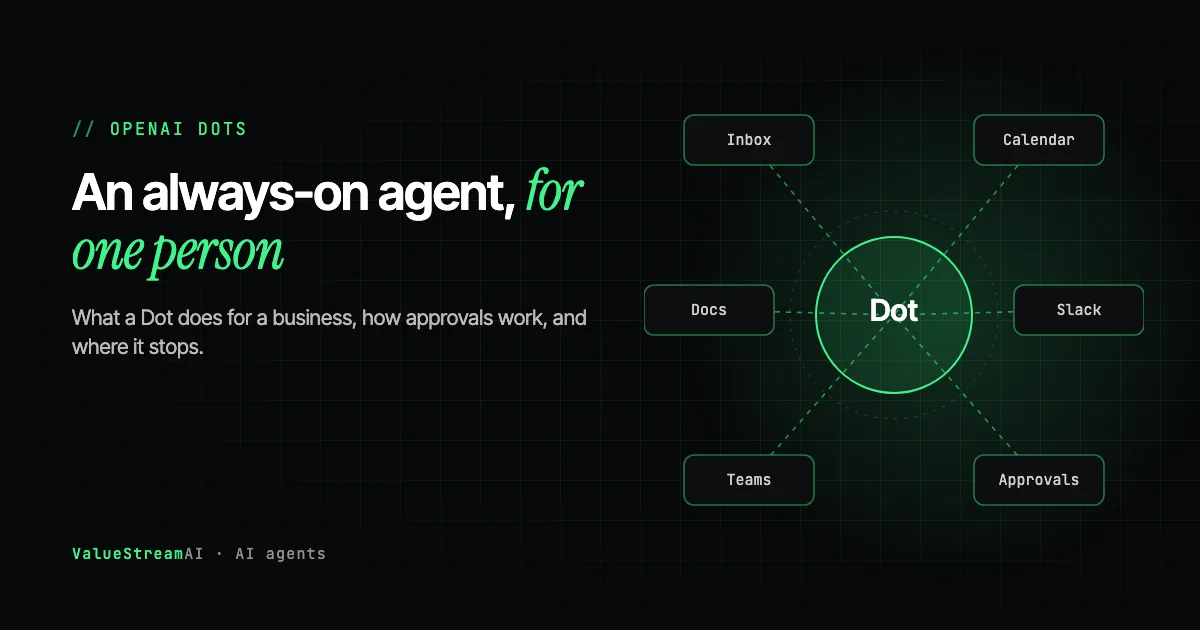
- Connects to more than 4,000 apps through OpenAI's app ecosystem, and talks to you through ChatGPT, Slack and Microsoft Teams.
- Learns your preferences and working habits over time.
- Proactive research tools are read-only: they cannot send messages, change content or drive the computer.
- ChatGPT Space launched alongside it: a shared workspace where people, ChatGPT and Dots work from the same pages and files.
What Does a Dot Cost?
Your first Dot is included with ChatGPT Pro and Business Premium. Everything beyond that was not priced at launch. OpenAI said the first Dot comes at no extra charge for Pro and Business Premium customers, and that Enterprise, Edu and Healthcare customers can try the beta once an admin turns it on.
What was not disclosed at launch: the allowance for heavy use, the price of additional Dots, faster or larger capacity, and the price of the "specialist Dots" being piloted with enterprises. Pro starts at $100 a month (checked against independent pricing trackers on 31 October 2026; OpenAI's own page could not be loaded for our check). Business Premium's per-seat price varied between sources, so confirm it with OpenAI.
The practical budgeting point: if your plan depends on several Dots running all day, you cannot price it yet. If it depends on one Dot for one person, it is part of a subscription you may already pay for. Our guide to ChatGPT for small business covers which plan fits which team.
How Dot Approvals and Permissions Work
This is the strongest part of the design, and the part to configure before anything else. OpenAI built several layers of control:
- App access is set through ChatGPT's existing app controls, by an admin and by the user.
- Custom Rules can allow an action, require approval for it, or prohibit it.
- An auto-review checks consequential actions against your instructions, your rules and OpenAI's safety requirements before deciding whether to ask you.
- An Activity View shows what the Dot did in the background, so you can step in.
- Sensitive actions, such as changing passwords, stay with you. Saved logins can be used on supported sites without the model seeing the password.
Here is how a request moves through those layers:
A Dot can only use apps you have allowed. Your Custom Rules can block an action, require approval, or allow it. Consequential actions also go through an auto-review that may ask you first. Sensitive actions such as changing passwords always stay with you.
Our advice: start with read-only access and "require approval" on anything that sends, pays, deletes or changes a customer record. Loosen rules one at a time, after you have watched what the Dot does for a couple of weeks. Researchers have shown that instructions hidden inside emails and web pages can hijack AI tools that read them (Greshake et al., 2023), so an agent that reads your inbox should not also be allowed to act freely on what it reads.
What a Dot Is Genuinely Good At
Your own background work: the things you would do yourself if you had another two hours a day.
| Job | Why a Dot fits |
|---|---|
| Inbox triage and a daily summary | Reads, sorts and drafts; you approve replies |
| Following up on your own quotes and invoices | Watches for replies, drafts reminders, waits for your yes |
| Research and reports | Keeps a competitor, supplier or market brief up to date |
| Meeting preparation | Pulls notes, emails and documents into a brief |
| Personal project tracking | Monitors tasks across your apps and flags what is slipping |
The research gives a sense of the upside. In a Procter & Gamble field experiment with 776 professionals, a single person working with AI matched the output of a two-person team without it (Dell'Acqua et al., NBER w33641). A Dot is an attempt to make that help continuous rather than chat by chat.
Where Dots Fall Short for a Business
A Dot works for one person. A business process belongs to the business. That one difference produces most of the limits.
It acts as you. Permissions, memory and approvals sit with the user who set up the Dot. When an order comes in, someone books the job, someone else invoices it and the accounts package records the payment: four people and three systems. A personal agent can help each person; it does not own the process from start to finish.
Breadth is not depth. 4,000 apps covers the popular ones. It often does not cover a practice management system, a job management tool built for your trade, an industry portal, or an old accounts package with no connection at all. Those are usually where the hours go.
It does not give the same answer every time. Language models are non-deterministic, and agents more so. In customer-service tests, a leading model got about 61% of retail requests right on one try and fewer than 25% right on all eight tries (τ-bench, 2024). OpenAI says plainly that Dots can make mistakes and that consequential work should be reviewed. That is fine for your own follow-ups; it is a problem for 500 invoices a month.
Costs at scale are unknown. Until OpenAI prices extra Dots and heavy use, a plan built on many Dots cannot be costed.
Regulated data needs care. OpenAI says Business, Enterprise and Edu workspace content is not used for model training by default, which is good. But a medical practice still needs a signed BAA before patient information goes in, and that is not part of standard plans.
Useful for your own follow-ups. It still works for you, not for the business, so a team process needs more than one person's Dot.
Breadth is not depth. Industry systems such as practice management, job management or an old accounts package are often not in the list.
The price of extra Dots, heavy use and specialist Dots was not disclosed at launch. Budget once it is.
We go deeper into this difference in personal AI agents vs business automation, and into how reliable agents really are in what the research says about AI agents.
Who Should Use OpenAI Dots, and Who Should Not
| You are | Verdict | Why |
|---|---|---|
| An owner or manager drowning in your own admin | Try one | Background follow-ups and summaries, with approval |
| Already on ChatGPT Pro or Business Premium | Turn it on | The first Dot is already in your plan |
| A small team wanting one shared assistant | Not quite | A Dot is personal; look at ChatGPT Space for shared work |
| Running a repeat process (orders, bookings, invoices) | Not on its own | Needs a workflow that runs the same way for everyone |
| A medical, legal or finance firm | After a policy and permissions review | Patient and client data rules come first |
| Relying on an industry system with no app | Check first | The Dot cannot use what it cannot reach |
Dots vs Claude Duet vs a Custom Workflow
Anthropic launched a similar agent, Claude Duet, on 21 October 2026, and xAI's Grok Bot and Google's Gemini agent are in the same race. In short:
| OpenAI Dot | Claude Duet | Custom workflow | |
|---|---|---|---|
| Works for | One person | One person | The business |
| Status | Launched, Pro and Business Premium first | Research preview, US waitlist | Built for you |
| Approvals | Custom Rules and auto-review | Asks before sending, paying, signing, deleting | Set per step, in code |
| Your industry systems | If they are among its 4,000+ apps | If they are among its connectors | Connected directly, including old systems |
| Same result every time | No | No | Checked by code before each action |
| Cost at scale | Not yet published | Shares Claude plan limits | One build plus running costs |
We cover Anthropic's agent in Claude Duet for small business owners, and compare every option in our best AI assistant for small business guide.
The Competitor Pulse Check
| Factor | ValueStreamAI Approach | Typical Dots Coverage |
|---|---|---|
| Framing | A personal agent, with what that means for a business | "AI coworkers are here" |
| Costs | What is included, and what was not disclosed | Plan price only |
| Permissions | A starting rule set, with why | Feature list |
| Limits | Named, with research on consistency | Rarely covered |
| Who should not use it | Stated | Not covered |
| Next step | When a workflow is the better answer | Sign up |
How We Help Businesses Use Dots Alongside Real Automation
We think most owners on ChatGPT Pro should try their included Dot. Where we come in is the work a Dot cannot own:
- Setting up the rules. A permissions review and a starting rule set for your Dots, so they help without exposing customer data.
- Connecting the systems a Dot cannot reach, including the old ones, so information is in one place.
- Building the business processes that need to run the same way for everyone: orders, bookings, invoices, intake. These run as checked workflows, often with an AI agent inside, and can hand finished work to your Dot or to a person for approval.
That is our AI agent development service. You can see what a business-wide system looks like in the AI agent system we built for a 40-doctor network.
Frequently Asked Questions
What is OpenAI Dots?
Dots are always-on ChatGPT agents that OpenAI launched at DevDay on 29 September 2026. Each one keeps working after you close the chat, with its own cloud computer and browser, and connects to more than 4,000 apps. It comes back with finished work for your approval.
How much does OpenAI Dots cost for a business?
The first Dot is included with ChatGPT Pro (from $100 a month) and Business Premium. OpenAI did not publish the price of additional Dots, heavy use or specialist Dots at launch. Check OpenAI's current pricing before planning around several Dots.
Is OpenAI Dots safe for business data?
OpenAI says Business, Enterprise and Edu workspace content is not used for model training by default, and Dots have approval rules, an auto-review for consequential actions, and an activity log. Start with read-only access and approval on anything that sends, pays or deletes. Patient data still needs a signed BAA, which standard plans do not include.
Can OpenAI Dots replace an employee?
No. A Dot is a personal agent that helps one person with their own work, and OpenAI advises reviewing consequential work. It can take hours of follow-up and research off someone, but it does not own a business process across people and systems.
What is the difference between Dots and a custom AI agent?
A Dot works for the person who set it up, through the apps in OpenAI's ecosystem. A custom agent works for the business: it connects directly to your systems, including old ones, runs the same checked steps every time, and hands exceptions to the right person. Many businesses will use both.
Should I choose OpenAI Dots or Claude Duet?
If you already pay for ChatGPT Pro or Business Premium, start with Dots, since one is included. Claude Duet was a US-only research preview for Claude Pro and Max subscribers in October 2026. Both are personal agents, so the choice matters less than setting the permissions well.
What's Next
If you are on ChatGPT Pro or Business Premium, turn on your Dot, keep it read-only for a week, and see what it takes off your plate. If what you really need is the business to run with less copying between systems, talk to us about a workflow instead: book a call through our AI agent development page, or start with the free AI readiness check.
Muhammad Kashif is co-founder of ValueStreamAI, leading technical delivery and AI strategy. He designs and ships custom agentic AI and healthcare automation systems for clients across the US and UK. More about Muhammad Kashif →