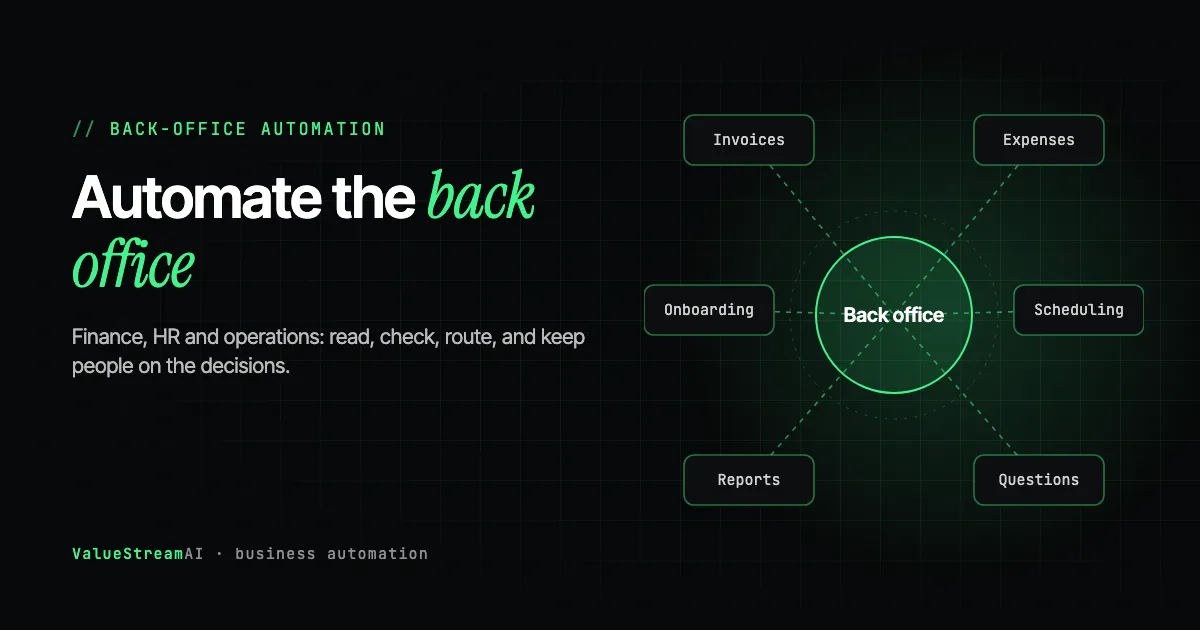
Back-office automation is where most established small and medium-sized businesses get the largest, safest return from AI. The back office (finance admin, HR paperwork, scheduling, reporting and the endless internal "where is" questions) is repetitive, high-volume and mostly invisible to customers, which means mistakes are catchable and savings are measurable. In a business of 20 to 100 people, this work is usually spread across several staff who would all rather be doing something else.
This guide is for owners and managing directors who want to understand what AI can realistically take over across finance, HR and operations, what should stay with people, how the pieces fit together, and what it costs. It is the back-office chapter of our complete guide to AI for small business.
| Metric | 2026 Benchmark |
|---|---|
| US median pay, administrative assistant | $47,540/year base (BLS, May 2025) |
| US firms using AI in a business function | 18% (Census Bureau, Nov 2025 to Jan 2026) |
| Back-office hours in our five-workflow example | ~1,100 a year by hand, ~200 after |
| Our scoped back-office pilot starts at | $5,000 |
What Counts as the Back Office in a 20 to 100 Person Business
The back office is everything that keeps the business running but that customers never see. In a business this size, it usually looks like this:
- Finance: supplier invoices, purchase orders, expense receipts, payment chasing, reconciliations, month-end reporting.
- HR: applications, interview scheduling, onboarding paperwork, policy questions, holiday and absence records.
- Operations: scheduling people and jobs, stock and order updates, weekly reports, internal requests, document filing.
- Administration: the shared inbox, data entry between systems, and answering colleagues' questions about where things are.
None of it is anyone's whole job, which is precisely the problem. It is spread across the office in ten-minute pieces, so nobody sees the total, and it grows in a straight line with every new customer and every new hire.
What your AI subscription already handles in the back office
Some back-office help needs no project at all. Copilot, Gemini, ChatGPT and Claude on business plans already draft policies and letters, summarise long documents and meetings, explain a spreadsheet, and answer questions about files in Microsoft 365 or Google Drive. Use them for that.
None of them processes the back office. They do not take each supplier invoice as it arrives, check it against the order and the delivery, post it and send the mismatch to the finance manager. They do not chase every incomplete onboarding pack or rebuild the Monday report from three systems before anyone is in. That is unattended, high-volume, cross-system work with rules and approvals, and it is what the rest of this guide covers.
The Pattern Behind Almost Every Back-Office Automation
Across finance, HR and operations, the automations that work share one shape. Once you recognise it, you can judge any back-office proposal.
- 01Capture
Email, upload, form or export arrives.
- 02Read
AI pulls the fields out, whatever the layout.
- 03Check
Rules compare against orders, policies and records.
- 04Act or route
Clean items post automatically; exceptions go to a named person.
Capture. The document or request arrives the way it always has: an email attachment, an upload, a form, an export.
Read. AI reads it and pulls out the information, whatever the layout. This is the part that changed most in the last two years: vision-capable models now read invoices, receipts and forms they have never seen, without templates. That has made reading cheap.
Check. This is where the real value is, and where most tools are weak. Ordinary code compares what was read against your other records and your rules: does the invoice match the purchase order and the delivery? Is the expense within policy? Is the new starter's paperwork complete? Totals, dates and quantities are arithmetic, and code handles arithmetic far more reliably than a language model does.
Act or route. Items that pass every check are posted, filed or scheduled automatically. Items that fail go to a named person with the reason attached.
The principle to hold on to: the model reads, code decides, and a person owns every exception. The most expensive back-office errors are rarely misread documents. They are documents that were each read correctly but disagree with each other: an invoice for 120 units against a delivery of 100, the same supplier recorded under three names. A system that only reads will enter both faithfully.
A document or request is captured, AI reads it into fields, and code checks those fields against records and rules. Items that pass are posted, filed or scheduled automatically. Items that fail go to a named person with the reason, and the person's decision is logged.
AI Finance Automation
Finance admin is usually the strongest first candidate in the back office: high volume, mostly rule-based, already in systems, and easy to measure.
Supplier invoices and accounts payable
The workflow: invoices arrive by email, AI reads them, code matches each one against the purchase order and goods received, matched invoices are posted to the accounting system as drafts for approval, and mismatches go to the finance manager. Xero, QuickBooks Online and most modern accounting systems have APIs, which keeps this clean. We cover the matching logic in detail in purchase order and invoice matching and the wider picture in invoice automation.
Expenses
Receipts photographed or forwarded, read automatically, checked against expense policy, and coded. Many accounting packages already offer receipt capture, and for a small team that may be all you need. Custom work earns its place when policies are complex or several entities are involved.
Reporting
The weekly or monthly report someone builds by exporting from three systems and pasting into a spreadsheet is one of the safest first automations of all, because nothing leaves the building and errors are visible.
For specialist finance workflows, see AI document processing and intelligent document processing for finance and logistics. Accounting firms will also find secure client portals for accounting firms relevant.
AI HR Automation
HR admin is repetitive, but HR decisions carry legal weight, so the human checkpoint matters more here than anywhere else in the back office.
Applications and screening
AI can sort applications into a consistent format, extract the information each role needs, and organise candidates for a person to review. Our LinkedIn applicants HR automation case study shows this working: Atlin's HR team had about 6,000 applicants across a five-role campaign, and a pipeline built in around two weeks turned each role into a clean spreadsheet and CV folder matched to their screening survey. People made every decision. Automated hiring decisions are increasingly regulated (New York City's Local Law 144 on automated employment decision tools is one example), so keep AI on the admin side of the line.
Interview scheduling
Matching interviewer calendars with candidate availability, sending invites, handling reschedules. Highly rule-based and low risk. See AI scheduling agents.
Onboarding paperwork
Collecting documents, checking they are complete, creating accounts and records in each system, and reminding people of what is outstanding. Sensitive documents need secure handling; see secure document sharing for HR and recruiting.
AI Operations Automation
Scheduling people and jobs
Where work is booked against people's availability, AI can propose schedules, handle changes and notify the people affected, with a manager approving anything unusual.
Internal knowledge and "where is" questions
Every growing business has a few people who answer the same internal questions all day: which form, which policy, where is the template, what did we agree with that client. If your documents live in Microsoft 365 or Google Drive, try the assistant you already pay for first: Copilot and Gemini can answer questions from files the user can see, and ChatGPT and Claude can connect to SharePoint and Drive. You may not need to build anything.
Where a build earns its place is when the answer lives somewhere those assistants do not reach (a job management system, a legacy database, an accounting package not on the connector list), when it needs combining across several systems, or when the documents are too sensitive for a general-purpose assistant.
There is an important caveat here. A ChatGPT or Copilot subscription does not know anything about your business by itself. The model is a capable reader that has never been given your filing cabinet. Somebody has to extract information from the systems where it lives, make it consistent, and put it where the assistant can search it. That preparation is most of the work. See AI knowledge management.
For businesses that want internal search to stay private, open models can run on your own infrastructure. BGE-M3, for example, is an MIT-licensed embedding model used to make documents searchable by meaning, listed in our free AI models directory with hardware notes.
Data entry between systems
The thread running through the whole back office. The same information typed into the CRM, the job system and the accounts package. See how to automate data entry and copy-paste work.
What to Keep Human in the Back Office
AI can sort applications and book interviews. Hiring decisions carry legal weight and stay with a person.
Automation finds the mismatch. A person decides whether to pay, query or reject.
Route it fast, log it properly, and keep the conversation human.
Back-office automation should make your people faster at decisions, not take the decisions away. Keep these with a person:
- Hiring, discipline and pay decisions.
- Approving payments where anything does not match.
- Grievances, sensitive HR matters and anything involving an employee's wellbeing.
- Exceptions to policy, such as a supplier discount or a late expense claim.
- Anything you would need to explain to a regulator or a tribunal.
Point Solutions or a Back-Office Foundation?
The way most businesses automate the back office is one tool at a time: a receipt app here, a scheduling tool there, an AI assistant somewhere else. Each works on its own. Together, they create several places where the same supplier, employee or customer is recorded differently, and several things to maintain.
The alternative is to treat the back office as one system: a shared, clean record of suppliers, staff, customers and orders that each automation reads from and writes to. You do not need to build it up front. But at the second or third automation, decide deliberately whether you are buying separate tools or building on a common foundation, because the difference is small at two automations and large at six. Our AI agent ecosystem case study shows the foundation approach for a 40-doctor network, and AI agents for business automation covers the wider pattern.
Human Hours vs Automation: Five Back-Office Workflows
Here is a typical back office for a 40 to 60 person business, priced both ways. These are assumptions, not client measurements, so replace them with your own volumes from an automation audit.
The assumptions. Rate: $22.86 an hour (BLS, May 2025, administrative assistants, base pay). Volumes and minutes per item are our assumptions, as is the human time remaining after automation for review and exceptions.
| Workflow | Volume and time by hand | By hand per year | After automation per year | Cost by hand | Cost after |
|---|---|---|---|---|---|
| Supplier invoices | 400/month, 6 min each | 480 hours | 80 hours (1 min each) | ~$10,970 | ~$1,830 |
| Expense receipts | 300/month, 4 min each | 240 hours | 48 hours | ~$5,490 | ~$1,100 |
| Onboarding paperwork | 4 starters/month, 90 min each | 72 hours | 24 hours | ~$1,650 | ~$550 |
| Interview scheduling | 60/month, 12.5 min each | 150 hours | 25 hours | ~$3,430 | ~$570 |
| Weekly reports | 3 hours a week | 156 hours | 26 hours | ~$3,570 | ~$590 |
| Total | ~1,098 hours | ~203 hours | ~$25,110 | ~$4,640 |
Roughly 1,100 hours a year by hand is a little over half of one full-time role, spread across several people. After automation, about 200 hours remain, mostly reviewing invoice and expense exceptions.
The other side of the ledger. Automating one of these workflows is a scoped pilot in our $5,000 to $15,000 range. Automating all five on a shared foundation is a departmental build in our $15,000 to $40,000 range. Maintenance is ongoing. Notice that onboarding saves relatively little at this volume; for a business hiring four people a month, a checklist tool may be the better answer, and we would say so.
What the numbers leave out. Duplicate and incorrect invoices caught before payment, which can be worth more than the hours. Faster onboarding for new staff. Reports available on Monday morning instead of Wednesday. Run your own figures in the hire vs automate calculator or the savings calculator.
How Much Does Back-Office Automation Cost?
| Approach | Typical cost | Right for |
|---|---|---|
| Features in your existing software | Often included or a small add-on | Receipt capture, basic scheduling |
| Connector platform, DIY | Free to a few hundred dollars a month | Simple, linear flows between mainstream tools |
| One scoped workflow | $5,000 to $15,000 | Invoices with matching, or reporting across systems |
| Departmental build | $15,000 to $40,000 | Several back-office workflows on a shared foundation |
| Private deployment | $40,000+ | Sensitive data that should stay on your infrastructure |
These follow our published tiers on the pricing page; the complete breakdown is in AI automation cost: the complete business owner's guide. Our AI automation development service covers back-office builds, and the automation quote tool gives a scoped estimate. If you want to try simpler flows yourself first, our free automation templates include verified starting points.
Where to Start in Your Back Office
- Log two weeks of back-office work using the automation audit.
- Check your systems for APIs using the 90-second test in AI automation and your existing software.
- Pick one workflow, usually supplier invoices or weekly reporting.
- Set the rules for AI tools and data with our AI policy template.
- Pilot it with a person approving outputs, then measure against the baseline.
- At the second workflow, decide whether you are building separate tools or a shared foundation.
Realistic durations are in how long AI automation takes to implement.
Free starting points. For simpler back-office flows, our verified document processing templates and productivity templates are worth trying first, and the free tools hub has the calculators to price the rest.
The Competitor Pulse Check
| Factor | ValueStreamAI Approach | Typical Back-Office AI Product |
|---|---|---|
| What is automated | Reading plus checking plus routing exceptions | Reading and data capture |
| Decisions | People own exceptions and sensitive calls | "Fully autonomous" |
| Scope | Finance, HR and operations on one foundation | One function per subscription |
| Existing systems | Kept; API check first | Migrate to the vendor's platform |
| Private option | Open models on your infrastructure | Vendor cloud only |
| Pricing | Published tiers from $5,000 | Per user, per document |
| Overlap with Copilot, ChatGPT or Gemini | Builds only what built-in assistants cannot: unattended, cross-system, checked, private | Often rebuilds drafting and summarising you already pay for |
Frequently Asked Questions
What is back-office automation?
Back-office automation uses software, increasingly AI, to handle the internal administrative work customers never see: supplier invoices, expenses, payroll and HR paperwork, scheduling, reporting, data entry and internal questions. AI reads documents and requests, code checks them against your rules, and people handle exceptions.
What back-office tasks can AI automate?
AI can automate supplier invoice processing and matching, expense receipt coding, application sorting and interview scheduling, onboarding document collection, recurring reports, data entry between systems, and answering common internal questions from your own documents. Decisions about people and payments that fail a check should stay with a person.
How much does back-office automation cost for a small business?
Back-office automation ranges from features already in your accounting or HR software, to $5,000 to $15,000 for one scoped custom workflow, $15,000 to $40,000 for several back-office workflows on a shared foundation, and $40,000 or more for a private deployment on your own infrastructure.
Can AI handle HR administration?
AI can handle much of HR administration, including sorting applications, scheduling interviews, collecting onboarding documents and answering policy questions. Hiring, pay and disciplinary decisions should stay with people, and automated employment decisions are increasingly regulated in some jurisdictions.
Can AI process invoices automatically?
Yes. AI can read supplier invoices in any layout, and a well-built system then checks each invoice against the purchase order and delivery record before posting it. Matched invoices can be posted automatically as drafts for approval, while mismatches go to a person with the reason attached.
Will back-office automation replace my admin staff?
Back-office automation usually removes the most repetitive parts of admin roles rather than whole roles, leaving staff to handle exceptions, approvals and people-facing work. In our five-workflow example, about 1,100 hours a year by hand falls to about 200 hours of review, freeing time across several people rather than replacing one.
What's Next
Add up the back-office hours across your team for one ordinary week. Most owners are surprised by the total, and that number is the ceiling on what automating it can save.
→ Read the complete AI for small business guide.
→ Find your best first candidate with the two-week automation audit.
→ Or talk to us about a back-office pilot, starting with the workflow that costs you most.
Muhammad Kashif is co-founder of ValueStreamAI, leading technical delivery and AI strategy. He designs and ships custom agentic AI and healthcare automation systems for clients across the US and UK. More about Muhammad Kashif →