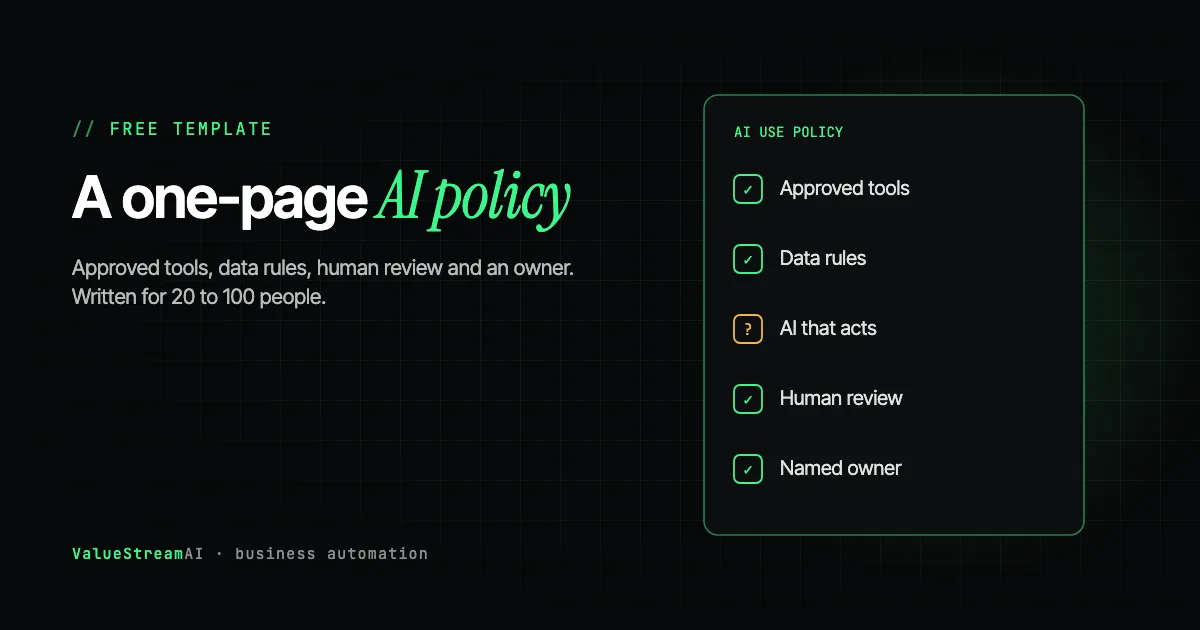
An AI policy for small business does not need to be a legal document, and it should not be long. It needs to answer five questions every employee has: which AI tools can I use, what must I never put into them, what has to be checked by a person, who do I ask, and what happens when AI does more than answer questions. One page covers it. This guide gives you that page as a free template, explains each section in plain English, and shows how to roll it out in a week without making your team feel policed.
It is written for owners and managers of established businesses with 20 to 100 people, most of whose staff are already using AI in some form, with or without permission.
| Metric | 2026 Benchmark |
|---|---|
| AI users at SMBs bringing their own tools | 80% (Microsoft Work Trend Index 2024) |
| AI-breached organisations lacking AI access controls | 97% (IBM 2025) |
| EU AI literacy duty in force since | 2 February 2025 |
| Time to roll out a one-page policy | About one week |
| US admin labour cost (BLS, May 2025) | $22.86/hour, $47,540/year base pay |
Why a Small Business Needs an AI Policy Now
Three things changed that make an AI policy worth writing this month rather than next year.
Your staff are already using AI. Microsoft and LinkedIn's 2024 Work Trend Index found that 78% of AI users bring their own AI tools to work, and 80% at small and medium-sized companies. Without a policy, every employee is making up their own rules about what data is safe to paste.
Unmanaged AI is now visible in breach data. IBM's 2025 Cost of a Data Breach report, as reported in industry coverage, found that 97% of organisations that had an AI-related breach lacked proper AI access controls. The control most small businesses are missing is not technical. It is a written rule and a named owner.
There is now a legal training duty in the EU. Article 4 of the EU AI Act, in force since 2 February 2025, requires organisations deploying AI to ensure their staff have sufficient AI literacy. A policy plus a training record is the simplest way to show you have taken that seriously.
What an AI Policy Should Cover
A useful policy has eight short sections. Each one answers a question staff will otherwise answer for themselves.
- 01Purpose
Why the business uses AI, in two sentences.
- 02Approved tools
Which tools, which account types, how to request a new one.
- 03Data rules
What must never go into any AI tool.
- 04Human review
What a person must check before it is used or sent.
- 05AI that acts
Permissions, approvals and logs for automations and agents.
- 06Disclosure and ownership
When to tell customers; who owns AI-assisted work.
- 07Owner and training
One named person; a record of who was trained.
- 08Review date
Revisit every six months.
The detail each section needs depends on your business. A plumbing firm and a wealth manager need the same eight headings but very different depth under them. The heatmap below is our editorial judgement of how detailed each section should be by sector. It is not a legal standard.
The Free One-Page AI Policy Template
Copy this into a document, replace the bracketed parts, and delete anything that does not apply. It is deliberately plain. If a section needs a lawyer for your sector, the notes after the template say so.
[Business name] AI Use Policy
1. Purpose. We use AI tools to remove repetitive work and help our team serve customers better. AI supports our people; it does not replace their judgement. This policy applies to everyone who works for or with [Business name].
2. Approved tools. You may use these AI tools for work, on company accounts only: [e.g. ChatGPT Business, Microsoft Copilot through our Microsoft 365 account]. Do not use personal AI accounts for work. To request a new tool, ask [name]. Do not install AI browser extensions or apps without approval.
3. Data rules. Never put the following into any AI tool unless [name] has approved that specific use: customer or employee personal data; financial or bank details; health information; passwords, keys or login details; anything covered by a confidentiality agreement; unannounced business plans. If in doubt, leave it out or ask.
4. Human review. A person must check AI output before it is: sent to a customer or supplier; used to make a decision about a person; relied on as fact in a document, quote or report; or published. You are responsible for anything you send, whether or not AI helped write it.
5. AI that takes actions. Any automation or AI agent that can send messages, change records or move money must be approved by [name], use the narrowest permissions possible, keep a log of what it does, and require a person to approve [list risky actions, e.g. payments, refunds, deleting records].
6. Disclosure and ownership. Tell customers when they are dealing with an automated system if they ask, and always give them a way to reach a person. Work you create with AI help belongs to [Business name] on the same terms as your other work.
7. Owner and training. [Name] owns this policy, answers questions and approves tools. Everyone using AI for work will receive short training, and we keep a record of who was trained and when.
8. Review. We review this policy every six months, and whenever we adopt a significant new AI tool. Last reviewed: [date].
Each Section Explained, for Owners
Section 2: approved tools and account types
The most important practical decision in the whole policy is moving work use onto company-controlled accounts. OpenAI, for example, states that ChatGPT Business, Enterprise and API data is not used to train its models by default, while personal Free, Plus and Pro accounts train on conversations unless the user switches it off. Other vendors have similar distinctions. Company accounts also let you see who has access and remove it when someone leaves. We explain where data goes in more detail in how to protect your business data when using AI.
Section 3: the data rules
Keep the list short enough to remember. A rule people forget is not a rule. The six categories in the template cover almost all serious exposure for a typical business. Regulated businesses (healthcare, financial services, legal) should add their own categories and get them reviewed by a specialist.
Section 4: human review
This section protects you legally. In Moffatt v. Air Canada (2024), a Canadian tribunal held the airline liable for its chatbot's wrong advice to a customer and rejected the argument that the chatbot was responsible for its own statements. Whatever AI writes, your business said it. The review rule also protects quality: language models can produce confident, well-written text that is simply wrong.
Section 5: AI that takes actions
Most templates you will find online stop at chat tools. That leaves out the part of AI that carries the most risk: automations and agents that can actually do things. An AI that reads your inbox and can forward emails, or one that can update your CRM, needs tighter rules than one that only drafts text.
The three controls that matter are narrow permissions (it can only do what its job needs), approval for risky actions (payments, refunds, deletions, anything leaving the business), and logs (you can see exactly what it did and why). There is also a specific attack to know about: instructions hidden inside emails or documents, such as white text on a white background, that a person would never see but an AI reads and might follow. Treat any content an AI reads from outside the business as untrusted. We cover this in AI email automation for small business.
A staff member requests a tool. The policy owner checks whether it is a business-tier account with acceptable data terms. If not, it is declined or an alternative is offered. If it only drafts or answers, it is approved with the standard data and review rules. If it can take actions, it also needs narrow permissions, approval for risky actions and logging before it is approved.
Agent modes, connectors and scheduled tasks need their own line
The chat assistants your staff already use can now act, not just answer. ChatGPT's agent can browse, use connected apps such as Gmail, Outlook, SharePoint and Salesforce, and run tasks on a schedule; Copilot's agentic features in Outlook can create inbox rules and handle calendar work. OpenAI asks for user confirmation before consequential actions, and its guidance for healthcare notes that event-triggered tasks are off by default and are not covered by its business associate agreement. Practitioner guidance for these features recommends separating read from write or send permissions, approving connectors one at a time, and keeping scheduled or event-triggered tasks off for regulated work in a first rollout.
So add one line under Section 5 of the template: "Agent mode, connectors that can send or change data, and scheduled or triggered tasks in any AI assistant need [name]'s approval before use." It closes the gap between "approved tool" and "approved to act on our behalf," which is where the real risk now sits.
Section 6: disclosure and ownership
Being honest when customers ask whether they are talking to a person costs nothing and avoids reputational damage. Always offering a route to a human is good practice: when Klarna's CEO publicly admitted in May 2025 that its AI-first customer service had reduced quality, the company began recruiting human agents again and stressed that customers should always be able to reach a person.
On ownership, the template keeps it simple. If your business creates content, code or designs where intellectual property ownership matters commercially, take legal advice for your jurisdiction.
Section 7: an owner and a training record
Name a real person, not a department. Policies without an owner die quietly: questions go unanswered, tool requests go nowhere, and staff go back to doing what they like. The training record is also how you show compliance with the EU literacy duty, which we explain in how to get employees to use AI.
How Much Control Do I Have Over an AI System?
Owners often ask this before approving any AI at all. The honest answer is: as much as you design in.
| Control | Chat tool on a business account | Custom automation built for you |
|---|---|---|
| Who can use it | Admin console | You decide, per system |
| What data it sees | Whatever staff paste | Only what it is connected to |
| What it can do | Answer and draft | Only the actions you allow |
| Approval steps | Staff discipline | Built into the workflow |
| Logs | Varies by plan | Every input, decision and action |
| Where data is processed | Vendor's infrastructure | Vendor API, or your own server with private AI |
A custom automation gives you much more control than a chat subscription, because every permission and approval step is designed rather than left to individual judgement. For the most sensitive work, private AI on infrastructure you control keeps data away from any AI vendor at all; our free AI models directory lists open models with licence and hardware notes, and self-hosted AI vs cloud APIs explains the trade-offs.
UK, EU and US Notes
This is general information, not legal advice.
UK. The Information Commissioner's Office publishes guidance on AI and data protection under UK GDPR, and it is the primary source to check. If staff use AI with personal data, you need a lawful basis, appropriate contracts with vendors, and data minimisation.
EU. Alongside GDPR, the EU AI Act's Article 4 literacy duty has applied since 2 February 2025, with supervision of it beginning on 2 August 2026 according to legal commentary on the Commission's guidance. Higher-risk uses, including some in recruitment and credit, carry additional obligations.
US. There is no single federal AI law for private businesses, but sector rules apply: HIPAA for health data, and various state laws on automated decisions, especially in hiring. The NIST AI Risk Management Framework is a voluntary reference many organisations use to structure governance.
For deeper sector detail, see AI automation under GDPR and HIPAA and our AI compliance agent guide for the UK.
How to Roll Out the Policy in One Week
- Monday: Ask staff, without blame, which AI tools they currently use for work.
- Tuesday: Fill in the template, choosing approved tools that cover what people actually need.
- Wednesday: Set up company accounts for the approved tools.
- Thursday: Walk the team through the policy in person. Explain that it exists so they can use AI confidently, not to catch them out.
- Friday: Record who attended, and book a six-month review in the diary.
Common Mistakes That Make AI Policies Useless
Use moves to personal phones where you see nothing. Approve a good tool instead.
Staff need one page they remember. Detail belongs in a separate procedure for those who need it.
Questions go unanswered and tool requests go nowhere, so people stop asking.
- Banning AI entirely. Use moves onto personal devices and you lose all visibility.
- Copying a 20-page enterprise template. Nobody reads it. Keep the policy to one page and put detailed procedures in separate documents for the people who need them.
- No named owner. Without one, the policy is forgotten within a month.
- Ignoring AI that acts. Chat tools and automations need different rules.
- Never reviewing it. Tools and terms change every few months.
When You Need More Than a Template
A one-page policy is enough for most businesses using chat tools and a first automation. You need more when you handle regulated data, when AI will make or influence decisions about people (hiring, credit, health), or when you are deploying several AI systems that act on your behalf. At that point, governance becomes part of how each system is built: permissions, approval steps and logs designed into the workflow rather than written in a document.
Our AI consulting service helps businesses set up AI governance that fits their size, and our AI automation development service builds automations with those controls in from day one. The free AI readiness assessment is a quick check of where you stand, and our pricing page shows what a governed build costs.
Human Hours vs Automation: What an Approved AI Seat Has to Save
A policy that approves paid business-tier accounts raises an obvious owner's question: is the subscription worth it? The arithmetic is simple enough to do per seat, against what an hour of staff time costs.
The assumptions. Staff time is valued at $22.86 an hour, the US median for administrative assistants (Bureau of Labor Statistics, May 2025, base pay). The seat prices below are illustrative round numbers, not any vendor's current price list; check the plan you are considering.
| Monthly seat cost (illustrative) | Hours it must save per person per month to break even | Roughly |
|---|---|---|
| $25 | ~1.1 hours | About 3 minutes a working day |
| $40 | ~1.7 hours | About 5 minutes a working day |
| $60 | ~2.6 hours | About 8 minutes a working day |
Rolling out the policy itself costs time too. On our assumptions, a 40-person business spends about 8 hours of an owner's or manager's time writing and setting up the policy and 1 hour per person on the briefing: 48 hours, about $1,100 at the admin rate (the owner's time is worth more, so treat this as a floor).
The other side of the ledger. Seats for staff who rarely use AI will not break even, so approve them for the roles that write, summarise or look things up most. And individual time saved with chat tools tends to disappear into the day; the measurable savings usually come from automating a whole workflow, as covered in back-office AI automation.
What the numbers leave out. The data that no longer goes into personal accounts. Run your own figures in the ROI calculator.
Free resources. Pair this template with the free AI readiness assessment and the other calculators on our free tools hub. If the policy approves private AI, our free AI models directory lists open models with licence and telemetry notes. When you are ready to automate a first workflow with these controls built in, use the automation quote tool for a scoped estimate.
The Competitor Pulse Check
| Factor | ValueStreamAI Template | Typical AI Policy Template |
|---|---|---|
| Length | One page | 10 to 20 pages |
| AI that takes actions | Its own section | Usually absent |
| Hidden instruction risk | Covered | Rarely mentioned |
| Account types | Explained, with vendor defaults | "Use approved tools" |
| Jurisdictions | UK, EU and US notes | One country, often unstated |
| Cost | Free, no form | Often gated or paid |
| Agent modes and connectors | Its own approval line for agent mode, connectors and scheduled tasks | Covers chat use only |
Frequently Asked Questions
Does a small business need an AI policy?
Yes. Most small businesses already have staff using AI tools, often on personal accounts. A one-page policy setting out approved tools, data rules, human review and a named owner reduces data risk, protects you legally and helps meet the EU AI literacy duty if you operate in the EU.
What should an AI policy for a small business include?
An AI policy for a small business should include its purpose, approved tools and account types, data that must never be entered, what needs human review, rules for AI that takes actions, disclosure and ownership, a named owner with a training record, and a review date.
Is there a free AI policy template for small businesses?
Yes. This guide includes a free one-page AI policy template covering eight sections, written for businesses with 20 to 100 employees. Copy it, replace the bracketed details, and have it reviewed by a specialist if you handle regulated data.
Should my AI policy ban ChatGPT?
An outright ban usually pushes use onto personal phones where you cannot see it. It is safer to approve a business-tier account, where OpenAI states data is not used for training by default, and set clear rules on what data must never be entered.
How much control do I have over an AI system?
You have as much control as is designed in. On a chat tool, control depends on account settings and staff discipline. A custom automation can restrict what data it sees, which actions it can take, require approval for risky steps and log everything. Private AI keeps data on your own infrastructure.
How often should an AI policy be reviewed?
Review an AI policy every six months and whenever you adopt a significant new AI tool or automation, because vendor terms, features and regulations change frequently.
What's Next
Copy the template, fill in the brackets, and walk your team through it this week. A one-page policy that people actually know about beats a perfect one in a drawer.
→ Read the complete AI for small business guide.
→ Pair the policy with training using how to get employees to use AI.
→ Or talk to us about governance built into your first automation.
Muhammad Kashif is co-founder of ValueStreamAI, leading technical delivery and AI strategy. He designs and ships custom agentic AI and healthcare automation systems for clients across the US and UK. More about Muhammad Kashif →