The fastest way to find tasks to automate in your business is not a workshop or a consultant's slide deck. It is two weeks of your own people writing down the repetitive work they actually do, followed by an afternoon scoring what they wrote. Most owners already suspect where the hours go. The audit replaces suspicion with numbers, and numbers are what decide whether an AI project pays back.
This guide gives you the whole method: what to ask staff to log, how to spot the information that gets typed twice, the 90-second check that predicts how hard each automation will be, a five-point scoring sheet, and the tasks that look like great candidates but should be ruled out. It is written for owners and managers of established businesses with 20 to 100 people who have no internal AI team and do not want one.
| Metric | 2026 Benchmark |
|---|---|
| Audit length | 2 weeks of logging, 1 afternoon of scoring |
| US median admin wage used for costing | $22.86/hour (BLS, May 2025) |
| A task logged at 8 hours a week costs | ~$9,500 a year at that wage |
| Our scoped pilot starts at | $5,000 |
Why Most Businesses Pick the Wrong First AI Project
Owners usually choose their first AI project in one of three ways: the task that annoys them personally, the use case a vendor demonstrated, or whatever a competitor is rumoured to have done. None of those correlates with return.
The task that annoys the owner is often rare and high-judgement, like the quarterly board pack. The vendor demo is chosen because it looks impressive, not because it matches your volume. And the competitor's project was scoped against their systems, not yours.
The audit fixes this by starting from where your staff's time actually goes. It is the same first step we take with every client, and it is the reason our guide to AI for small business puts "find the work" before anything else on the roadmap. Owners who skip it tend to discover, eight weeks into a build, that the workflow they chose happens twelve times a month.
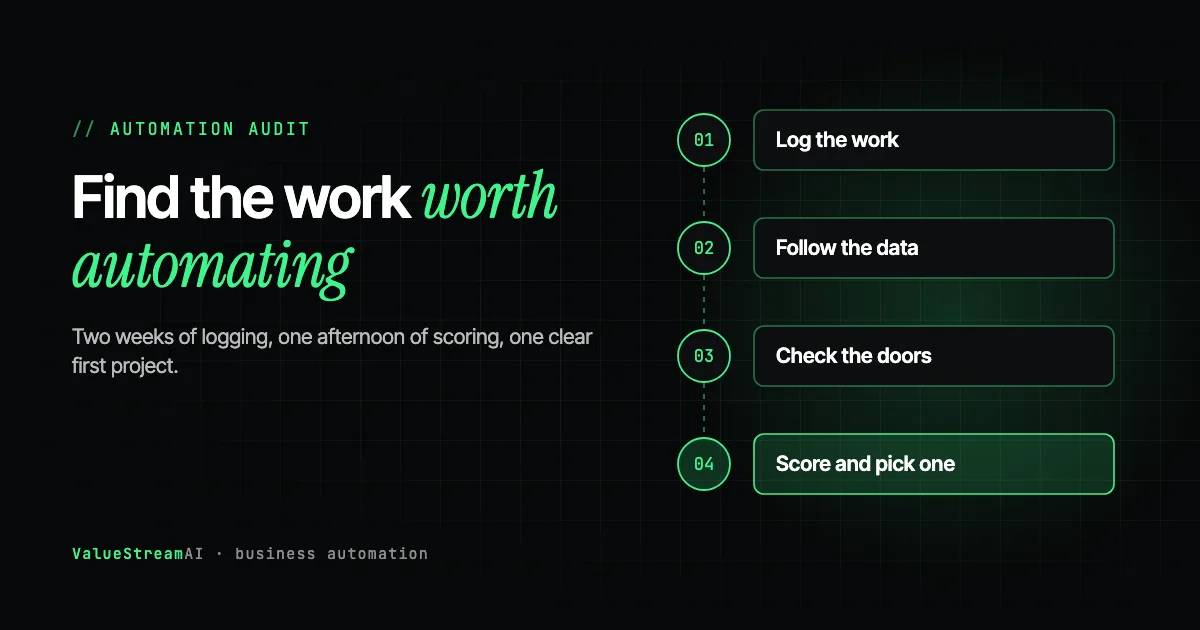
- 01Log the work
Each person notes repetitive tasks, how long they take and how often.
- 02Follow the data
Find every place the same information is typed twice.
- 03Check the doors
List the systems involved and whether each has an API.
- 04Score and rank
Score each candidate on five criteria and pick one.
Step 1: Log the Repetitive Work for Two Weeks
Ask everyone who does administrative work to keep a simple log for ten working days. Not a time-tracking system, which people resent and game. A shared spreadsheet with five columns:
| Column | What to write | Example |
|---|---|---|
| Task | A short name | "Enter supplier invoices into Xero" |
| How often | Daily, weekly, monthly | Daily |
| Minutes each time | A rough estimate is fine | 40 |
| Systems touched | Every tool opened | Email, PDF viewer, Xero |
| What goes wrong | Errors, delays, chasing | "Wrong VAT code, PO numbers missing" |
Two rules make the log useful. First, explain why you are doing it. If staff think the log is the first step to replacing them, they will under-report the repetitive work and over-report the judgement work. Say plainly that the goal is to remove the tedious parts of their jobs. We cover how to have that conversation in how to get your employees to actually use AI.
Second, ask for the boring stuff specifically. People forget the five-minute tasks they do thirty times a day because they no longer notice them. Prompt with examples: copying details from emails into the CRM, renaming and filing attachments, chasing the same people for the same information, building the same report every week.
Step 2: Follow the Data, Not the Job Titles
The second lens finds what the log misses. Pick three or four pieces of information that matter to your business (a customer order, a supplier invoice, a new enquiry, a new hire) and trace each one from the moment it arrives to the moment it is finished.
Every time the same information is typed into a second system, mark it. That is the single strongest signal of an automation candidate. A customer's details arrive by email, get typed into the CRM, typed again into the quoting tool, and typed a third time into the accounting package. Three entries, three chances for an error, and nobody's job title says "data re-entry."
We see the same shape in almost every business: the customer is spelled four ways across four systems with no shared identifier. That scattered data is also why a ChatGPT subscription does not know anything about your business. The subscription bought you a capable reader. Nobody gave it the filing cabinet. Fixing the re-entry problem is often how the filing cabinet gets built. Our guide to automating data entry and copy-paste work shows what that looks like.
An enquiry arrives by email, is typed into the CRM, typed again into the quoting tool, and typed a third time into accounting. Each re-entry is marked as an automation candidate.
Step 3: Check Which Systems Have a Door
Before you score anything, run a 90-second check on every system that appeared in your log. For each one, find out whether it offers an API, an official integration marketplace, or an MCP server. The vendor's website or help centre usually says so on a page called "integrations" or "developers."
This one check predicts more about an automation's cost than anything else. When the key tools have a documented doorway, an automation walks through the front door the vendor built, and the project is predictable. In our experience, that is the case for the clear majority of mainstream tools. When a tool has no doorway, automation is still possible, but it has to operate the screen the way a person does, which is slower, more fragile and more expensive to maintain.
| System has... | What automation looks like | Relative cost and risk |
|---|---|---|
| A documented API or MCP server | Direct, stable connection | Lowest |
| An integration marketplace (Zapier, Make) | Pre-built connectors | Low, but limited to what the connector exposes |
| Export files or scheduled reports only | Read the exports, write elsewhere | Medium |
| Nothing | Operate the screen like a person | Highest; breaks when the vendor redesigns |
We explain each route in plain English in can AI automation work with your existing software.
Step 4: Score Every Candidate on Five Criteria
Now take every task from the log and score it from 1 to 5 on five criteria. This is deliberately simple. The point is to rank, not to be precise.
| Criterion | Score 5 when... | Score 1 when... |
|---|---|---|
| Frequency | Daily or many times a day | A few times a year |
| Time | Hours a week across the team | Minutes a month |
| Rules | Steps are the same every time | Every case needs judgement |
| Data access | Systems have APIs, data is digital | Paper, or a system with no way in |
| Low risk | A mistake is cheap and noticed | A mistake is expensive or invisible |
Score only tasks that survived the subscription test in Step 5 below: there is no point building what Copilot or Gemini already does.
Add the five scores. Anything above 20 is a strong first candidate. Between 15 and 20 is worth a closer look. Below 15, leave it for later or leave it alone.
Here is an illustrative example using five tasks we commonly see:
Supplier invoice entry and new enquiry replies come out on top: frequent, time-consuming, mostly rule-based, and in systems that usually have APIs. The Monday sales report scores well too and is often the safest first project because nothing leaves the building. The quarterly board pack and pricing exceptions score badly despite feeling painful, because they are rare or need judgement.
Turn the winner into a number
For your top candidate, convert the logged time into money. At the US median wage for administrative assistants, $22.86 an hour (Bureau of Labor Statistics, May 2025, base pay), the yearly cost of a single task looks like this:
That number is your ceiling on what an automation of that task can save. It is also the number to bring to any vendor conversation. Our ROI calculator runs the same arithmetic with your own wage figures.
Step 5: Rule Out the Tasks That Look Good but Are Not
Some tasks score well on paper and still make bad first projects. Rule these out before you commit.
If three people do the task three ways, automating it encodes the confusion. Standardise, then automate.
The build cost will never be repaid. A checklist beats software here.
If a wrong output would not be noticed until a customer complains, keep a person approving it.
Tasks nobody can describe consistently. If three people do the same job three different ways, automation will encode one of those ways and break for the other two. Standardise first. One widely repeated rule from automation practitioners holds up here: automate rules, not judgement, and a process your team cannot clearly describe is not ready.
Tasks that depend on one person's memory. "Sarah knows which customers get the discount" is not a rule a system can follow until Sarah writes it down.
Relationship work. Calls to your biggest clients, sensitive complaints, negotiations. Automate the admin around them, never the relationship itself.
Tasks where errors are invisible. If a wrong output would only be discovered when a customer complains weeks later, the task needs a human approving every output, at least at first. That reduces the saving and should lower the score.
Tasks about to change. If you are replacing the CRM next quarter, do not automate around the old one.
Rule out what your AI subscription already does
Before scoring anything as an automation project, cross off every task that a built-in assistant already handles for one person at a time. In 2026 that list is long: drafting and rewriting emails, summarising threads, meetings and documents, first drafts of policies and proposals, brainstorming, and analysing a spreadsheet someone uploads. Copilot, Gemini, ChatGPT and Claude do all of this out of the box on business plans. If the audit log shows hours going on these, the fix is a subscription and an hour of training, not a build.
What survives the cut is the work those assistants are not designed for. Use these five tests on every remaining candidate; a task that passes two or more is a genuine automation candidate:
| Test | Why a chat assistant struggles |
|---|---|
| It runs on a trigger, not a request (every new invoice, every new enquiry) | Assistants act when a person asks |
| It touches two or more systems | Each extra system means a connector, permissions and a matching rule |
| It needs a check against other records (order vs invoice, form vs file) | Reading one document is not reconciling two |
| It happens hundreds of times a month | Nobody pastes 400 documents into a chat |
| A system involved has no API | Assistant connectors cover mainstream cloud tools, not legacy or desktop software |
Human Hours vs Automation: Pricing the Audit's Top Candidate
Here is the audit's typical winner, supplier invoice entry, priced both ways. These are assumptions, not client measurements, so swap in your own.
The assumptions. A business processes light (150), typical (400) or heavy (1,000) supplier invoices a month. Each takes 6 minutes by hand to open, read, key into the accounting system, code and file. The rate is $22.86 an hour (BLS, May 2025, administrative assistants, base pay). After automation, 1 minute per invoice remains for reviewing exceptions and spot-checks (our estimate).
| Volume | By hand per year | Cost by hand | Human time after automation | Cost after |
|---|---|---|---|---|
| Light: 150 a month | 180 hours | ~$4,100 | 30 hours | ~$690 |
| Typical: 400 a month | 480 hours | ~$11,000 | 80 hours | ~$1,830 |
| Heavy: 1,000 a month | 1,200 hours | ~$27,400 | 200 hours | ~$4,570 |
The other side of the ledger. A scoped pilot for this workflow typically falls in our $5,000 to $15,000 range (see our pricing page), depending on how the accounting system lets software in, plus ongoing maintenance. At the light volume, a cheaper off-the-shelf tool such as an accounting package's own receipt capture is probably the better answer. At typical and heavy volumes, a build that also checks each invoice against the purchase order starts to earn its keep.
What the numbers leave out. Errors caught before payment (duplicate invoices, wrong amounts, invoices with no matching order) are often worth more than the hours. We cover that in purchase order and invoice matching automation. Run your own figures in the hire vs automate calculator.
What to Do With the Audit Results
You now have a ranked list with numbers. Three paths from here, depending on what the top candidate looks like.
If the task is simple and runs across one or two mainstream tools, try a free template or no-code setup. If it touches several systems, documents or customer data, get a scoped pilot quote. If the top score is below 15, fix the process first and audit again.
If the task is simple and linear across one or two mainstream tools, try it yourself first. Our free automation templates library has verified workflows for n8n, Make, Zapier and others, with notes on where each stops working.
If it touches several systems, documents or customer data, get a scoped quote. Our automation quote tool gives an estimate in minutes, and our AI automation development service covers how a pilot runs. Before signing anything, read what an AI automation proposal should include.
If nothing scores above 15, your business may not be ready for automation yet, and that is a perfectly good finding. Read what should I automate first for the broader picture, and revisit in six months.
When It Is Worth Paying for an Automation Assessment
The self-run audit works for most businesses. Paying for an outside assessment makes sense in three cases:
- Your systems are a mystery. Nobody knows whether the line-of-business software has an API, who holds the vendor credentials, or how the contractor-built tool works. In our experience this is the most common hidden blocker, and it is far cheaper to discover in week one than in week seven of a build.
- Your staff will not log honestly. In some teams the anxiety about AI is high enough that an outside interviewer gets better answers.
- The candidates are all high-stakes. If every high-scoring task touches money, health or legal records, you want someone who has built those systems to assess the risk.
A good assessment ends with a ranked list, a cost range for the top candidate, and an honest statement of what should not be automated. If it ends with a list of tools to buy, it was a sales meeting. Our AI consulting service works this way, and the free AI readiness assessment is a useful first check.
Free resources for the audit. Our free tools hub collects the calculators used in this guide in one place. Once you have a winning candidate, browse productivity automation templates or data sync templates to see whether a ready-made workflow already covers it.
The Competitor Pulse Check
| Factor | ValueStreamAI Approach | Typical "Automation Audit" Offer |
|---|---|---|
| Starting point | Your staff's logged hours | A list of popular tools |
| Feasibility | API check on every system before scoring | Assumed "it integrates" |
| Scoring | Five criteria including risk | Frequency and time only |
| Output | One ranked candidate with a cost and a number | A roadmap of ten projects |
| What not to automate | Stated explicitly | Rarely mentioned |
| Cost to start | Free, run it yourself | Paid discovery engagement |
| Overlap with Copilot, ChatGPT or Gemini | Builds only what built-in assistants cannot: unattended, cross-system, checked, private | Often rebuilds drafting and summarising you already pay for |
Frequently Asked Questions
How do I find tasks to automate in my business?
To find tasks to automate, ask staff to log repetitive work for two weeks with how often it happens, how long it takes and which systems it touches. Then trace a few key pieces of information through the business and mark every place the same data is typed twice. Score each candidate on frequency, time, rules, data access and risk.
What should I automate first in my business?
Automate first the task that is frequent, takes real hours each week, follows the same steps every time, runs in systems with APIs, and is low-risk if something goes wrong. Supplier invoice entry, replies to common enquiries and recurring internal reports are common winners.
How do I know if a task should be automated?
A task should be automated if it scores well on frequency, time spent, fixed rules, digital data access and low risk. It should not be automated if nobody can describe it consistently, it depends on one person's memory, it happens only a few times a year, or a mistake would go unnoticed.
What tasks should I not automate with AI?
Do not automate relationship work with key clients, decisions you cannot explain or reverse such as hiring and pricing exceptions, rare tasks, or any process your team cannot describe consistently. Automate the admin around those tasks instead.
How much does an AI automation assessment cost?
Running the audit in this guide yourself costs nothing but staff time. A paid assessment from an agency usually makes sense only when your systems are poorly documented or every candidate is high-stakes. Our free AI readiness assessment is a sensible first step before paying for anything.
How long does a business automation audit take?
A business automation audit takes about two weeks: ten working days of staff logging their repetitive tasks, followed by an afternoon of checking which systems have APIs and scoring the candidates.
What's Next
Start the log on Monday. In two weeks you will know more about where your business loses time than any vendor demo could tell you.
→ Read the complete AI for small business guide for what comes after the audit.
→ Put your top candidate's hours into the ROI calculator.
→ Or talk to us and we will review your audit results with you and tell you honestly which one, if any, is worth building.
Muhammad Kashif is co-founder of ValueStreamAI, leading technical delivery and AI strategy. He designs and ships custom agentic AI and healthcare automation systems for clients across the US and UK. More about Muhammad Kashif →