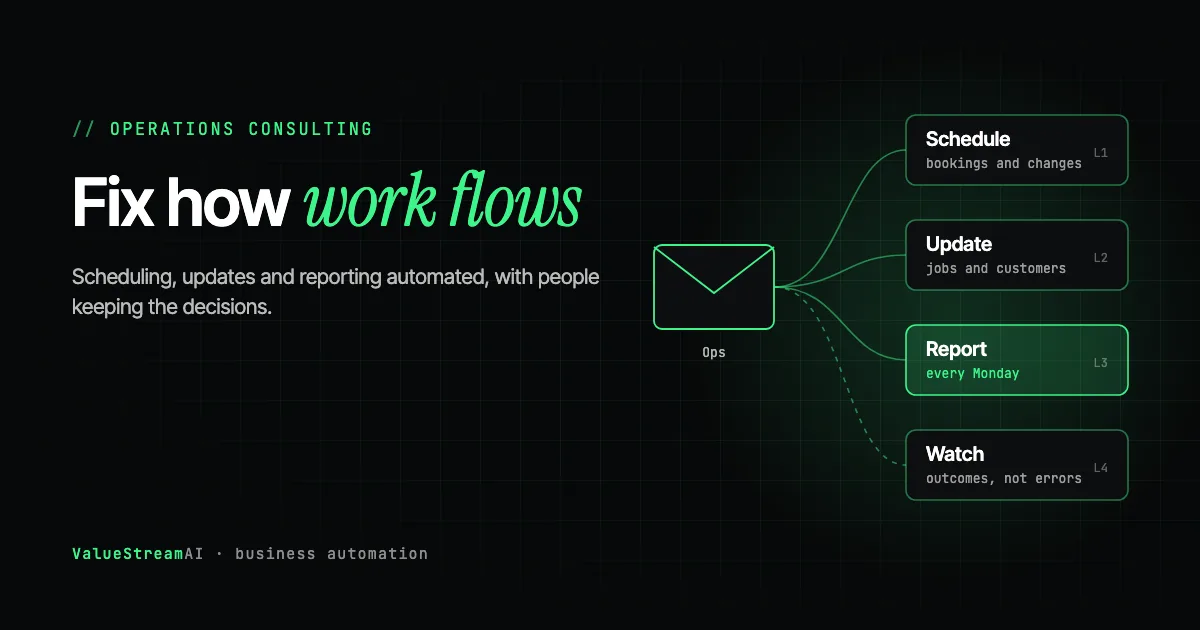
Operations is where a small business quietly loses the most time. Jobs get booked, rescheduled and chased. Updates are copied from one system to another. Someone builds the same report every Monday. None of it is anyone's main job, and all of it adds up. AI operations consulting is help with exactly that layer: finding where operational hours go, connecting the tools you already use, and automating the repetitive parts while people keep the decisions. This guide explains what it covers, what a good engagement includes, how it differs from strategy consulting, and how to tell whether your business needs it.
| Metric | 2026 Benchmark |
|---|---|
| US businesses using AI (Census, Dec 2025 to May 2026) | 17% to 20% |
| AI technologies per adopting UK firm (ONS, June 2026) | About 1.6 |
| Enterprise GenAI pilots with rapid revenue growth (MIT NANDA, 2025) | About 5% |
| US median wage, general office clerks (BLS, May 2024) | $20.97 an hour |
Sources: the US Census Bureau, the Office for National Statistics, MIT NANDA's 2025 report as reported by Fortune, and the BLS. The ONS figure shows how shallow most adoption is: firms that use AI use on average fewer than two kinds of it.
What AI Operations Consulting Is
AI operations consulting is practical help automating the day-to-day running of a business: scheduling, job and order updates, internal reporting, supplier coordination and the handoffs between people and systems. The goal is fewer hours spent moving information around, and fewer mistakes when it moves.
It sits between two other things you may have been offered. It is more hands-on than AI strategy consulting, which asks where your business should use AI and usually ends in a plan. It is broader than a single software product, because operations work almost always crosses several tools. A good operations consultant spends most of their time on the connections between your systems, not on the AI.
That matches what the research says about where AI pays. MIT NANDA's 2025 study found that while budgets skewed toward sales and marketing tools, the clearest returns came from back-office automation. Operations is the back office of how work gets done.
What Operations Work Suits AI
The short answer: high-volume tasks that follow the same steps, where the information already lives in a system.
| Operations area | Typical automation | What stays with people |
|---|---|---|
| Scheduling and dispatch | Booking, rescheduling, reminders, matching jobs to staff | Priority calls and difficult customers |
| Job and order updates | Status changes copied between systems, customer notifications | Exceptions and complaints |
| Operations reporting | Weekly figures pulled and summarised automatically | Deciding what the numbers mean |
| Supplier coordination | Order confirmations logged, delivery dates tracked | Negotiation and relationships |
| Stock checks | Low-stock alerts, reorder suggestions | Approving purchases |
| Process questions from staff | Answers from your own procedures | Policy changes |
For finance and HR admin, which overlap with operations, see our guide to back-office AI automation. For scheduling in depth, see the AI scheduling agents guide.
What a Good Engagement Includes
- 01Map
Log where operational hours go and what breaks.
- 02Check
Confirm each tool can connect and who holds access.
- 03Build
One workflow, tested in a copy of your systems first.
- 04Watch
Monitoring that checks outcomes, not just errors.
1. Mapping where the hours go
Before building anything, a consultant should find out where operational time actually goes. The simplest method is a short log kept by the people doing the work for a week or two. It almost always shows that a few tasks account for most of the hours.
2. Checking your tools can connect
Every operations automation depends on your software. For each tool involved, the question is whether it has an API (a documented way for other software to connect to it), an MCP server (a newer standard that lets AI tools plug in) or a documented integration. When the main tools do, the project is predictable. When one does not, you need to know on day one, not mid-build.
The less obvious part is access. Many small businesses do not know who holds the admin login for a key system, or whether the contractor who set it up is still reachable. Finding that out in the first week costs an afternoon. Finding it out in week seven costs a rebuild.
3. Building in a safe copy first
Operations automations write to live systems: they change bookings, update records and send messages to customers. Before anything touches real data, it should be tested against a copy that behaves like production, such as a staging version of your scheduling tool or mocked messaging. We have helped clients recover from incidents where an automation sent real notifications during what was meant to be a test. A proper test phase would have caught it.
4. Monitoring that checks outcomes
This is where most operations automation fails quietly. A system can report success while doing the wrong thing.
On our own voice lines, about 1 in 21 message-taking calls told the caller a message had been logged when the logging tool was never called, and the platform still marked those calls as successful. The lesson applies to every operations automation: monitoring has to check that the outcome happened, such as the booking existing in the calendar or the email arriving, not just that no error appeared.
- Automation runsJobs scheduled, reports sent
- Outcome checkedDid the record actually change?
- Exception routedA named person decides
- Rule improvedFewer exceptions next week
Human Hours vs Automation: Three Operations Tasks
Assumptions: a small service business with three common operations tasks. Scheduling and changes: 10 hours a week by hand. Job status updates copied between systems and sent to customers: 6 hours a week. A weekly operations report: 4 hours a week. After automation, 15% of scheduling and status time remains for a person to handle exceptions, and 10% of reporting time remains for review. Hourly rate: US median for general office clerks, $20.97 an hour (BLS, May 2024), base salary only.
| Task | Hours by hand a year | Cost by hand | Human time automated | Cost automated |
|---|---|---|---|---|
| Scheduling and changes | 520 | ~$10,900 | ~78 hours | ~$1,640 |
| Job status updates | 312 | ~$6,540 | ~47 hours | ~$990 |
| Weekly ops report | 208 | ~$4,360 | ~21 hours | ~$440 |
| All three | 1,040 | ~$21,810 | ~146 hours | ~$3,070 |
The other side of the ledger: a fixed-price pilot from $5,000 usually covers one of these workflows, with most pilots between $5,000 and $15,000. All three together suit a retainer from $1,500 a month for teams of up to about fifteen people. Across the three tasks, the yearly saving of about $18,700 covers that comfortably. Our pricing page sets out what each option includes, and the free automation quote tool gives you a ballpark price for your own workflow in five questions, with no email required.
What the numbers leave out: fewer double bookings, faster customer updates, reports that arrive on time every week, and less dependence on one person who "knows how it works".
Run your own figures in the hire vs automate calculator.
AI Operations Consulting vs Strategy Consulting
Operations consulting fixes the handoffs, re-keying and waiting in day-to-day work. Strategy asks where the business should go.
Automations live in your tools, with monitoring. Strategy work usually ends in a plan.
Time saved, mistakes avoided, jobs done faster. Not slides delivered.
| Operations consulting | Strategy consulting | |
|---|---|---|
| Starts with | How work flows today | Where the business wants to go |
| Ends with | Running automations and monitoring | A roadmap or recommendations |
| Measured by | Hours saved, errors avoided | Plans delivered |
| Best for | Owner-led and growing businesses | Larger firms planning across units |
Most small businesses need operations help first. Strategy becomes useful once several workflows are automated and you are deciding where to invest next. If you are weighing both, our AI consulting cost guide compares what each typically costs.
Signs Your Business Needs AI Operations Consulting
- The same information is typed into two systems. Every re-key is an automation candidate.
- One person is the only one who knows how a process works. Automating it also documents it.
- Customers chase you for updates. Status updates are easy to automate once the data is in a system.
- A weekly report takes half a day. Reporting is one of the most reliable wins.
- Growth means hiring for admin. If more customers means more coordinators, automation absorbs the growth instead. Our guide to scaling without hiring more staff explains how that works without replacing anyone.
If the same information is typed into two systems, or customers chase for updates, or a weekly report takes hours, there is an operations task to automate. Check whether the tools involved can connect. If they can, map the hours and run a pilot on the biggest task. If they cannot, fix access or replace the tool first.
What to Ask an AI Operations Consultant
- Which task would you automate first, and how many hours does it save?
- How will you test it before it touches live data?
- How will we know it did the right thing, not just that it ran?
- What happens when a tool we use changes or updates?
- Can I see an operations system you built for a client?
A consultant who answers the second and third questions vaguely has probably not run automations in production for long. For more on vetting, see how to tell if an AI agency can actually build it.
A Worked Example: A 12-Person Service Business
Take a 12-person field service business. Jobs come in by phone and web form, are booked into a scheduling tool, assigned to technicians, updated as they progress and invoiced when complete. Every Monday the operations manager builds a report from three systems.
The operations audit finds the three tasks in our table: about 10 hours a week on scheduling and changes, 6 on status updates and 4 on the weekly report. All three tools involved, the scheduling tool, the CRM and the accounting package, have APIs.
The first pilot targets scheduling, because it takes the most hours and customers notice it most. Bookings and changes now flow from the web form and phone assistant straight into the calendar, with conflicts routed to the operations manager. Once that is stable, status updates are automated using the same connections, so the second workflow is faster to build than the first. The weekly report comes last, pulled automatically from the systems that are now connected.
None of this replaces the operations manager. It removes the copying and chasing, so they spend their time on scheduling problems, difficult jobs and customers.
Tools Commonly Used in Operations Automation
| Layer | Examples | What it does |
|---|---|---|
| Workflow platforms | Zapier, Make, n8n, Microsoft Power Automate | Move information between tools when something happens |
| AI models | Models from OpenAI and Anthropic | Read messages and documents, sort, draft and summarise |
| Your business systems | Scheduling, CRM, accounting, inventory | Where the records actually live |
| Monitoring | Error alerts plus outcome checks | Confirm the right thing happened |
The best operations consultants are tool-neutral. They use the workflow platform that fits, write custom code where a platform runs out of road, and keep your existing systems at the centre rather than replacing them.
Common Mistakes in Operations Automation
- Automating a broken process. If a process has unnecessary steps, automate the simplified version, not the current one.
- No owner. Every automation needs a named person who reviews exceptions and notices when something looks wrong.
- Trusting success messages. Check the outcome, such as the booking existing or the email arriving, not just that the automation reported success.
- Testing in live systems. Use copies of your data until the automation behaves correctly every time.
Keeping these four in mind from the start avoids most of the rework we see in operations projects.
The Competitor Pulse Check
| Factor | ValueStreamAI Approach | Typical operations or automation consultant |
|---|---|---|
| Starting point | A log of real operational hours | A standard process template |
| Integration check | API and access check before quoting | Discovered during the build |
| Testing | In a copy of your systems first | Often in live systems |
| Monitoring | Checks outcomes, such as the record changing | Checks for errors only |
| Price | Pilot from $5,000, retainer from $1,500 a month | Day rates or hourly |
Frequently Asked Questions
What is AI operations consulting?
AI operations consulting is practical help automating the day-to-day running of a business, such as scheduling, job updates, reporting and supplier coordination. A consultant maps where operational hours go, checks your tools can connect, builds automations and sets up monitoring, while people keep the decisions.
What is included in AI operations consulting for small businesses?
A good engagement includes mapping where time goes, checking each tool's API and access, building one workflow in a safe test copy of your systems, and monitoring that checks the right outcome happened. Most small businesses start with one workflow as a fixed-price pilot.
How is AI operations consulting different from AI strategy consulting?
Operations consulting fixes how work flows day to day and ends with running automations. Strategy consulting decides where the business should use AI and usually ends with a plan. Most small businesses benefit from operations work first.
How much does AI operations consulting cost?
Our pilots start at $5,000, with most between $5,000 and $15,000, and retainers start at $1,500 a month for teams of up to about fifteen people. In our worked example, three common operations tasks cost about $21,800 a year by hand against about $3,100 once automated.
What operations tasks should a small business automate first?
Start with the task that takes the most hours and follows the same steps each time: often scheduling and rescheduling, status updates copied between systems, or a weekly report. Tasks that need judgement every time are poor first choices.
Will AI operations automation replace my operations staff?
Usually not in a small business. It removes repetitive coordination work, so the same people handle more jobs and spend more time on exceptions, customers and decisions. Someone still owns the process and reviews what the automation does.
What's Next
If operations hours are piling up, book a free call through our AI consulting for small business page. We will look at where the time goes, check your tools, and tell you which task to automate first and what it would cost.
For related reading, see what a small business automation consultant does and the full AI for small business guide.
Prefer to talk it through? Contact us with a short description of the task, or check our pricing first.
Syed Rayyan is co-founder of ValueStreamAI, leading research and marketing. He runs the firm's evaluation of emerging AI and healthcare tooling and translates technical capability into clear guidance for non-technical decision-makers. Connect on LinkedIn →