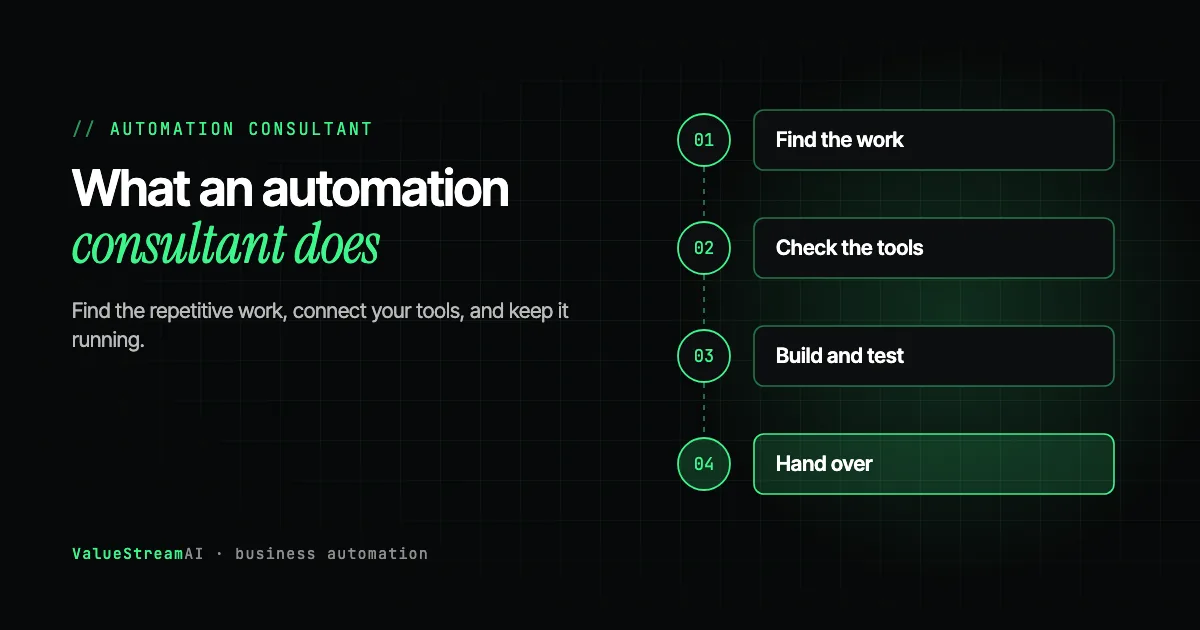
You know your team spends too long on admin. You have heard that automation can help, and you have seen tools like Zapier advertised everywhere. What you may not know is what a small business automation consultant actually does, whether you need one, and what it costs. This guide explains the role in plain terms: the services, the step-by-step process, typical prices, and how a consultant compares with doing it yourself or hiring a freelancer.
| Metric | 2026 Benchmark |
|---|---|
| US firms with 4 or fewer staff using AI (Census, Dec 2025 to May 2026) | Less than 20% |
| UK firms with 0 to 9 staff using AI (ONS, June 2026) | 28% |
| US median wage, secretaries and administrative assistants (BLS, May 2024) | About $22.82 an hour |
| US median wage, management analysts (BLS, 2024) | $48.65 an hour |
Sources: the US Census Bureau, the Office for National Statistics and the Bureau of Labor Statistics. Management analysts are the closest official job category to a consultant, which gives a sense of what an in-house version of the role would cost.
What a Small Business Automation Consultant Does
The short answer: they find the repetitive work in your business, connect the software you already use so that work happens automatically, and make sure it keeps working.
In practice, that means three kinds of work:
- Diagnosis. Finding which tasks take the most hours, which ones go wrong, and which ones can realistically be automated.
- Building. Connecting your tools, such as your inbox, CRM, booking system and accounting software, so information moves between them without someone copying it. Adding AI where a task involves reading documents, sorting messages or drafting replies.
- Keeping it running. Monitoring, fixing things when a tool updates, and adding the next automation.
An automation consultant is different from a general IT support provider, who keeps your computers and accounts working, and from a strategy consultant, who advises on direction. The automation consultant's output is working automations.
What Services Are Typically Included
| Service | What it means for you |
|---|---|
| Workflow audit | A clear list of your most time-consuming tasks, ranked |
| Integration check | Confirmation that your tools can connect, and who controls access |
| Workflow automation | Tasks that move information between tools automatically |
| AI automation | Reading documents and emails, sorting, drafting and summarising |
| Testing | Checking the automation on safe copies of your data first |
| Documentation and handover | A written record of how each automation works |
| Monitoring and support | Someone watching for failures and fixing them |
Common tools include workflow platforms such as Zapier, Make, n8n and Microsoft Power Automate, alongside AI models from providers such as OpenAI and Anthropic, and custom code where a platform runs out of road. A good consultant picks the tool to fit the job. A weak one fits every job to the one tool they know.
The Process, Step by Step
- 01Find
Log the work and pick the task costing the most hours.
- 02Check
Confirm each tool has an API or integration.
- 03Build
Connect the tools, add AI only where it helps.
- 04Test
Run on a copy of your data before going live.
- 05Hand over
Monitoring, documentation and a named owner.
Step 1: Find the work worth automating
The most reliable method is a log. For a week or two, the people doing the admin note what they spend time on. A pattern always appears: a few tasks account for most of the hours. Our guide to finding tasks to automate in your business walks through this.
Step 2: Check your tools can connect
This is the step that predicts whether the project will be smooth or painful. For each core tool, the consultant checks whether it offers an API (a documented way for other software to connect to it), an MCP server (a newer standard that lets AI tools plug in), or a documented integration path. When the answer is yes for your main tools, the work is very likely to go cleanly: in our experience, well above 90% of the time. When a key tool has no way in, the plan changes before any money is spent. We explain this in AI automation with your existing software.
Step 3: Build the automation
The consultant connects the tools and sets up the logic. AI is added only where it earns its place, such as reading an invoice whatever its layout, or sorting incoming emails by topic.
Step 4: Test it safely
Automations change real records and send real messages. They should be tested on copies of your data before going live. Skipping this step is how test runs end up emailing real customers.
Step 5: Hand over and monitor
You get documentation, a named person in your business who owns the process, and monitoring that checks the right thing happened, not just that nothing errored.
Why No-Code Tools Are Not Always Enough
No-code platforms are genuinely useful. Many small businesses can connect two tools themselves in an afternoon. The problem is the marketing, which suggests any business can build reliable, complex automations without technical help.
In our experience, the limits show up in three places: logic with many conditions, handling errors gracefully when a connected tool fails, and anything that has to scale to high volume. A simple "new form submission to spreadsheet" automation is easy. A process that reads an invoice, checks it against a purchase order, routes exceptions and updates accounting software is not, and when it breaks silently the cost can exceed the saving. Our post on why businesses outgrow no-code covers this in detail.
The other limit is skills. One production automation is rarely one skill. It can involve the integration with each tool, data handling, AI, testing, and the work to deploy and monitor it. A freelancer strong in one tool may not cover the rest.
DIY, Freelancer or Consultant Team?
| Option | Typical cost | Best for | Main risk |
|---|---|---|---|
| DIY with no-code tools | Tool subscription plus your time | Simple two-tool connections | Breaks silently; your time is not free |
| Freelancer | Hourly, often lower than a firm | One clear task in one platform | Single skill, limited support |
| Consultant or agency team | Fixed-price pilot or retainer | Several tools, AI, reliability matters | Higher upfront cost |
There is no single right answer. If you need one simple connection and have someone with an afternoon to spare, try it yourself. If the task touches several systems or would cause real damage if it went wrong, use someone who has done it before.
How Much Does a Small Business Automation Consultant Cost?
Pricing usually takes one of three shapes:
- Hourly. Independent consultants publish rates of roughly $100 to $350 an hour in 2026. Useful for advice, risky for builds because there is no fixed total.
- Fixed-price project or pilot. One workflow for an agreed price. Our pilots start at $5,000, most fall between $5,000 and $15,000, and they run in about 14 days.
- Monthly retainer. Ongoing builds and support. Ours start at $1,500 a month for teams of up to about fifteen people.
For a full breakdown, read our AI consulting cost guide or how long AI automation takes.
Human Hours vs Automation: Two Common Admin Tasks
Assumptions: a small business with two everyday admin tasks. Inbox sorting and routine replies: about 12 hours a week by hand. Entering orders from emails or forms into the order system: about 8 hours a week. After automation, 20% of inbox time remains for a person to approve drafted replies and handle unusual emails, and 15% of order entry time remains for exceptions. Hourly rate: US median for secretaries and administrative assistants, about $22.82 an hour (BLS, May 2024), base salary only.
| Task | Hours by hand a year | Cost by hand | Human time automated | Cost automated |
|---|---|---|---|---|
| Inbox sorting and replies | 624 | ~$14,240 | ~125 hours | ~$2,850 |
| Order data entry | 416 | ~$9,490 | ~62 hours | ~$1,410 |
| Both | 1,040 | ~$23,730 | ~187 hours | ~$4,260 |
The other side of the ledger: a pilot from $5,000 typically covers one of these, with most between $5,000 and $15,000, plus maintenance or a retainer. Together the two tasks save roughly $19,500 a year, which covers a pilot comfortably within the first year. Our pricing page sets out what each option includes, and the free automation quote tool gives you a ballpark price for your own workflow in five questions, with no email required.
What the numbers leave out: faster replies to customers, fewer order-entry mistakes, and admin that does not stop when someone is on holiday.
Try your own numbers in the hire vs automate calculator. For the email side specifically, see AI email automation for small business and AI data entry automation.
How to Tell a Good Consultant From a Weak One
If every answer is the same no-code platform, the solution is shaped by the tool, not your problem.
A good consultant asks which tools you use and whether they connect before quoting.
Polished demos are cheap to make now. Ask to see something running for a real client.
Tools update and automations break. Ask who watches it and what happens when it fails.
A good small business automation consultant will:
- Ask what software you use, and whether it connects, before quoting.
- Price your task by hand against automated, with the arithmetic visible.
- Recommend the simplest tool that works, including telling you to do it yourself when that is enough.
- Show you a system running for a real client, not just a demo.
- Explain what happens after launch, and who to call when something breaks.
If the task connects only two tools and a mistake would be cheap, try it yourself with a no-code tool. If it is one clear task in one platform, a freelancer may be enough. If it touches several systems, uses AI on documents or messages, or a mistake would be costly, use a consultant team with testing and monitoring.
Before you sign anything, our AI automation proposal checklist lists what a proposal should include.
A Typical First Month With an Automation Consultant
For a small business, the first month usually looks like this:
| Week | What happens | What you do |
|---|---|---|
| Before week 1 | Free call: the biggest task and a first look at your tools | Describe the work and list your software |
| Week 1 | Hours confirmed, integration check, access sorted | Give access to the tools involved |
| Weeks 1 to 2 | Build and test on copies of your data | Answer questions, test the result |
| Week 3 | Live, with monitoring | Review exceptions as they come in |
| Week 4 | Measure against the manual version | Decide on the next task |
The most common delay is access. Projects stall when nobody knows who holds the admin login for a key system. Sorting that out before the project starts saves days.
What to Prepare Before You Speak to a Consultant
You will get a faster, more accurate answer if you bring:
- A list of your software. Every tool the business runs on, including spreadsheets.
- The task you think is the problem. Roughly how many hours a week it takes, and who does it.
- Who controls access. Which person or supplier holds the admin login for each tool.
- What a good result looks like. For example, every enquiry logged in the CRM within five minutes, or invoices entered the same day.
That last point matters more than it seems. If the owner and the person doing the work picture different results, the automation gets rebuilt. Agreeing one written example of a correct result before any building starts saves weeks.
Signs You Have Outgrown DIY Automation
- An automation broke and nobody noticed for days.
- You have more than a handful of connections and nobody remembers how they all work.
- A task now involves reading documents or messages, not just moving data.
- Mistakes would reach customers or money.
The Competitor Pulse Check
| Factor | ValueStreamAI Approach | Typical automation freelancer or agency |
|---|---|---|
| Tool choice | Whatever fits the job, including your existing software | One preferred platform for everything |
| Before quoting | API and access check on your tools | Quote from a short call |
| Pricing | Fixed price per pilot, retainer from $1,500 a month | Hourly or per-task |
| Testing | On copies of your data first | Often straight into live systems |
| After launch | Monitoring that checks outcomes | Fix on request |
Frequently Asked Questions
What does a small business automation consultant do?
A small business automation consultant finds the repetitive tasks that take your team the most time, connects the software you already use so those tasks happen automatically, adds AI where it helps, and keeps the automations running. The output is working automations, not just advice.
How much does a small business automation consultant cost?
Independent consultants publish hourly rates of roughly $100 to $350 in 2026. Fixed-price pilots are often safer: ours start at $5,000, with most between $5,000 and $15,000. Retainers for ongoing work start at $1,500 a month for teams of up to about fifteen people.
Do I need an automation consultant or can I use Zapier myself?
For simple connections between two tools, doing it yourself often works well. For processes that involve several systems, AI reading documents or messages, or where a silent failure would be costly, an experienced consultant is usually cheaper than the time and mistakes involved in learning it yourself.
What is the difference between an automation consultant and an AI consultant?
The roles overlap. An automation consultant focuses on connecting systems so tasks run automatically. An AI consultant focuses on where AI can help. For a small business, the most useful version does both and builds what it recommends.
How long does it take an automation consultant to deliver results?
A single workflow can be running in about 14 days as a fixed-scope pilot. More complex projects that connect several systems take longer, and timelines depend mostly on whether your tools have APIs.
What should I ask before hiring an automation consultant?
Ask which task they would automate first and how many hours it saves, whether your tools can connect, how they test before going live, what happens when something breaks, and whether you can see a system they built for a client.
What's Next
If you have a task in mind, book a free call through our AI consulting for small business page. We will check whether your tools connect, price the task both ways, and tell you honestly whether to build it, buy a tool, or do it yourself.
For related reading, see AI operations consulting for small businesses and the full AI for small business guide.
Prefer to talk it through? Contact us with a short description of the task, or check our pricing first.
Syed Rayyan is co-founder of ValueStreamAI, leading research and marketing. He runs the firm's evaluation of emerging AI and healthcare tooling and translates technical capability into clear guidance for non-technical decision-makers. Connect on LinkedIn →