A medical practice that automates its billing paperwork saves its own staff time. A medical billing company that automates the same paperwork saves that time across every client it serves, and every new client makes the system more valuable. That is why AI for medical billing companies is the best return on automation anywhere in the revenue cycle: the documents are the same kinds, the rules overlap, and one build serves many practices.
This guide is for owners and operations leads at independent medical billing companies, revenue cycle service firms and billing teams inside management service organisations. It covers which workflows to automate across a client book, how to keep each client's data separate, what HIPAA asks of a billing company using AI, and how to price it.
The short answer: A billing company should build one document pipeline (intake, pre-bill checks, prior authorization packets and denial work) with each client's rules and data kept separate, and roll it out client by client. A pilot on one client's workflow costs $5,000 to $15,000; a pipeline across the whole client book starts around $40,000. Any AI provider or developer that touches client patient data is a subcontractor under HIPAA and needs a business associate agreement with you.
Key takeaways
- Billing companies get the best return on automation because one build serves many clients and each new client adds volume without adding a new system.
- Separate client data by design, not by policy: separate storage, separate rules, separate access, separate reports.
- Under HIPAA, your AI vendors are your subcontractors. You need business associate agreements with them, just as your clients have one with you.
- The first client is a pilot for the rest. Build it so the second client is configuration, not a new project.
- Pricing can become a competitive edge, because your cost per document falls as volume grows.
| Metric | 2026 Benchmark |
|---|---|
| Providers with denial rates of 10% or higher | 41% (Experian Health, 2025) |
| Providers saying clean claims are harder than a year ago | 68% (Experian Health, 2025) |
| Provider organisations using AI in admin work | 25%, against more than 50% of health plans (CAQH Index 2025) |
| US median wage, medical records specialists | $24.59 an hour (BLS, May 2025) |
Why AI for Medical Billing Companies Pays Off First
AI for medical billing companies pays off before it does for individual practices for one structural reason: the build cost is paid once, but the savings repeat across every client.
A single practice with 200 referrals a month may struggle to justify a $15,000 build, as our cost per document analysis shows. A billing company serving 25 practices of that size has 5,000 referrals a month going through the same kind of pipeline. The same build that was marginal for one practice pays back quickly across the book.
The pressure is also real. In Experian Health's State of Claims 2025 survey, 41% of providers reported denial rates of 10% or higher and 68% said clean claims were harder to submit than a year earlier. Clients feel that as lost revenue and look to their billing company to fix it. Meanwhile, the 2025 CAQH Index found more than half of health plans use AI in administrative work, against a quarter of provider organisations, according to CAQH. Payers are automating their side; billing companies that do not are working at a disadvantage.
Which Workflows to Automate Across a Client Book
The workflows are the same as for a single practice. What changes is the order, because volume adds up across clients.
| Workflow | Why it suits a billing company | Deep dive |
|---|---|---|
| Document intake | Every client sends faxes, PDFs and secure emails; formats differ, the fields do not | Fax referral intake automation |
| Pre-bill documentation checks | Rules are shared across clients billing the same payers | Documentation checks before billing |
| Denial work and root cause reports | One report per client becomes a service you can sell | Denial and appeal automation |
| Prior authorization packets | Worth it for clients in prior-auth-heavy specialties | Prior authorization automation |
| Payer policy knowledge base | One library, used by every biller for every client | Payer policy knowledge base |
Most billing companies should start with intake, because it is where every client's work begins and where the most hours go.
One Build, Many Clients: How It Works
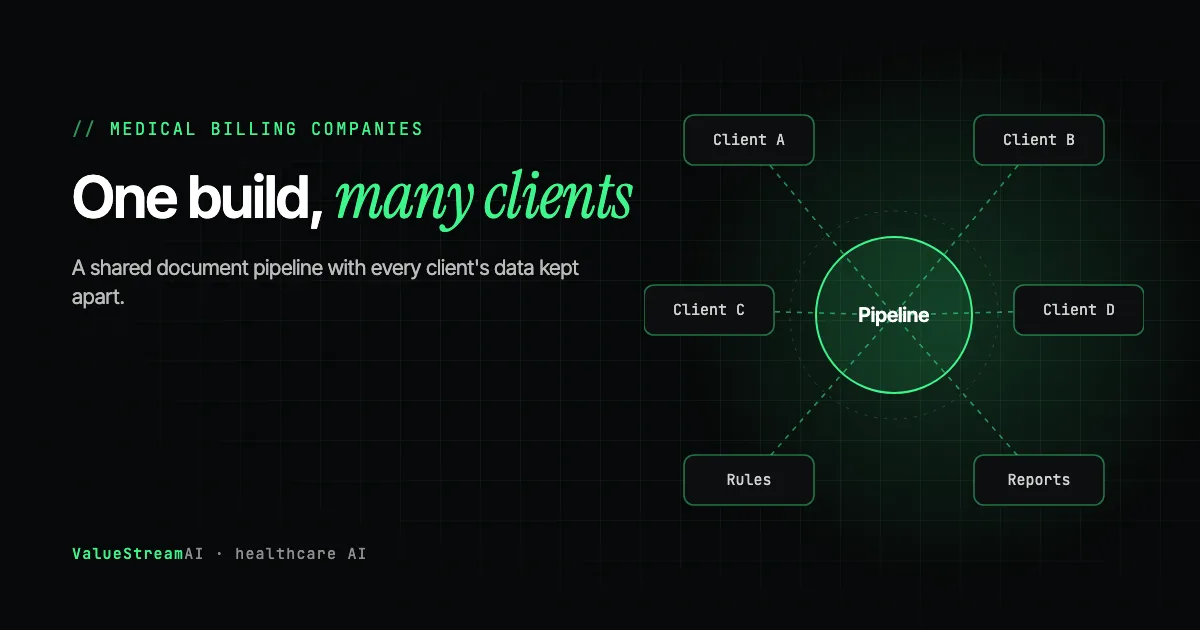
The design that makes a multi-client pipeline work is simple to describe and important to get right: share the machinery, separate everything about each client.
What is shared. The document reading, the extraction, the checking engine, the exception queue and the rules for payers several clients have in common. Improve one and every client benefits.
What is separate for each client. Their documents and extracted data, their client-specific rules (a practice that always includes certain notes, a payer contract only they have), their user access, and their reports.
Documents arrive from each client practice and are tagged with that client at the point of entry. The shared pipeline reads and checks them, applying shared payer rules plus that client's own rules. Results go into that client's own data store and that client's exception queue, which only that client's assigned billers can see. Each client receives its own report.
Tag at the door. Every document is tagged with its client the moment it enters, from the fax line, inbox or portal it came through. Every later step uses that tag. A document that cannot be confidently tagged goes to a person, never into a guess.
The second client should be configuration. The test of a good first build is whether onboarding the next client means adding their rules and connecting their inbox, not writing new software. Ask for that explicitly when scoping.
Getting Documents Out of Every Client's Systems
The hardest part of multi-client automation is rarely the AI. It is that every client sends documents differently: fax, plain email, secure email, a portal download, an EHR export.
We built exactly this for a medical billing company whose client documents arrived through Egress secure email, a staff-facing encryption tool with no developer API. Every message meant spotting the email, copying an access code, opening the secure message in a browser, downloading each attachment and retyping the patient details. The Egress medical billing case study shows how a one-to-two-week MVP fetched the emails, opened each secure message the way a staff member would, read the attachments across PDF, Word, Excel and image formats, fingerprinted every file so nothing was processed twice, and produced structured patient records, using test documents only. It also sets out plainly what production would need on top.
The lesson for billing companies: before scoping, list every route documents arrive by, for every client, and ask of each one whether it has an API or an official integration. Routes without one can still be automated through the screen, but they cost more to maintain, and that belongs in your pricing to the client. Our explainer on whether AI can read and act on encrypted emails covers the secure email case in detail.
HIPAA for Billing Companies Using AI
A billing company is a business associate of each client practice. When it uses an outside service that creates, receives, keeps or sends client patient data, that service is a subcontractor. HIPAA allows the billing company to share patient data with it only after obtaining written assurances, through a business associate agreement, that the subcontractor will safeguard the data (45 CFR 164.502(e)).
In practice that means:
- Your cloud AI provider needs a business associate agreement with you if patient data reaches it.
- Your developer needs one if they can access live client data. Ours is standard.
- Your hosting provider needs one if you self-host on a rented server.
Self-hosting reduces that list. When the AI models run on a server you control, there is no AI vendor in the data path, so the only agreement is with the hosting provider. For a billing company with many clients asking the same compliance questions, that is often worth more than the server cost. The self-hosted document AI guide covers models, servers and monthly costs, and our guide to what AI agents may do with patient data covers both US and UK rules.
Pricing Automation to Your Clients
Automation changes your cost per document, which changes what you can offer clients.
- Keep percentage-of-collections pricing and take the margin. Simplest, and invisible to clients.
- Offer a premium tier with pre-bill checks on every claim and a monthly denial root cause report. Both are visible, valuable, and hard for a competitor without automation to match.
- Compare against platform pricing honestly. If a platform quotes per document or per action, the SaaS savings calculator shows what that adds up to across your whole client book over a year.
- Win smaller practices profitably. Clients that were too small to be worth taking on can become profitable when intake and checks are automated.
Whatever the model, keep a person on every submission and every appeal. Your clients are paying for your judgement; automation should give your billers more time to use it.
Build, Buy or Wait?
- Buy a platform if your client book is mostly on one or two mainstream billing systems a platform supports. Revenue cycle platforms such as GenHealth.ai also offer full-service options aimed at the same clients you serve, so read their positioning carefully.
- Build if your clients use many different systems, your document routes are unusual, or you want to own the system and the margin it creates. A build also lets you present the capability under your own brand.
- Wait if you have fewer than a handful of clients and no clear high-volume workflow. Use the features in software you already pay for first, and take the ten-question AI Readiness Score to see what would need to change before a build makes sense.
When choosing a partner, ask to see something they have already built against a system with no API, and ask who specifically will work on your project and whether you can speak to them before signing. Then ask four questions that anyone who has built this can answer in a sentence each: what happens when the AI returns something malformed halfway through a document; where unfinished work is kept if the process stops; how they avoid writing the same record twice after a retry; and who, by name, fixes it when it breaks at 3am. You do not need to judge the answers in depth. Notice whether they are immediate and specific, or general and reassuring. Our guide to how to tell if an AI agency can actually build it lists the questions.
The Competitor Pulse Check
| Factor | ValueStreamAI multi-client build | Revenue cycle platform | Offshore staffing | Doing nothing |
|---|---|---|---|---|
| Cost as client book grows | Falls per document | Usually grows per transaction or seat | Grows per person | Grows per person |
| Handles every client's document routes | Yes, including screen-only routes | Supported systems | Yes, by hand | Yes, by hand |
| Per-client data separation | Built in | Platform's model | Policy and training | Policy and training |
| Your brand | Yes | Usually theirs | Yours | Yours |
| Who owns the system | You | Vendor | Not applicable | Not applicable |
| Checks every claim | Yes | Yes | When time allows | When time allows |
Human Hours vs Automation: Intake Across a Client Book
The assumptions (our estimate, replace with yours).
- Unit of work: one incoming client document, such as a referral, order or face sheet.
- Staff alone: 12 minutes to open it, read every page, key it into the client's billing system and check for missing items.
- Staff with AI: 2 minutes for a biller to confirm the extracted fields against the page and approve.
- Rate: US median wage for medical records specialists, $24.59 an hour (BLS, May 2025). Base pay; offshore rates are lower, so recalculate with your own.
| Client book | Staff alone: hours a year | Staff alone: cost | Staff with AI: hours a year | Staff with AI: cost |
|---|---|---|---|---|
| 5 clients, 1,000 documents a month | 2,400 | $59,016 | 400 | $9,836 |
| 25 clients, 5,000 documents a month | 12,000 | $295,080 | 2,000 | $49,180 |
Your billers become reviewers, not typists. In the "staff with AI" column, every document is still seen by a biller, who checks the extracted fields against the page, works the exceptions and releases the work into the client's system. For a billing company that matters twice over: your clients are paying for your people's judgement, and your business associate agreements with them assume a person is responsible for what goes out. The AI changes how your billers spend their minutes, not who answers for the result.
The other side of the ledger. A one-client pilot is $5,000 to $15,000; a shared workflow $15,000 to $40,000; a multi-client platform from $40,000, plus running costs and maintenance. At 25 clients, even the top of the range is a fraction of one year's saving.
What the numbers leave out. Clients retained because their denials fell, clients won because you could show a monthly root cause report, and smaller practices that become profitable to serve.
Run your own figures in the hire vs automate calculator or the AI automation ROI calculator.
What AI for Medical Billing Companies Costs
AI automation for a medical billing company costs $5,000 to $15,000 for a one-client pilot designed for reuse, $15,000 to $40,000 for a shared workflow across several clients, and $40,000 or more for a multi-client platform covering intake, checks, prior authorization and denials. These are our published prices as of October 2026.
One workflow for one client, built so it can be reused for the next.
- Proves accuracy on real formats
- Designed for reuse
Intake or pre-bill checks running for several clients, with per-client rules.
- Per-client data separation
- Client-level reporting
Intake, checks, prior auth and denials across your whole client book.
- Shared rules library
- Your brand, your contracts
See our pricing, estimate your project with the automation quote tool, or read about our healthcare AI development service.
Frequently Asked Questions
How can a medical billing company use AI?
A medical billing company can use AI to read incoming client documents, check claims documentation against payer rules before billing, assemble prior authorization packets and work denials, with one pipeline serving many client practices and each client's data kept separate.
Do AI vendors need a BAA with a billing company?
Yes, if they create, receive, keep or send client patient data. Under HIPAA they are the billing company's subcontractors, so a business associate agreement is required. Self-hosting the AI removes the AI vendor from that list.
How do you keep client data separate in a shared system?
Tag every document with its client at entry, store each client's data separately, apply each client's own rules, restrict exception queues to that client's assigned billers, and report per client. Anything that cannot be confidently tagged goes to a person.
Is it worth automating if we only have a few clients?
Only if one workflow already has steady volume. Below a few hundred documents a month across all clients, start with the features in software you already pay for.
How much does AI automation cost for a medical billing company?
A one-client pilot costs $5,000 to $15,000, a shared workflow $15,000 to $40,000, and a multi-client platform $40,000 or more, based on our published pricing.
Will automation replace our billers?
No. It removes retyping and routine checking so billers spend their time on exceptions, payer calls and appeals. A person still makes every submission.
What's Next
Tell us how many clients you serve, the routes their documents arrive by and your highest-volume workflow. We will scope a pilot on one client that is built to roll out to the rest, and price it against your current staff time.
→ Book a free billing company automation review
This post is part of our guide to revenue cycle automation for small practices. Related: build vs buy for practice automation, and why checking documents against each other matters more than reading them.
Muhammad Kashif is co-founder of ValueStreamAI, leading technical delivery and AI strategy. He designs and ships custom agentic AI and healthcare automation systems for clients across the US and UK. More about Muhammad Kashif →