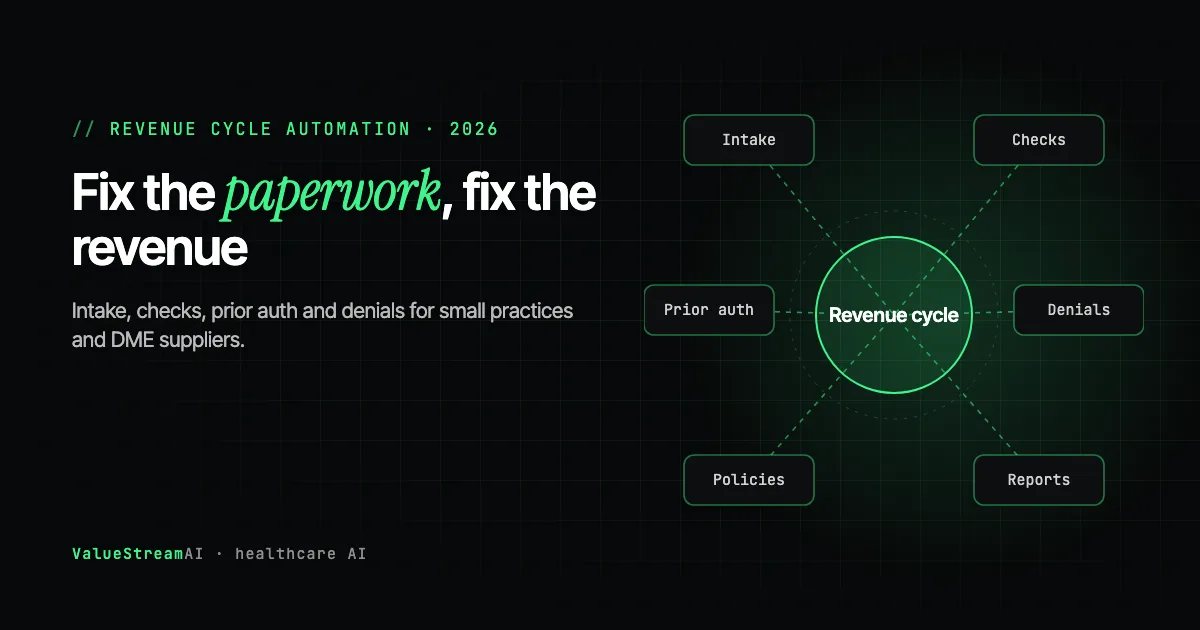
A small practice or medical equipment supplier rarely loses money because the medicine was wrong. It loses money because a referral fax was keyed in with the wrong date of birth, the doctor's signature was missing from an order, or a prior authorization went out without the note the payer asked for. Revenue cycle automation for small practices works best when it starts there: with the documents, not with the software.
That is the argument of this guide. Large health systems buy platforms. Small practices, DME suppliers and the billing companies that serve them mostly need something narrower: a system that reads the paperwork that arrives every day, checks it against the rules that decide whether a claim gets paid, and puts every problem in front of a person before the claim goes out.
The short answer: For a practice, DME supplier or billing company with under about 50 staff, the fastest payback in revenue cycle automation comes from four document jobs: referral intake, pre-bill documentation checks, prior authorization packets and denial follow-up. AI reads the documents, plain code checks them against payer rules, and your staff decide every exception. A one-workflow pilot runs $5,000 to $15,000. Mid-size organisations with heavy volume should compare platforms such as GenHealth.ai or Tennr first.
Key takeaways
- The top cause of denials is bad data, not bad medicine. Experian Health's 2025 survey found missing or inaccurate data was the leading denial reason, cited by 50% of respondents.
- Medical equipment billing has the worst error rate in Medicare. CMS's 2025 error rate testing put improper payments for durable medical equipment and supplies at 24.1%.
- Reading a document is now cheap. Checking it is the valuable part. Any modern AI model can pull fields from a fax. The money is in catching the order that does not match the notes.
- Keep a person on every submission. The safe design flags problems and drafts the work; your staff send it.
- This guide is US-focused. Prior authorization, Medicare equipment rules and payer portals do not map onto the UK system.
| Metric | 2026 Benchmark |
|---|---|
| Providers with denial rates of 10% or higher | 41% (Experian Health, State of Claims 2025) |
| Top denial cause: missing or inaccurate data | 50% of respondents (Experian Health, 2025) |
| Medicare improper payment rate, medical equipment and supplies | 24.1% (CMS CERT 2025, claims July 2023 to June 2024) |
| Prior authorizations per physician, per week | 39, taking about 13 staff hours (AMA survey, late 2024) |
| Prior authorizations now submitted electronically | 40% (2025 CAQH Index) |
| Provider organisations using AI in admin work | 25%, against more than 50% of health plans (2025 CAQH Index) |
Why Revenue Cycle Automation for Small Practices Is a Document Problem
Revenue cycle automation for small practices is mostly a document problem because almost every expensive failure in the cycle starts with a piece of paper that was incomplete, inconsistent or retyped wrong. The claim itself is the last step. By the time it is built, the mistake has already happened.
The evidence points the same way from three directions:
- Denials. In Experian Health's State of Claims 2025 survey of 250 revenue cycle professionals, the top three denial causes were missing or inaccurate data (50%), authorizations (35%) and incomplete or inaccurate patient registration (32%). All three are paperwork.
- Medicare audits. CMS's 2025 Comprehensive Error Rate Testing report put the improper payment rate for durable medical equipment, prosthetics, orthotics and supplies at 24.1%, the first increase since 2015, as reported by O&P EDGE. Medicare contractor training on these errors, such as CGS's 2025 error rate webinar, keeps naming the same causes: orders, notes that do not support coverage, and proof of delivery that is missing or inadequate.
- Prior authorization. The AMA's late-2024 survey of 1,000 physicians found an average of 39 prior authorization requests per physician per week, consuming about 13 hours of staff and physician time, as reported by HMP Global. That works out to about 20 minutes per request.
None of these is a coding problem or a clinical problem. Each one is a person, usually a billing clerk or intake coordinator, reading a document, typing it somewhere else, and checking it against a rule from memory. That is exactly the kind of work automation does well, provided it is designed to check rather than just to copy.
The Revenue Cycle, One Document at a Time
The easiest way to see where automation fits is to follow the paperwork instead of the software. Each stage below has a document, a typical failure, and a job an automated system can do.
- 01Referral or order arrives
Read the pages, pull out the patient, the item or service, and the prescriber.
- 02Eligibility and coverage
Confirm the patient is covered and whether the payer needs prior authorization.
- 03Prior authorization
Assemble the notes and order the payer's policy asks for, then a person submits.
- 04Documentation check
Confirm the order, notes and proof of delivery are complete and agree with each other.
- 05Claim, remit, denial
Read the payment file, group denials by reason, and draft appeals for a person to sign.
| Stage | The document | What usually goes wrong | What automation does | Deep dive |
|---|---|---|---|---|
| Intake | Referral fax, order, face sheet | Keyed in wrong, pages missing, prescriber details unreadable | Reads every page, pulls out the fields, flags what is missing | Fax and referral intake automation |
| Pre-bill check | Order, doctor's notes, proof of delivery | Signature or date missing, notes do not support the item | Checks each order against the payer's documentation list | Automated documentation checks for DME |
| Prior authorization | Request form, notes, policy criteria | Packet sent without the evidence the payer's policy asks for | Builds the packet and cites the policy, a person submits | Prior authorization automation for small practices |
| Payment and denials | Remittance file, denial letters | Denials pile up unread, the same cause repeats for months | Groups denials by reason and drafts the appeal | Denial and appeal automation |
| Policy lookup | Payer policies, internal procedures | Staff work from memory or an old PDF | Answers with a link to the current policy text | A private payer policy knowledge base |
A referral or order arrives by fax, email or portal. It is read and its fields extracted, eligibility and prior authorization needs are checked, the documentation is checked before billing, and the claim goes out. After payment, the remittance is read and denials are grouped and appealed. Anything that fails a check goes to a person.
Two things stand out when the cycle is drawn this way. First, the same few documents are read several times by different people: the order is read at intake, again for prior authorization, again before billing and again when the denial comes back. Second, most of the expensive checks happen late. A missing signature found at intake costs a phone call. The same signature found by a Medicare auditor costs the whole payment.
Where to Start: Five Workflows With the Fastest Payback
The right first project is the one where volume is high, the rule is clear and the cost of a mistake is visible. For most small providers that ranks the workflows like this.
- Pre-bill documentation checks. Highest value per document for medical equipment suppliers, because the Medicare error rate for this category is so high and the required documents are well defined. See catching denials before you bill.
- Referral and order intake. Highest volume. Faxed and emailed referrals still arrive as images, and every one is retyped. See fax and referral intake automation.
- Prior authorization packets. High time cost per request. The safe version builds the packet and leaves submission to a person. See prior authorization automation.
- Denials and appeals. Lower volume but recurring causes. Reading the payment file and grouping denials by reason often shows one fixable cause behind dozens of denials. See denial and appeal automation.
- A policy knowledge base. Less visible, but it makes the other four better, because every check needs the current payer rule. See the payer policy knowledge base.
Choose the first workflow knowing it becomes the foundation for the rest. The second workflow should reuse the first one's document reading, rules library and exception queue, which makes it a fraction of the cost. We have seen the opposite pattern often enough to warn against it: each automation built as a separate tool, with its own copy of the payer rules, until two of them disagree about the same patient. That cost is invisible at two automations and painful at five.
If you are not sure your team and systems are ready for any of this, the ten-question AI Readiness Score gives a quick, honest starting point.
If you are a billing company rather than a provider, the order is the same but the economics change: one pipeline can serve many client practices. That case has its own guide, AI automation for medical billing companies.
What Revenue Cycle Automation Actually Does
Good revenue cycle automation splits the work three ways: the AI model reads, plain code checks, and a person decides. That split is the difference between a system you can trust with money and a demo.
The model reads. A modern vision-capable model can pull a patient name, date of birth, item, prescriber and signature from a fax it has never seen before, including handwriting, without anyone building a template. A few years ago that was the hard part. It is not any more.
Code checks. Whether the order date falls before the delivery date, whether the quantity matches, whether the prescriber's NPI is present, whether the payer requires prior authorization for this item: these are rules, not judgement calls. We put them in ordinary code, not in the AI model, because models are not reliable at dates, counts and arithmetic. In our experience, even with every setting tuned for consistency, a model can return a perfectly formatted answer that is simply wrong. A rule written in code gives the same answer every time and can be audited.
A person decides. Every order that fails a check goes into a queue with the reason and the page it came from. Your staff fix it, call the prescriber, or override it. Nothing is submitted to a payer without a human seeing it.
We learned the cost of skipping the middle step on our own projects. On a patient registry migration we ran for a private practice, extracting the records from a legacy system with no export button, reading the pages took days. Deciding that four spellings of one name were the same patient took far longer. That ratio is normal. Extraction is a commodity; checking that documents agree with each other is the product.
Who This Is For, and Who Should Buy a Platform Instead
Revenue cycle automation is now a crowded, well-funded market, and being honest about it is the fastest way to find the right fit.
Platforms built for scale. GenHealth.ai raised a $16.5 million Series A in September 2026, bringing its total to about $30 million, according to Fierce Healthcare. It sells AI agents for intake, eligibility, prior authorization, billing and denials, mainly to equipment suppliers and health plans. Tennr raised a $101 million Series C in June 2025 to automate referral intake and says it processes more than 10 million documents a month. Parachute Health has added AI Intake for converting faxed equipment orders.
When a platform is the right call. If you are a mid-size or larger supplier, you run a mainstream billing system such as Brightree, and your workflows match the platform's, buy the platform. You get a product that improves every month and a vendor that carries the maintenance.
When a custom build is the right call. Small and growing providers usually sit in one of three positions where a platform fits badly:
- Volume is too low to interest an enterprise sales team, but high enough that two or three people spend their days retyping faxes.
- Workflows are unusual: a specialty mix, a payer the platform does not cover, or a home-grown spreadsheet process that no product models.
- You want to own it. No per-action pricing, your data stays where you put it, and the rules are yours to change.
There is a third option that is genuinely right for some readers: do nothing custom yet. If your billing system already offers intake or eligibility features you have not switched on, start there. A custom build should cover the gap the product leaves, not duplicate what you already pay for.
The Competitor Pulse Check
| Factor | ValueStreamAI approach | Typical RCM platform | Generic AI tools (ChatGPT, Copilot) |
|---|---|---|---|
| Who it suits | Small providers, DME suppliers, billing companies with unusual workflows | Mid-size and large organisations on mainstream systems | Individuals drafting letters |
| What it reads | Your faxes, orders, notes and remittances, in your formats | The formats the product supports | Whatever a person pastes in |
| Checks against payer rules | Rules written for your payers, in code you can audit | Vendor's rules library | None |
| Writes into your billing system | Yes, through its API or through the screen | Yes, for supported systems | No |
| Pricing | Fixed build, then optional maintenance | Usually per transaction or per seat, quoted on request | Per seat |
| Who owns it | You | The vendor | The vendor |
| Where patient data lives | Your choice, including your own server | Vendor cloud | Vendor cloud |
The honest reading of this table: platforms win on maturity and breadth, generic AI tools are not built for this job at all, and a custom build wins on fit, ownership and cost at small-to-moderate volume.
Can Your Systems Be Connected? The 90-Second Test
Before anyone scopes a build, there is a simple test any owner or billing manager can run. List the systems your revenue cycle runs on, then ask one question about each: does it have an API or an official integration option?
| System type | Common examples | What to check |
|---|---|---|
| Billing and order management | Brightree, NikoHealth | Published API or partner integrations |
| Practice management and EHR | athenahealth, eClinicalWorks, Epic, OpenEMR | API access for your account tier |
| Fax | eFax, RingCentral, Faxage | Whether incoming faxes can be pulled automatically |
| Payer portals | Availity, payer websites | Terms of use on automated access |
| Clearinghouse | Your claims clearinghouse | Electronic eligibility and remittance files |
If the answer is yes for your main systems, the build is predictable: the automation uses the door the vendor built. If the answer is no, it is still possible. The system can work the software through its screen the way a person does, but that route is more fragile, because it breaks when the vendor moves a button. It costs more to maintain, and that should be in the quote.
Payer portals deserve a specific warning. Some payers' terms restrict automated logins. Check before anyone promises to automate them, and prefer electronic transactions through your clearinghouse where they exist. Our guide to webhooks and APIs for practice managers explains these routes in plain English.
Private by Design: HIPAA, BAAs and Where the Data Lives
Every document in the revenue cycle contains protected health information, so where the AI runs is a compliance decision, not a technical detail.
Cloud AI services. Most major AI providers offer a business associate agreement on business plans, and a system built on them can be HIPAA compliant if the agreement is signed and the configuration is right. Our explainer on whether ChatGPT is HIPAA compliant covers what the agreement does and does not cover.
Self-hosted AI. When the model runs on a server you own or rent and control, there is no AI vendor in the data path. The compliance question changes from "which vendor's contract covers us" to "where is our server". If the server is rented, the hosting provider is still a party you need an agreement with, but it is one agreement, not one per AI tool. Open document-reading and extraction models are now good enough for this work; self-hosted document AI for patient records covers the models, the hardware and the real monthly cost.
Testing without real patients. Every system we build is developed and tested on synthetic records first. Synthea generates realistic fake patients for exactly this purpose, so no real data is needed until the parallel run.
Human Hours vs Automation: Intake, Checks, Prior Auth and Denials
This section prices the same month of work two ways. The figures are our estimates for an assumed small equipment supplier, not client measurements. Replace them with your own.
The assumptions.
- Volume (assumed): 500 referrals, 500 pre-bill documentation checks, 200 prior authorization packets and 100 denials a month.
- Minutes per document, staff working alone (our estimate): 12 for a referral (read, key in, check for missing items), 10 for a documentation check, 20 for a prior authorization (the AMA's 39 requests in 13 hours works out to 20 minutes each) and 15 for a denial.
- Minutes per document, staff working with AI (our estimate): 2, 1.5, 5 and 4. A person still reviews every flagged item and every submission.
- Rate: the US median wage for medical records specialists, $24.59 an hour (Bureau of Labor Statistics, May 2025). That is base pay, not loaded cost, so real savings are higher.
| Workflow (monthly volume) | Staff alone: hours | Staff alone: cost | Staff with AI: hours | Staff with AI: cost |
|---|---|---|---|---|
| Referral intake (500) | 100 | $2,459 | 17 | $410 |
| Documentation checks (500) | 83 | $2,049 | 13 | $307 |
| Prior auth packets (200) | 67 | $1,639 | 17 | $410 |
| Denials (100) | 25 | $615 | 7 | $164 |
| Total per month | 275 | $6,762 | 53 | $1,291 |
| Total per year | 3,300 | $81,147 | 630 | $15,492 |
Why there is no "AI alone" column
Every figure in this series compares staff working alone with staff working with AI. There is no column for AI working on its own, because we do not build that, and in revenue cycle work we would advise against it.
| Staff alone | AI alone (we do not build this) | Staff with AI | |
|---|---|---|---|
| Reads the documents | A person, every page | The model | The model, with the original page beside every field |
| Checks payer rules | From memory or a checklist | The model's best guess | Rules written in code, applied the same way every time |
| Handles exceptions | Staff | Nobody, or the model | Staff, with the reason and the page in front of them |
| Submits to the payer | Staff | Automatically | Staff |
| Catches a misread field | If someone notices | No | Uncertain fields are flagged for a person to confirm |
| Who is accountable | The practice | The practice, with no trail | The practice, with an audit trail per document |
| Staff minutes per referral (our estimate) | 12 | Not applicable | 2 |
The saving comes from taking the reading, retyping and rule-checking off your staff, not from taking your staff out. Remove the person entirely and the hours fall only slightly further, but every misread digit, outdated rule and wrong submission goes straight to the payer, and the practice is still accountable for all of it. A person on every exception and every submission is what makes the other numbers on this page safe to rely on.
Regulators are drawing the same line. Nevada's Assembly Bill 406 (June 2025) bans AI therapists but explicitly allows clinicians to use AI for billing, scheduling and notes, on condition that they independently review the accuracy of what it produces (NASW Nevada). Utah's October 2026 pilot letting AI prescribe acne treatments starts with two physicians approving every prescription, and reduces that only after at least 95% agreement with physicians and zero missed safety checks (Holland & Knight). Even where states are most permissive, autonomy is earned with measured results, not assumed.
The other side of the ledger. A workflow covering intake and checks is a $15,000 to $40,000 build, plus maintenance and AI running costs. At the volumes above, the staff time saved covers that inside the first year. At a quarter of that volume, it may not, and a single-workflow pilot is the better start.
What the numbers leave out. The bigger win is usually not the hours. It is the denial that never happens because the missing signature was caught at intake, and the referral that is booked the same morning instead of three days later. Those are real but we cannot price them for you without your own denial data.
Run your own figures in the hire vs automate calculator or the AI automation ROI calculator. For a document-by-document version with sample paperwork, see what medical billing automation costs per document.
What Revenue Cycle Automation for Small Practices Costs
Revenue cycle automation costs between $5,000 and $40,000 or more for a custom build, depending on how many workflows it covers and how many systems it connects to. These are our published prices as of October 2026.
One workflow, such as referral intake or pre-bill checks, measured against work your team already did by hand.
- One document type
- Parallel run before go-live
Intake, checks and an exception queue wired into your billing system, with an audit trail per order.
- Payer-specific rules
- Your staff own every exception
For billing companies running the same pipeline for many client practices.
- Per-client data separation
- Reusable rules library
- Pilot (4 to 6 weeks): $5,000 to $15,000. One workflow, one document type, run in parallel with your team so you can compare results before switching anything off.
- Revenue cycle workflow (8 to 12 weeks): $15,000 to $40,000. Intake and pre-bill checks connected to your billing system, payer-specific rules, an exception queue and an audit trail.
- Multi-client build (12 weeks or more): $40,000 and up. For billing companies serving many practices, with each client's data kept separate.
Ongoing costs are AI usage (or a server, if self-hosted), maintenance when payers change their rules, and any changes you ask for. See our pricing for how engagements are structured, get a quick estimate with the automation quote tool, or read about our healthcare AI development service.
For comparison, platforms in this space generally do not publish prices and quote per organisation. Ask for the pricing model in writing, especially whether you pay per document, per action or per seat, because that decides how the cost grows with your volume. Once you have a quote, the SaaS savings calculator shows what usage-based pricing adds up to over a year, and our free tools page collects every calculator in one place.
How to Tell If It Is Working
Agree the measures before the build starts, using numbers you already track:
- Clean claim rate: the share of claims accepted on first submission.
- Denial rate, by reason: especially denials for missing information and missing authorization.
- Days from referral to first contact with the patient.
- Staff hours on intake and checks, from timesheets or a two-week sample.
- Exceptions per 100 documents: how often the system asks a person for help. This should fall over the first few months as rules are tuned.
Keep a person approving every document until the system has seen real volume. In our experience the first hundred or so real documents surface three to five problems that weeks of testing on clean samples did not, the kind only real traffic shows, such as an unusual form layout from one referring office or a scan quality nobody tested. Those are fixed during the parallel run, before anyone relaxes the checks.
If none of these measures move after a three-month parallel run, the project has not worked, and a good partner will say so. Our guide on how to tell if an AI agency can actually build it covers the questions to ask before you sign.
Risks to Weigh Before You Start
- This is US-specific. Prior authorization, Medicare equipment rules and payer portals have no direct UK equivalent. UK practices should start with our AI for medical practices hub instead.
- Billing compliance is your responsibility. An automated system that submits wrong claims creates the same liability as a person who does. Keep a human on every submission and keep the audit trail.
- A business associate agreement is required with anyone whose system touches patient data on your behalf, including the developer if they can access live data.
- Payer rules change. Budget for maintenance. A rule library that nobody updates becomes a denial generator.
- Portal terms of use may restrict automated logins. Check first.
Frequently Asked Questions
What is revenue cycle automation for small practices?
Revenue cycle automation for small practices is software that handles the repetitive paperwork between a patient referral and a paid claim: reading referrals, checking documentation, building prior authorization packets and working denials. The safe version flags problems and drafts work, and staff make every submission.
Which revenue cycle task should a small practice automate first?
Start with the task that has high volume and a clear rule. For medical equipment suppliers that is usually pre-bill documentation checks or referral intake. For specialty practices it is often prior authorization packets.
Is AI revenue cycle automation HIPAA compliant?
It can be. The AI provider, hosting provider and developer each need a business associate agreement if they handle patient data, or the system can run on a server you control so no AI vendor sees the data at all.
How much does revenue cycle automation cost for a small practice?
A one-workflow pilot costs $5,000 to $15,000 and a fuller workflow $15,000 to $40,000, based on our published pricing. Platforms usually quote per organisation, often on per-transaction or per-seat pricing.
Will automation replace my billing staff?
No. It removes the retyping and checking so your staff spend their time on exceptions, phone calls to prescribers and appeals that need judgement. Every design we recommend keeps a person on every submission.
Should I buy a platform like GenHealth.ai or Tennr instead of a custom build?
If you are mid-size or larger and your workflows match the platform's, usually yes. A custom build makes more sense at smaller volume, with unusual workflows, or when you want to own the system outright.
Does revenue cycle automation work with Brightree or athenahealth?
Usually, yes. Check whether your account has API or partner integration access; if it does, the build is predictable. If not, the system can work through the screen, which costs more to maintain.
What's Next
If you want to see where your own revenue cycle is losing money, start with one workflow and one month of documents. We will map it, price it both ways and tell you plainly whether automation is worth it at your volume.
→ Book a free revenue cycle review or read about our healthcare AI development service.
Continue the series:
- Fax and referral intake automation for DME and specialty practices
- Catch denials before you bill: automated documentation checks
- Prior authorization automation for small practices
- What medical billing automation costs per document
- Denial and appeal automation
- A private payer policy knowledge base
- Self-hosted document AI for patient records
- AI automation for medical billing companies
For the broader background on eligibility checks and the difference between rule-based bots and AI, see our claims billing automation guide.
Muhammad Kashif is co-founder of ValueStreamAI, leading technical delivery and AI strategy. He designs and ships custom agentic AI and healthcare automation systems for clients across the US and UK. More about Muhammad Kashif →